On this page
- What Is Pandas in Python?
- Why Are Students in Jalandhar Learning Pandas?
- Do You Need Experience Before Starting?
- The Two Building Blocks: Series and DataFrame
- Reading and Exploring Your Data
- Cleaning Data: The Part Nobody Tells You About
- Filtering, Sorting and Grouping
- Common Mistakes Beginners Make
- Where Can You Go After Learning Pandas?
- How to Practise: A Simple Plan for Students
- Learning Pandas in Jalandhar
What Is Pandas in Python?
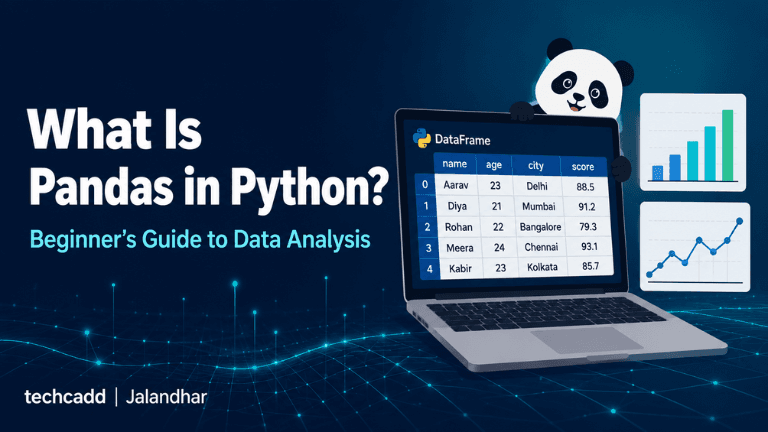
Ever opened a huge Excel sheet and watched your laptop struggle? That’s the problem Pandas solves. Pandas is a free Python library for working with data: opening it, cleaning it, sorting it and finding the answers hidden inside. Think of it as Excel with extra power, except you control it with a few lines of code instead of endless clicking.
The name has nothing to do with the animal. It comes from “panel data”, a term used in statistics for tables of information.
Why Are Students in Jalandhar Learning Pandas?
Many students start Python and soon wonder, “Okay, but what can I actually do with this?” Pandas is one of the first real answers. Exam marks, a local shop’s sales, attendance records, survey responses: all of it is data, and Pandas helps you make sense of it.
It’s also a skill employers look for. Job listings for data analysts, business analysts and Python developers often mention Pandas. Beginners at techcadd often say this is the point where Python stops feeling like theory and starts feeling useful.
Do You Need Experience Before Starting?
Not much. If you know basic Python (variables, lists and loops), you can begin learning Pandas. You don’t need a maths degree or advanced coding skills. Knowing Excel helps, but it isn’t compulsory.
The Two Building Blocks: Series and DataFrame
Everything in Pandas rests on two ideas:
Series: a single column of data, like a list of student marks.
DataFrame: a full table with rows and columns, just like an Excel sheet.
Here’s how simple it looks:
python
import pandas as pd
data = {"Name": ["Aman", "Simran", "Rohit"],
"Marks": [78, 91, 85]}
df = pd.DataFrame(data)
print(df)
Run this and you get a neat table with names and marks. That’s your first DataFrame, and you’ve just done what most data analysis starts with.
Reading and Exploring Your Data
Real data rarely starts in your code. It usually lives in a CSV or Excel file, and Pandas can open it in one line:
python
df = pd.read_csv("students.csv")
Once it’s loaded, don’t rush into analysis. Take a quick look first. Four commands do most of the work:
df.head() shows the first five rows.
df.info() tells you the column names, data types and missing values.
df.describe() gives quick statistics like average, minimum and maximum.
df.shape shows how many rows and columns you have.
Beginners often skip this step and then wonder why their results look strange. A two-minute check saves a lot of confusion later.
Cleaning Data: The Part Nobody Tells You About
Here’s the honest truth: most of a data analyst’s time goes into cleaning, not charts. Real data has blank cells, repeated rows and spelling mistakes, like “Jalandhar” typed three different ways.
Pandas handles this well:
python
df.dropna() # remove rows with missing values
df.drop_duplicates() # remove repeated rows
df["Marks"].fillna(0) # replace blanks with 0
df["City"] = df["City"].str.title() # fix capitalisation
If this feels tedious at first, that’s normal. Everyone finds it slow in the beginning. It gets faster with practice, and it’s exactly the skill that makes you useful on a real project.
Filtering, Sorting and Grouping
This is where Pandas starts answering real questions. Want students who scored above 80?
python
df[df["Marks"] > 80]
Want the toppers first?
python
df.sort_values("Marks", ascending=False)
Want the average marks for each course?
python
df.groupby("Course")["Marks"].mean()
That last line replaces what would take several steps in Excel. Once groupby clicks, you’ll feel the real power of the library.
Common Mistakes Beginners Make
Forgetting import pandas as pd at the top of the file.
Expecting changes to save automatically. Most operations return a new result, so store it in a variable.
Using wrong column names. Capital letters and spaces matter.
Trying to memorise every function instead of practising with real datasets.
Where Can You Go After Learning Pandas?
Pandas is rarely the final stop. It’s the base for a lot of exciting skills. Once you’re comfortable with it, the next steps feel natural:
Data visualisation: Matplotlib and Seaborn turn your tables into clear charts.
NumPy: the library that powers much of Pandas behind the scenes.
SQL: useful for pulling data from databases before analysing it.
Machine learning: libraries like Scikit-learn rely on clean, well-prepared data, which is exactly what Pandas helps you create.
You don’t need to learn everything at once. Pick one, build a small project, then move to the next.
How to Practise: A Simple Plan for Students
Reading about Pandas only takes you so far. Here’s a realistic way to build confidence:
Start with a small dataset, like your class marks or a simple sales sheet.
Practise loading, cleaning and filtering it until the commands feel familiar.
Pick a question to answer, such as “Which month had the highest sales?”
Build a mini project and share it on GitHub or LinkedIn.
A small project you finished teaches you more than ten tutorials you only watched.
Learning Pandas in Jalandhar
Self-study works for some people, but many students get stuck on errors, don’t know what to learn next or lose motivation halfway. Learning with mentors, live practice and real datasets makes that journey smoother. At techcadd, students learn Python and data analysis step by step, with hands-on practice that connects directly to what employers expect.
If you’re in Jalandhar and curious about data analysis, Pandas is a great place to start. Open a notebook, load a small file and run your first df.head(). That one command is often where the curiosity begins.
Adjusting word choices to hit the exact character count.
Keep reading
- Digital Marketing Course for Beginners in Jalandhar | GuideLearn digital marketing from scratch in Jalandhar. Explore the syllabus, SEO, Google Ads, Meta Ads, careers, plus a course checklist by techcadd Jalandhar.
- How to Get Clients for Digital Marketing FreelancingLearn how to get clients as a digital marketing freelancer, step by step. Plus, discover the digital marketing, social media marketing, Google Ads, Meta Ads and SEO courses at techcadd Jalandhar.
- From Zero to Live: Building a Business Website in One Day with WordPress | techcadd, JalandharWant your business online fast? Learn how techcadd in Jalandhar helps you plan, design, and launch a working WordPress website in just one day, no coding needed.
Comments
Loading…