DevOps is not a list of tools
Knowing Jenkins menus or Kubernetes commands is not the goal. The goal is understanding why a deployment failed, how to roll it back and how to stop it happening again.
Make your final semester count. Learn how applications are built, shipped and kept running — Linux, Git, cloud platforms, Docker, Kubernetes, CI/CD pipelines, Terraform and monitoring — through a structured six-month pathway on free tiers and sandbox accounts, and check whether the format fits your university requirements.
Ask for the current fee, format, schedule, project supervision and certificate details in writing before enrolling.
Overview
Cloud computing is renting computing, storage and networking from a provider instead of running your own servers. DevOps is the set of practices that lets a team change software often and safely — version control, automated builds and tests, repeatable infrastructure and monitoring. Six months gives you time to practise the whole chain: a Linux server, a Git repository, a container, a pipeline, cloud infrastructure written as code and a dashboard that tells you when something breaks.
A workplace internship usually includes supervised responsibilities in an organisation; industrial training centres on instruction, lab work and guided projects. Both can be valuable, but they are not interchangeable — ask who supervises the work, what deliverables are required and which documents your university accepts.
Knowing Jenkins menus or Kubernetes commands is not the goal. The goal is understanding why a deployment failed, how to roll it back and how to stop it happening again.
Cloud platforms provide the servers, networks and managed services; DevOps practices decide how code reaches them reliably and how changes are tracked.
Jalandhar students coordinate lab sessions with semester classes, examinations and final presentations. A nearby centre makes mentoring and project reviews easier to reach.
Compare mentor availability, lab access, project depth, feedback, assessment, timetable and clear administrative processes before choosing any six-month programme.
Who can apply
Whatever your degree, check eligibility, assessment standards, attendance rules, laptop or lab access and university permission before enrolling.
Connect operating systems, computer networks and software engineering subjects with real servers, containers, pipelines and cloud networking.
Build from familiar computer applications topics toward the Linux command line, Git, web servers and deploying a small application to the cloud.
Explore container orchestration, infrastructure as code, pipeline design, access control and documentation for a team-style deployment project.
Apply programming and networking knowledge to automation, scripting and keeping a service available, with emphasis on troubleshooting.
Networking, Linux and scripting are a practical route into infrastructure roles. Extra support may be needed for the programming and Git modules.
Eligibility depends on starting skills, available time and academic requirements rather than a one-size-fits-all promise.
Why a six-month cloud & DevOps path?
Linux permissions, networking, YAML files, pipelines and cloud access policies take repeated practice — and a lot of debugging — before they feel natural. A semester gives each of them room.
A semester-long plan leaves time to misconfigure a server, read the logs, fix it and write down what happened — which is most of the job.
A public Git repository with a Dockerfile, a pipeline definition, Terraform code, a runbook and an architecture diagram shows more than a list of tools on a CV.
Six months is long enough to build the habits that matter on a real account: least-privilege access, budget alerts and tearing down what you no longer use.
Compare cloud support, DevOps, site reliability, Linux administration and build-and-release roles before committing to a specialisation.
A structured project helps you practise reporting and viva presentations — but acceptance as compulsory industrial training depends on your college or university.
Tools & technologies
Taught in the order a deployment needs them: Linux and Git first, then cloud fundamentals, containers, pipelines, infrastructure as code and monitoring. Networking, security and cost awareness run through every module. Ask for the module-by-module list for your batch.
Files, permissions, users, processes, services, package managers, SSH, logs and Bash scripts that automate routine server tasks.
Commits, branches, merges, pull requests, code review and resolving conflicts — the starting point of every pipeline.
IP addressing, subnets, DNS, ports, HTTP and HTTPS, load balancing and firewalls — the concepts behind every cloud network diagram.
IaaS, PaaS and SaaS on AWS, with comparisons to Azure and Google Cloud: virtual machines, storage, virtual networks, managed databases and regions.
IAM users, roles and policies, multi-factor authentication, least privilege, budget alerts and the pricing traps that surprise new cloud users.
Images, containers, Dockerfiles, volumes, networks and Docker Compose for running a multi-service application on one machine.
Pods, deployments, services, config maps, secrets, scaling and rolling updates on a local cluster, with Helm charts for packaging.
Automated builds, tests and deployments with GitHub Actions or Jenkins, including stages, secrets and approval gates.
Terraform for creating and destroying cloud resources repeatably, and Ansible for configuring the servers inside them.
Nginx as a web server and reverse proxy, Prometheus metrics, Grafana dashboards, alerts and reading logs during an incident.
Syllabus & learning roadmap
Each month ends in a deliverable. A typical week holds one concept lesson, one guided lab, one independent exercise and one review — confirm contact hours and mentor arrangements for your batch.
The command line, file permissions, users, processes, services, SSH and Bash scripting, alongside Git branching, pull requests and GitHub. Deliverable: a scripted server set-up kept in a Git repository with a README.
IP addressing, DNS, ports and HTTP; cloud service models, regions, virtual machines, storage and virtual networks on AWS, compared with Azure and Google Cloud. IAM, MFA and budget alerts set up first. Deliverable: a static site and a web server on a free-tier account, with an architecture diagram.
Images, Dockerfiles, volumes, networks and Docker Compose; Nginx as a reverse proxy in front of a small web application and database. Deliverable: a multi-container application that starts with one command.
Build, test and deploy stages, secrets handling, artefacts and approval gates; failing a build on purpose and fixing it. Deliverable: a pipeline that tests and deploys the application on every merge.
Pods, deployments, services and rolling updates on a local cluster, Helm basics, Terraform for cloud resources and Ansible for server configuration. Deliverable: infrastructure created and destroyed from code, with a plan output and notes.
Prometheus metrics, Grafana dashboards and alerts, then an end-to-end capstone with a runbook and cost notes. Practise explaining containers, pipelines, IAM and troubleshooting. Deliverable: final report, live demonstration and review notes.
Course vs internship vs industrial training
Engineering colleges use “industrial training”, “six-month training” and “internship” differently. Your university handbook, department coordinator and academic policy decide what counts — not the programme title.
Real-world cloud & DevOps projects
Certificates & deliverables
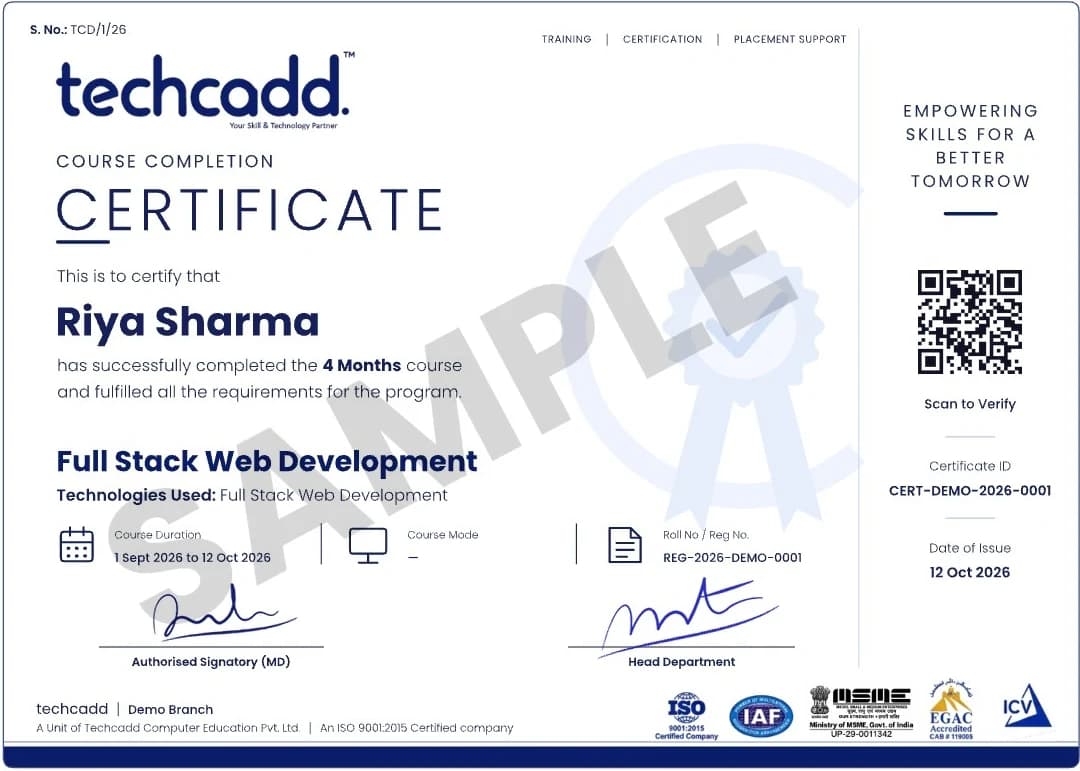
Issued on finishing the programme, with a QR code and certificate ID anyone can verify.
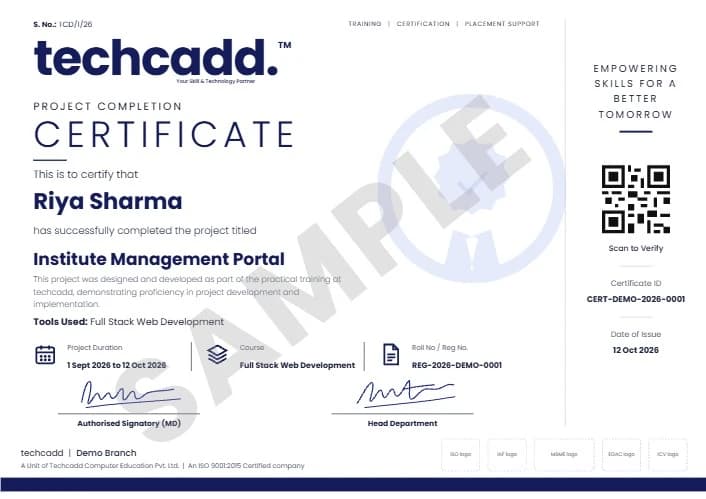
A separate certificate naming the live project you designed and built during training.
Project ideas
Each follows the same method: define what the system must do and who uses it, draw the architecture, keep every file in Git, build it on a free tier or local cluster with budget alerts on, and finish with a demonstration, a runbook and a teardown checklist.
A portfolio site deployed to cloud storage or a web server automatically on every push, with HTTPS and a custom domain.
Frontend, API and database in Docker Compose behind an Nginx reverse proxy, with persistent volumes.
Build, test and package a sample application, failing the pipeline when tests fail and publishing the artefact when they pass.
Deploy an application to a local cluster, scale it, roll out a new version and roll it back, with notes on each step.
A virtual network, server and security rules created and destroyed entirely from code, with remote state explained.
Configure several Linux machines identically — users, packages, firewall rules and a web server — from one playbook.
Prometheus collecting metrics from an application, Grafana dashboards and an alert that fires when the service goes down.
Scheduled database backups copied to cloud storage, with a tested restore and a retention policy.
Review a sandbox account for unused resources and over-broad permissions, and write up the fixes and the savings.
How to apply
Six steps, so you know what is confirmed in writing before you pay and what is assessed at the end.
Share your degree, semester, preferred start month and whether your university requires a specific type of placement.
Review prerequisites, curriculum, format, hours, fees, cloud account arrangements, project expectations and documentation.
Receive current programme details, policies and any required approvals before registration.
Begin with Linux, Git and networking, then cloud fundamentals, containers and pipelines, with regular exercises.
Choose an application and architecture, plan checkpoints and receive structured feedback on each stage.
Demonstrate the deployment, explain your pipeline and infrastructure, and submit the report and repository.
University & college requirements
Ask your training and placement cell or department coordinator before paying, keep copies of written approvals, and ask techcadd to confirm which documents it can genuinely issue.
Requirements differ between universities and even departments. A practical checklist includes the department handbook, approval email, project scope, timetable, attendance method, evaluation rubric and final submission date. Do not assume an institute certificate alone satisfies a university internship requirement.
Duration, semester planning & batches
Six months can align with a final-semester calendar, but confirm the actual dates, weekly hours and holidays for your batch.
Plan around examinations, faculty reviews, report submission and commuting time.
Ask for the current intake month, batch format and seat availability rather than relying on an “admissions open” banner.
Guided labs are not enough on their own. Budget regular time each week for Linux, Git and pipeline practice — and for tearing down cloud resources afterwards.
Eligibility, fees & what is included
Ask for the real programme fee in writing and what it includes. Cloud usage can cost money on top of tuition, so ask how labs are run and who pays if a free tier is exceeded.
Basic computer skills and comfort with typing commands help; no prior cloud experience is assumed. Some programming or scripting makes the pipeline and automation modules easier, and the level needed depends on the batch and your project.
Career scope
Entry-level roles you might work towards — job titles, hiring criteria and salaries vary by employer:
A six-month programme does not guarantee employment; a credible portfolio, continuing practice and, if you choose, vendor certifications taken separately support future applications.
Keep servers and cloud accounts healthy — patching, access requests, backups, monitoring and first response when something breaks.
Build and maintain pipelines, container images and deployment processes so developers can ship changes safely.
Manage infrastructure as code, Kubernetes clusters, alerting and incident reviews, with growing attention to cost and security.
Why students consider techcadd
Ask about instructor experience, class size, practical lab time, how cloud accounts are provided, project feedback and mentoring — and ask to see sample repositories and student work published with permission.

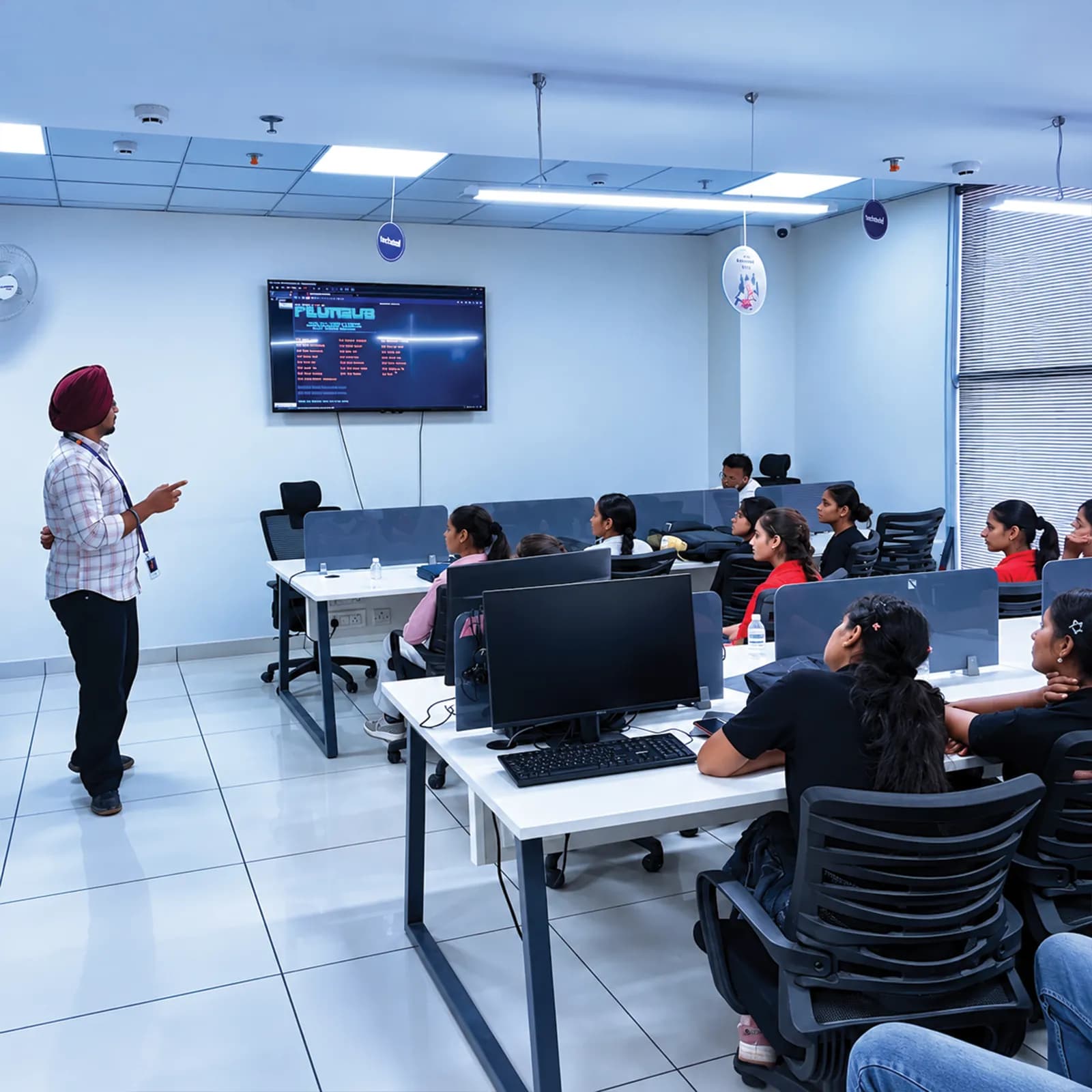
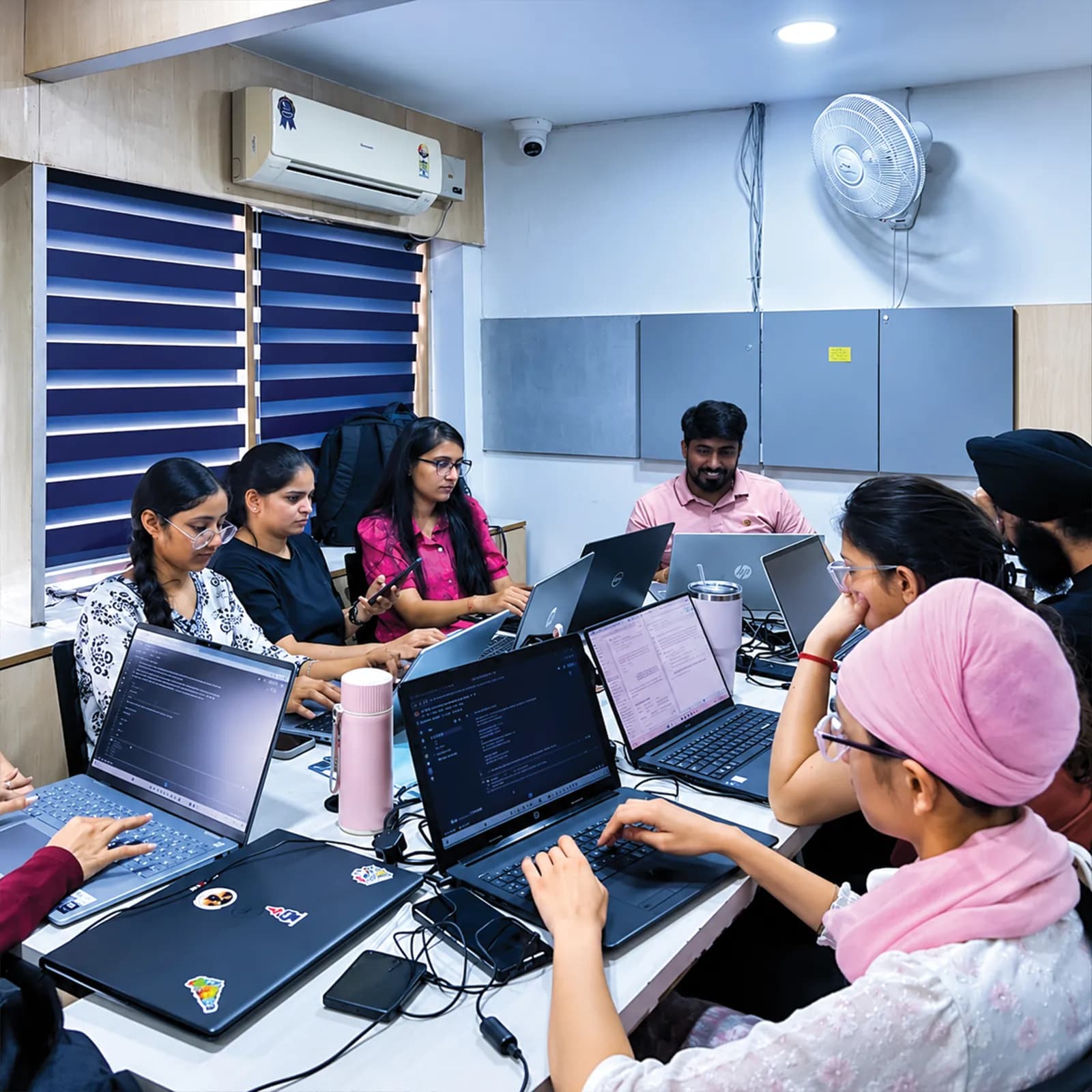
A deliverable at the end of every month, so you can see your progress and what is assessed.
Lab time on Linux, Git, Docker, Kubernetes, CI/CD tools, Terraform and cloud free tiers.
Fees, cloud usage, documents, project expectations and how outcomes are assessed — explained before admission.
Visit the centre, meet the trainers and look at the labs before you confirm a batch.
The centre is at 2nd Floor, Crystal Plaza, SCS 78, Opposite PIMS Hospital, Jalandhar. Ask about the learning format, counselling hours and public transport before you join, and check your travel time against your college timetable.
techcadd Jalandhar — 2nd Floor, Crystal Plaza, SCS 78, Opposite PIMS Hospital, Jalandhar, Punjab 144001Frequently asked questions
Answers can differ by degree, semester and batch — confirm any academic requirement directly with your institution.
You can enquire about the current cloud and DevOps programme at techcadd. Confirm whether it is a workplace internship or industrial training.
It may suit students who want applied Linux, networking, container and deployment practice, subject to university requirements.
BCA students can often start with Linux, Git and cloud fundamentals before containers and pipelines. Confirm the entry requirements.
A deployment or infrastructure capstone can be appropriate if it meets the department's academic rules.
Cloud computing is about the platforms that provide servers, storage and networks; DevOps is about the practices and automation that take code to those platforms reliably. The two are usually learned together.
Linux, Git and GitHub, Python for scripting, AWS with Azure and Google Cloud comparisons, Docker, Kubernetes and Helm, Jenkins or GitHub Actions, Terraform, Ansible, Nginx, Prometheus and Grafana. Ask for the module-by-module list for your batch.
The labs centre on one provider, with the equivalent services on the others compared. Ask which platform your batch uses before enrolling.
Free tiers and sandbox accounts cover most labs, but some providers ask for a card, and usage beyond the free limits is billed. Ask how labs are run, set budget alerts and delete resources you no longer use.
Basic computer skills help. Scripting is taught along the way, and the programming level needed depends on the batch and project complexity.
Yes, in practice. Most cloud servers, containers and pipeline runners use Linux, which is why it is the first module.
Kubernetes runs and scales containers across many machines. It comes after Docker in the roadmap, once you are comfortable with containers on a single machine.
The fundamentals overlap with entry-level cloud certifications, but those exams are booked and paid for separately with the vendor, and passing is not guaranteed.
Only if actual supervised client work is available and appropriately authorised. Ask for written details.
Confirm the exact document issued, the conditions, and whether it reflects actual work or training.
Only your college or university can confirm recognition for its academic requirements.
Request the current fee sheet and ask which services, cloud usage and assessment charges are included.
No. Evaluate any career support separately, and don't treat training as a job guarantee.
Ask about lab availability and the recommended specification. Running Docker and a local Kubernetes cluster needs a reasonable amount of memory.
Send an enquiry from this page or call +91 98881 22254, share your degree and semester, and request the verified syllabus and joining details.
techcadd Jalandhar is at 2nd Floor, Crystal Plaza, SCS 78, Opposite PIMS Hospital, Jalandhar, Punjab 144001. Visit for a counselling discussion before you confirm a batch.
Apply
Looking for a 6 months cloud computing internship in Jalandhar, a DevOps industrial training programme or a final-semester deployment project? Tell us your degree, university requirements, preferred start month and learning goals, and request the syllabus, fee structure, cloud lab arrangements, project evaluation process and documentation before you enrol.