On this page
- What Does “Advanced” Data Cleaning Actually Mean?
- Start With Looking, Not Fixing
- Handling Missing Values Without Panicking
- Standardizing Messy Text
- Fixing Dates and Data Types
- Spotting Outliers and Hidden Duplicates
- Cleaning Data Directly in SQL
- Removing Duplicates the SQL Way
- A Simple Workflow You Can Follow
- Where Do You Go From Here?
Why Every Data Student Ends Up Cleaning Data First
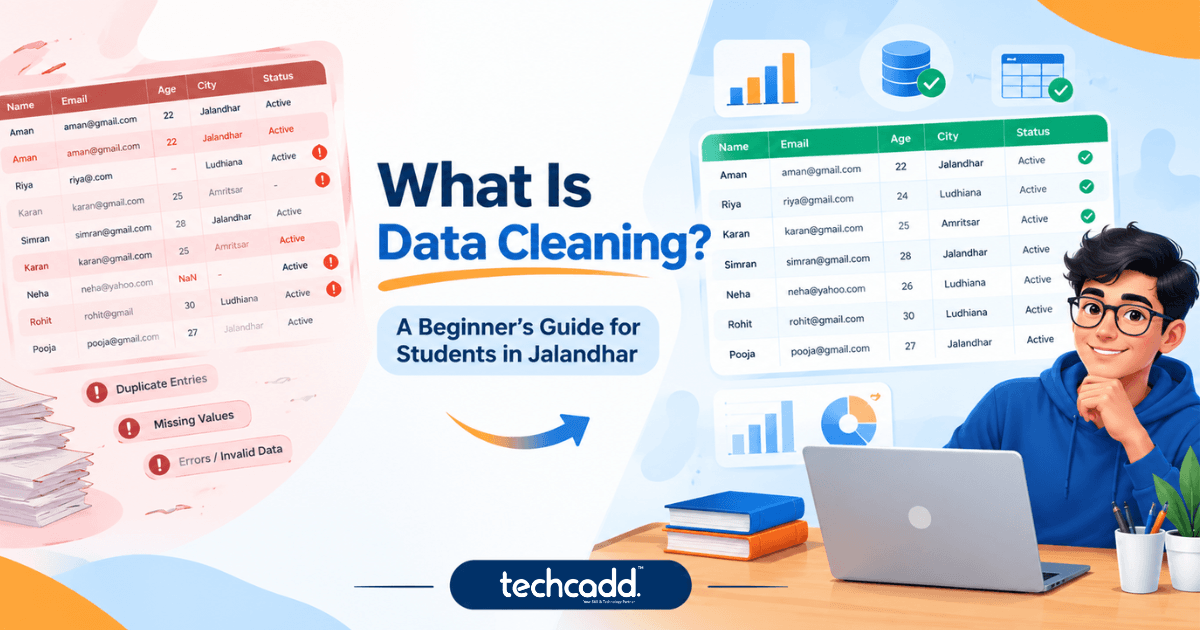
Here’s something nobody tells you when you start learning data analytics: most of your time won’t go into building fancy charts or machine learning models. It goes into fixing the data. Duplicate rows, missing phone numbers, dates written three different ways, names spelled “Amit”, “amit” and “AMIT” in the same column. Sound familiar?
If you’re a student in Jalandhar planning a career in data analytics, this is the skill that separates people who can follow a tutorial from people who can handle a real project. Companies don’t hand you clean spreadsheets. They hand you messy exports from billing software, Google Forms or old Excel files, and expect you to make sense of them.
At techcadd, students often ask in the first week, “Do I really need to learn cleaning before analysis?” Honestly, yes. Wrong data gives wrong answers, and no chart can hide that.
What Does “Advanced” Data Cleaning Actually Mean?
Basic cleaning is dropping blank rows and removing duplicates. Advanced cleaning is about making smart decisions. Should you delete a missing value or fill it in? Is that extreme number a typing mistake or a genuinely big order? Can you match “Jalandhar City” with “Jalandhar” without fixing 10,000 rows by hand?
This is where your three tools come in:
Python handles the logic and automation, so you write your cleaning steps once and reuse them.
Pandas is your main workbench for fixing tables quickly: filling gaps, converting data types and splitting columns.
SQL cleans data where it lives, inside the database, before it ever reaches your notebook.
Start With Looking, Not Fixing
Beginners often jump straight into deleting things. Don’t. Get to know your data first. In Pandas, three commands do most of the work: df.info(), df.describe() and df.isnull().sum(). They show you the data types, any odd value ranges and how many blanks each column has.
Spend ten minutes here and you’ll save hours later. It’s a habit worth building from day one.
Handling Missing Values Without Panicking
Missing data isn’t always a problem to delete. Ask yourself why it’s missing first. If 2% of customer ages are blank, filling them with the median is usually fine. If 60% of a column is empty, it may be better to drop the column entirely.
python
df['age'] = df['age'].fillna(df['age'].median())
df['city'] = df['city'].fillna('Unknown')
A common beginner mistake is filling every blank with zero. That quietly drags your averages down and gives you wrong results.
Standardizing Messy Text
Real data is full of small inconsistencies. “Jalandhar”, “jalandhar “ (with a trailing space) and “JALANDHAR” look identical to you, but Pandas treats them as three different cities.
python
df['city'] = df['city'].str.strip().str.title()
df['city'] = df['city'].replace({'Jalandhar City': 'Jalandhar'})
Do this before grouping or counting anything. Otherwise your report will show the same city three times.
Fixing Dates and Data Types
Dates are a classic headache. One row says 05/08/2025, another says 5 Aug 2025, and Pandas reads both as plain text.
python
df['order_date'] = pd.to_datetime(df['order_date'], errors='coerce')
The errors='coerce' part turns unreadable dates into blanks instead of crashing your code, so you can inspect those rows separately. Also check that numbers stored as text, like “₹1,200”, are converted to real numeric values before you calculate anything.
Spotting Outliers and Hidden Duplicates
Not every extreme value is a mistake. A student age of 250 is clearly an error, but a ₹50,000 order might be a genuine bulk purchase. Use df.describe() or a quick box plot to find suspicious values, then decide with the business context in mind.
For duplicates, don’t stop at drop_duplicates(). Try checking only key columns such as phone number and email:
python
df = df.drop_duplicates(subset=['phone', 'email'], keep='first')
This catches the same person entered twice with slightly different names.
Cleaning Data Directly in SQL
Sometimes the smartest move is to clean data before it ever reaches Python. If your company stores millions of rows in a database, pulling everything into Pandas can be slow. SQL lets you fix problems right at the source.
sql
SELECT
TRIM(UPPER(city)) AS city,
COALESCE(phone, 'Not Provided') AS phone,
CAST(order_amount AS DECIMAL(10,2)) AS order_amount
FROM customer_orders
WHERE order_date IS NOT NULL;
Here, TRIM removes stray spaces, COALESCE replaces blanks with a default value, and CAST converts text into proper numbers. These three functions alone solve a surprising number of everyday problems.
Removing Duplicates the SQL Way
Finding duplicates is easy. Deciding which copy to keep is the interesting part. A window function like ROW_NUMBER() helps you keep only the latest record for each customer.
sql
WITH ranked AS (
SELECT *,
ROW_NUMBER() OVER (
PARTITION BY email
ORDER BY created_at DESC
) AS rn
FROM customers
)
SELECT * FROM ranked WHERE rn = 1;
Don’t worry if this looks scary at first. Most students need a few attempts before window functions click, and that’s completely normal. Run the inner query alone, look at the rn column, and the logic becomes clear.
A Simple Workflow You Can Follow
When you get a new messy dataset, try this order:
Inspect the data using info(), describe() and null counts.
Back up the original file so you can always start over.
Fix types and text such as dates, spaces and spelling variations.
Handle missing values based on how much is missing and why.
Remove duplicates using key columns.
Check again to confirm nothing important was lost.
Where Do You Go From Here?
If you’re just starting, don’t try to learn everything in one week. Practice on a real messy dataset, maybe a Google Form export or a sample sales sheet, and clean it using both Pandas and SQL. That hands-on repetition builds the confidence interviewers look for.
Learning this with guidance makes the journey smoother. At techcadd, students in Jalandhar work on real, messy datasets instead of perfect textbook examples, so the first day on the job feels familiar rather than frightening.
Clean data builds trust in your analysis. Start small, stay curious, and keep practicing.
Filed under
Keep reading
- What Is Data Cleaning? A Beginner’s Guide for Students in Jalandhar Messy data can ruin even the best analysis. Learn what data cleaning is, why it matters, and how beginners in Jalandhar can start building this essential skill with practical guidance from techcadd.
- Advanced Pandas: Cleaning, GroupBy | techcadd Jalandhar Stuck with messy Excel files and slow Python scripts? Learn advanced Pandas the practical way: clean dirty data, use GroupBy, merge tables and handle large datasets smoothly. A student-friendly guide for Jalandhar learners from techcadd.
- Essential Data Analytics Skills Every Student in Jalandhar Should LearnThinking about a career in data? Discover the core data analytics skills students in Jalandhar should learn first, from Excel and SQL to visualization and clear thinking, and how to build them step by step with techcadd.
Comments
Loading…