On this page
- What Does “Advanced” Data Visualization Actually Mean?
- Dashboards: Your Data’s Front Page
- DAX: The Part Students Fear (and Shouldn’t)
- Interactive Reports: Let Users Explore
- What Should You Learn First?
- Do You Need Coding Experience?
- Mistakes Beginners Usually Make
- Why Practical Training Matters
- What Can You Do After Learning This?
- How to Build a Portfolio That Gets Noticed
- Learning It the Right Way with techcadd
- Your Next Step
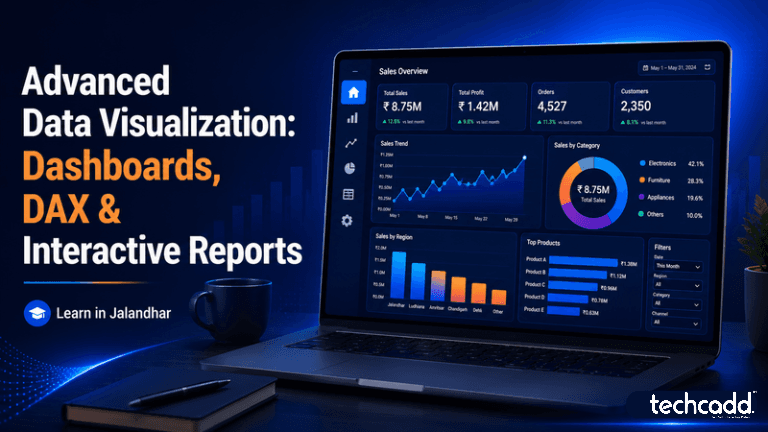
What Does “Advanced” Data Visualization Actually Mean?
Ever opened a spreadsheet with thousands of rows and felt your eyes glaze over? That’s exactly the problem data visualization solves. Charts turn messy numbers into something you can understand in seconds.
But “advanced” goes a step further. It’s not about making a prettier bar chart. It’s about building a report where a manager can open one page, click a filter, and instantly see how sales, attendance or website traffic changed this month. Three skills make that possible: dashboards, DAX and interactive reports.
Dashboards: Your Data’s Front Page
A dashboard is a single screen that shows the most important numbers at a glance. Think of a cricket scoreboard. You don’t want the entire match history, just the score, overs and required run rate.
The most common beginner mistake is cramming in fifteen charts because they look impressive. A good dashboard does the opposite. It answers the viewer’s main question before they even ask it, using only the visuals that matter.
DAX: The Part Students Fear (and Shouldn’t)
DAX stands for Data Analysis Expressions. It’s the formula language used in Power BI to create calculations like total revenue, profit margin or growth compared to last year.
Here’s the honest truth: DAX feels confusing at first, especially when you meet concepts like filter context. Many students quit right there. But if you’ve ever used SUM or IF in Excel, you already have a head start. DAX builds on the same logic, just with more power. Once it clicks, it becomes the skill that separates someone who can make charts from someone who can answer business questions.
Interactive Reports: Let Users Explore
A static report shows what you decided to show. An interactive report lets the viewer dig in themselves. With slicers, drill-through pages and hover tooltips, one report can replace ten separate files. A shop owner in Jalandhar, for example, could filter by month, product or branch without asking you to rebuild anything.
What Should You Learn First?
If you’re a beginner, resist the urge to jump straight into complex DAX. A smoother path looks like this:
Excel basics. Pivot tables, lookups and simple formulas build the logic you’ll use everywhere.
Data cleaning. Real data is messy. Learning to fix duplicates, blanks and wrong formats in Power Query saves hours later.
Data modelling. This means connecting tables properly, and it’s the foundation most beginners skip. A weak model makes even correct DAX give wrong answers.
Basic DAX. Start with SUM, COUNT, AVERAGE and CALCULATE.
Dashboard design. Only now do you focus on layout, colours and storytelling.
Do You Need Coding Experience?
No. This is one of the most common worries, and the answer is reassuring. You don’t need to be a programmer. Curiosity about numbers and patience while practising are enough. Students from commerce, science, arts and engineering backgrounds all pick this up, because the real skill is thinking clearly about what the data is telling you.
Mistakes Beginners Usually Make
After watching many learners go through this journey, a few patterns show up again and again:
Memorising formulas instead of understanding them. If you only copy DAX from the internet, you’ll be stuck the moment your data changes.
Using too many colours and chart types. Three or four colours with a clear purpose beat a rainbow every time.
Ignoring the audience. A dashboard for a college principal looks very different from one for a sales team.
Skipping practice projects. Watching tutorials feels productive, but building your own report is where learning actually happens.
Why Practical Training Matters
You can read about DAX for weeks and still freeze in front of a blank Power BI screen. Working on real datasets, with someone who can point out where you went wrong, speeds things up dramatically. That guided, hands-on practice is what separates confident learners from those who only know the theory.
What Can You Do After Learning This?
This is the question most students quietly worry about: “Will this skill actually lead somewhere?” The honest answer is yes, because almost every organisation now collects data and needs someone who can make sense of it. Skills in dashboards, DAX and interactive reporting open doors to roles like Data Analyst, Business Intelligence Developer, MIS Executive, Reporting Analyst and Power BI Developer. Even if you don’t switch careers, an accountant, marketer or operations executive who can build a clean dashboard stands out immediately.
For students in and around Jalandhar, this matters even more. Local businesses in manufacturing, retail, education, sports goods and export all deal with sales, stock and customer numbers daily. Many still rely on scattered Excel sheets, so someone who can turn those into a live, interactive report brings real value, whether you work locally, join a company in a bigger city or take on freelance projects.
How to Build a Portfolio That Gets Noticed
Employers rarely care about certificates alone. They want proof. Build two or three projects you can actually show, such as:
A sales dashboard with filters for region, product and month
A student attendance or results tracker for a school or institute
A simple finance report showing profit, expenses and year-on-year growth
Explain in a few lines what problem each report solves. That small habit makes your work look professional rather than like a classroom exercise.
Learning It the Right Way with techcadd
If you want structured guidance instead of figuring it out alone, techcadd in Jalandhar offers training focused on practical learning. You work through real datasets, build dashboards from scratch, practise DAX step by step and get feedback while you’re still learning, not after you’ve formed bad habits.
Your Next Step
Start small. Open Power BI, load a simple dataset and build one chart today. Then add a slicer. Then write your first measure. Every expert you admire started with a messy first report, and yours will be better than you expect.
Keep reading
- What Are AI Agents? A Beginner’s Guide for Students in JalandharCurious about AI agents but not sure where to start? This beginner-friendly guide explains what AI agents are, how they work, and why students in Jalandhar should start learning about them with techcadd.
- Advanced WhatsApp Marketing in Jalandhar: Automation, Chatbots & Campaign Strategies That Actually WorkLearn how automation, chatbots and smart campaign strategies can turn WhatsApp into a real growth channel for Jalandhar businesses and marketing students. A practical, beginner-friendly guide from techcadd.
- Advanced React JS in Jalandhar: Master Hooks, Context API & State Management with techcaddStruggling to move beyond React basics? Learn how Hooks, Context API and state management work in real projects, and how students in Jalandhar can build job-ready React skills with techcadd.
Comments
Loading…