On this page
- Why WhatsApp Has Become a Serious Marketing Tool
- “Isn’t WhatsApp Marketing Just Sending Bulk Messages?”
- WhatsApp Business App vs. WhatsApp Business API
- How Automation Saves You From Repeating Yourself
- Chatbots: Your 24/7 Assistant (With Limits)
- Common Mistakes Beginners Make With Automation
- Campaign Strategies That Turn Chats Into Customers
- Start With a Clear Goal
- Segment Your Audience
- Campaign Ideas That Work for Local Businesses
- Timing, Tone and Tracking
- Where Do You Go From Here?
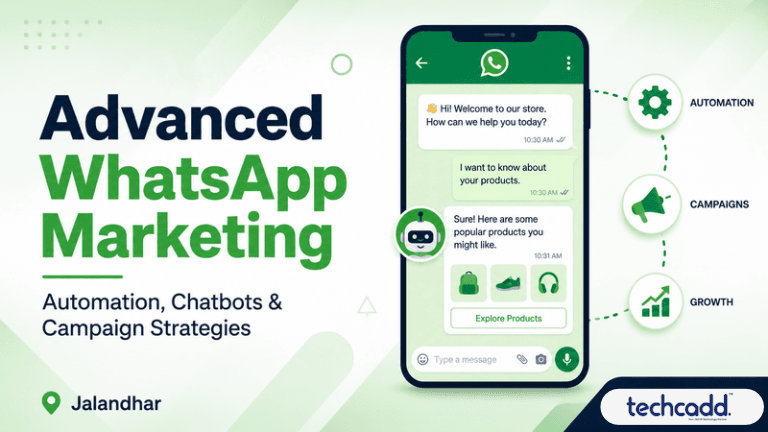
Why WhatsApp Has Become a Serious Marketing Tool
Think about how often you open WhatsApp in a day. Now think about how often you open your email. Most of us already know the answer, and so do businesses across Jalandhar. From sports goods exporters and coaching institutes to boutiques near Model Town, more owners are using WhatsApp to talk to customers directly instead of waiting for them to walk in.
That’s the big shift. WhatsApp isn’t just a messaging app anymore. It’s a place where people ask questions, compare prices and make decisions. If you’re a student learning digital marketing, this is a skill worth building now, not later.
“Isn’t WhatsApp Marketing Just Sending Bulk Messages?”
This is the most common beginner mistake, so let’s clear it up. Sending the same message to hundreds of people isn’t marketing. It’s spam, and it gets numbers blocked quickly.
Advanced WhatsApp marketing is about sending the right message to the right person at the right time. Someone who enquired about a course yesterday needs a different message than a customer who bought something last month. Once you understand that, everything else starts to make sense.
WhatsApp Business App vs. WhatsApp Business API
Before you touch automation or chatbots, you need to know which tool you’re working with.
WhatsApp Business App
This is the free app many small shops use. It offers a business profile, product catalogue, labels, quick replies and away messages. It’s great for beginners and small teams, but it has limits on automation and scale.
WhatsApp Business API
This is built for growing businesses. It supports chatbots, automated workflows, multiple team members on one number and proper campaign tracking. Access usually comes through an approved provider, and some messaging costs apply.
Here’s a simple way to decide. If you’re handling a few dozen chats a day, the app is enough. If your inbox is overflowing and replies are getting delayed, it’s time to look at the API.
How Automation Saves You From Repeating Yourself
Ask any business owner what eats up their day on WhatsApp, and you’ll hear the same thing: answering the same questions again and again. “What are the fees?” “What’s the timing?” “Where is your office?” Automation takes that load off your shoulders.
Here are the automations worth setting up first:
Welcome message: Greets a new contact instantly, so nobody feels ignored.
Away message: Tells people when you’ll reply if they message after working hours.
Quick replies: Saved answers you can send in one tap for common questions.
Follow-up reminders: A gentle nudge to someone who showed interest but went quiet.
Order or enquiry confirmations: A quick message that builds trust right away.
The trick is to automate the routine parts and keep the human parts human. Nobody wants a robotic reply when they’re upset about a delayed order.
Chatbots: Your 24/7 Assistant (With Limits)
A chatbot is simply a tool that replies to messages automatically, based on rules you set or, in smarter versions, based on AI. Imagine a student messaging a training institute at 10 PM asking about course duration. Without a chatbot, they wait until morning, and by then they may have messaged someone else. With one, they get an answer in seconds.
A good chatbot can:
Answer frequently asked questions
Collect basic details like name, course interest or budget
Show a menu of options, such as “Fees,” “Syllabus,” or “Book a Demo”
Pass the chat to a real person when the question gets complicated
That last point matters more than most beginners realise. A chatbot that traps people in a loop with no way to reach a human will frustrate them faster than no chatbot at all. Always give an easy “talk to our team” option.
Common Mistakes Beginners Make With Automation
Learning from other people’s mistakes is cheaper than making your own, so here are the big ones:
Over-automating. If every message feels scripted, people lose interest.
Messaging without permission. Always get opt-in first. It protects your reputation and keeps you within WhatsApp’s rules.
Writing long, boring replies. Keep messages short, clear and easy to read on a phone.
Ignoring the human touch. Use the customer’s name and sound like a real person.
Never testing the flow. Send yourself a message and go through the chatbot like a customer would. You’ll spot problems in minutes.
Campaign Strategies That Turn Chats Into Customers
Once your automation and chatbot are running, the next question is how to actually run campaigns that get results. A campaign doesn’t have to be complicated. It just needs a clear goal, a defined audience and a message people want to read.
Start With a Clear Goal
Before you write a single message, decide what you want. More course enquiries? Demo bookings? Repeat purchases? A campaign without a goal is just noise. Pick one goal per campaign, and you’ll find it much easier to measure what worked.
Segment Your Audience
Remember the earlier point about sending the right message to the right person? This is where it pays off. Use labels or tags to group your contacts, for example:
New enquiries
Existing customers or enrolled students
People who asked about pricing but never replied
Past customers who haven’t returned in a while
A student who asked about a course last week needs a reminder about an upcoming batch. A past customer needs an offer or an update. Same platform, completely different messages.
Campaign Ideas That Work for Local Businesses
Launch announcements: Share a new batch, product or service with people who showed interest.
Festival and seasonal offers: Diwali, Lohri and Baisakhi are perfect moments for timely, relevant messages.
Demo or event invitations: Short, clear invitations with one tap to confirm.
Feedback requests: A simple “How was your experience?” builds trust and gives you honest insights.
Click-to-WhatsApp ads: Run ads on Facebook or Instagram that open a WhatsApp chat directly, so interested people can talk to you instantly.
Timing, Tone and Tracking
Keep messages short, friendly and easy to act on. Avoid sending too often. Once or twice a week is plenty for most businesses, and sending late at night is a quick way to get blocked.
Then check your numbers. Look at delivery rates, reply rates and conversions, and compare campaigns. If one message gets twice the replies of another, learn from it and repeat what worked.
Where Do You Go From Here?
If you’re a student, start small. Set up a Business profile, create a few quick replies and practise building a simple chatbot flow. Then plan a mini campaign for a real or imaginary business. Hands-on practice teaches you more than any theory, and that’s exactly the kind of practical skill employers in Jalandhar’s growing digital space are looking for.
Keep reading
- What Is WhatsApp Automation? A Beginner’s Guide with Examples for JalandharNew to WhatsApp automation? Learn what it is, how it works and where it’s used, with simple real-life examples. A beginner-friendly guide for students and small businesses in Jalandhar, brought to you by techcadd.
- Advanced React JS in Jalandhar: Master Hooks, Context API & State Management with techcaddStruggling to move beyond React basics? Learn how Hooks, Context API and state management work in real projects, and how students in Jalandhar can build job-ready React skills with techcadd.
- Advanced Data Visualization in Jalandhar: Learn Dashboards, DAX & Interactive Reports with techcaddConfused by dashboards and DAX formulas? Learn what advanced data visualization really involves, what to master first, and how techcadd in Jalandhar helps students build interactive reports that employers notice.
Comments
Loading…