On this page
- What Is WhatsApp Automation?
- Why Are People Talking About It Right Now?
- How Does It Actually Work?
- Is It the Same as a Chatbot?
- Real-Life Examples of WhatsApp Automation
- Is WhatsApp Automation Suitable for Beginners?
- What Skills Do You Need to Begin?
- Mistakes Beginners Usually Make
- What Can You Do After Learning WhatsApp Automation?
- How Should You Start Learning?
- Final Thoughts
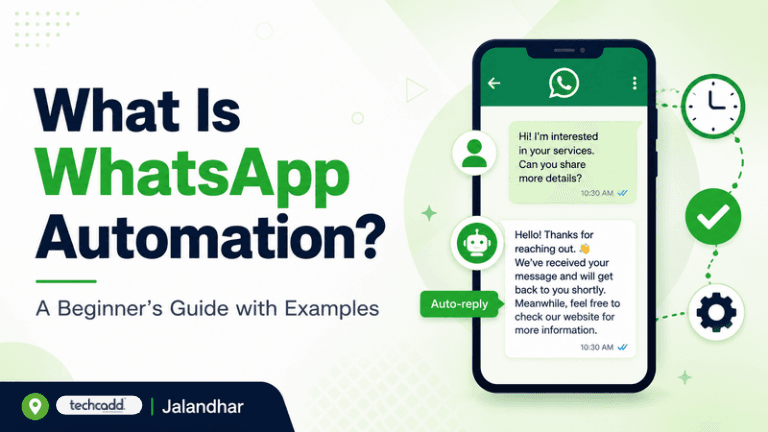
What Is WhatsApp Automation?
You’ve probably messaged a business on WhatsApp and got an instant reply like “Hi! Thanks for contacting us. How can we help you today?” at 11 PM. Nobody was sitting there typing at that hour. That’s WhatsApp automation.
In simple words, WhatsApp automation means using tools or software to send, receive and manage WhatsApp messages automatically, without a person typing each one by hand. You set the rules once, and the system does the repetitive work for you.
Why Are People Talking About It Right Now?
Think about a coaching institute or a clothing shop in Jalandhar. Every day, the same questions land in their inbox: “What are the fees?”, “What are your timings?”, “Is this item available?” Answering them one by one eats up hours.
Automation handles those repeated questions in seconds, so the team can focus on the conversations that actually need a human.
And it isn’t only for businesses. If you’re a student who wants to build practical, job-ready skills, understanding automation is a genuine advantage. Companies of every size are looking for people who know how to set these systems up.
How Does It Actually Work?
It’s less complicated than it sounds. Most automation follows a simple pattern: “If this happens, then do that.”
If a customer sends the word “price”, the system replies with your price list.
If someone messages outside working hours, it sends an “away” message.
If a new student fills out an enquiry form, they instantly get a welcome message on WhatsApp.
You don’t need to be a coding genius to understand this. You’re simply teaching the system how to respond, a bit like training a very obedient assistant who never gets tired.
Is It the Same as a Chatbot?
Not exactly. A chatbot is one type of automation, where software holds a conversation with the customer. Automation is the bigger picture. It also includes scheduled reminders, order updates, appointment confirmations and follow-ups.
Real-Life Examples of WhatsApp Automation
Examples make everything clearer, so let’s look at where this works in everyday life.
A coaching institute or training center: A student sends “course details” and instantly receives the syllabus, duration and fee structure. A reminder goes out the day before a demo class, so nobody forgets to show up.
A local shop or showroom: A customer asks about a product, and the system sends the catalog, photos and prices right away. After the purchase, a thank-you message and a review request follow automatically.
A clinic or salon: Appointment confirmations and reminders go out on their own. This alone can cut down missed appointments, which every small business owner knows is frustrating.
A real estate or service business: New enquiries receive a quick first response, so the lead doesn’t go cold while the owner is busy on a site visit.
Notice the common thread? Speed. People expect quick replies, and the business that answers first often wins the customer.
Is WhatsApp Automation Suitable for Beginners?
Short answer: yes. You don’t need previous experience to get started.
Many beginner-friendly tools let you build simple automations with basic setup, not heavy programming. If you can understand the “if this, then that” idea from Part 1, you already have the right mindset.
Of course, there’s a learning curve when you move to advanced setups, like connecting WhatsApp with forms, spreadsheets or a CRM. But that’s something you build up to step by step, not something you must master on day one.
What Skills Do You Need to Begin?
Here’s the honest list:
Basic computer and internet comfort
Clear thinking about how a customer conversation should flow
Good writing skills, since your messages represent the brand
Curiosity to try, test and fix things
Notice that “advanced coding” isn’t on the list. Writing a friendly, clear message matters just as much as the technical setup.
Mistakes Beginners Usually Make
Everyone slips up at the start, so don’t feel bad if you do too.
Sending too many messages. Nobody enjoys being spammed. Automation should help people, not annoy them.
Sounding like a robot. A cold, copy-paste reply pushes customers away. Keep it warm and natural.
Ignoring permission. Always message people who have agreed to hear from you.
Never checking the flow. Test your automation yourself before going live.
What Can You Do After Learning WhatsApp Automation?
This is the question most students quietly worry about: “Will this skill actually help my career?”
Honestly, yes, because almost every business now talks to customers on WhatsApp. That creates real opportunities. You could work in a digital marketing team, handle customer support for a company, manage communication for a local business, or even offer automation setup as a freelance service. Even if you’re running your own small venture someday, this skill saves you hours every single week.
Pair it with digital marketing, basic CRM knowledge or lead generation skills, and your profile becomes much stronger when you apply for jobs or internships.
How Should You Start Learning?
Don’t try to learn everything at once. A simple path works best:
Understand the basics. Learn how WhatsApp Business works and what auto-replies, labels and catalogs do.
Try small automations. Set up a welcome message and an away message for practice.
Learn message flows. Plan how a conversation should move from question to answer to action.
Explore integrations. Once you’re comfortable, connect WhatsApp with forms, sheets and other tools.
Practice with real examples. Build a mock setup for a coaching center, shop or clinic.
Hands-on practice beats just reading about it. Mentor guidance helps too, because someone experienced can point out mistakes before they become habits. If you’re in Jalandhar and want structured, practical training in digital skills, techcadd is a good place to explore how these tools are used in real projects.
Final Thoughts
WhatsApp automation isn’t magic, and it isn’t only for tech experts. It’s a practical way to reply faster, stay organized and give people a better experience, whether you’re a student building your career or a business owner short on time.
Start small. Build one simple automation this week. Once you see it working, you’ll understand why so many businesses rely on it.
Keep reading
- Advanced WhatsApp Marketing in Jalandhar: Automation, Chatbots & Campaign Strategies That Actually WorkLearn how automation, chatbots and smart campaign strategies can turn WhatsApp into a real growth channel for Jalandhar businesses and marketing students. A practical, beginner-friendly guide from techcadd.
- Essential Data Analytics Skills Every Student in Jalandhar Should LearnThinking about a career in data? Discover the core data analytics skills students in Jalandhar should learn first, from Excel and SQL to visualization and clear thinking, and how to build them step by step with techcadd.
- SQL for Data Science: Why It Matters and How to Learn It in JalandharThinking about a data science career? Start with SQL. Learn why employers expect it first, what beginners should practise, and how students in Jalandhar can build job-ready database skills with techcadd.
Comments
Loading…