On this page
From Idea to Install: How It All Began
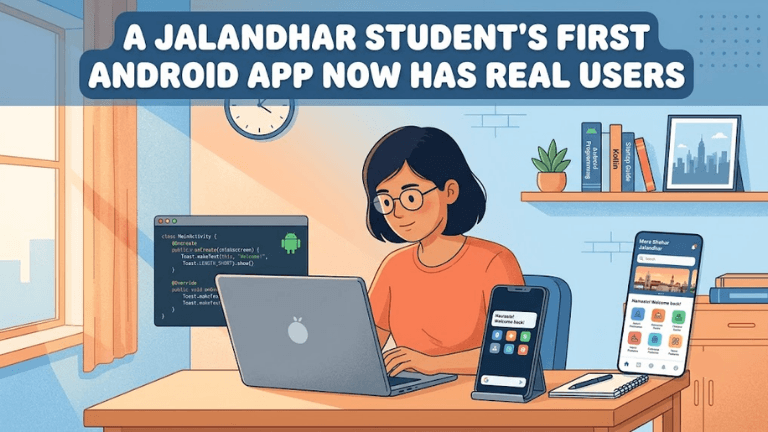
There's a strange kind of nervousness that hits when you first open Android Studio with an actual idea in your head — not a tutorial project, not a to-do list app copied from YouTube, but something you actually want to build. That's exactly where this Jalandhar student started.
Like most beginners, the first few weeks weren't about coding at all. They were about figuring out what problem was even worth solving. Should it be a productivity app? A local service app? Something for fellow students? After scrapping two half-built ideas, the final concept came from a genuinely everyday frustration — something the student dealt with personally, which is usually the best sign an app idea has legs.
Here's the thing nobody tells beginners clearly enough: the coding is rarely the hardest part. Deciding what to build, and why anyone else would care, takes longer than writing the actual functions.
Once the idea was locked in, the real grind started — learning Kotlin basics, understanding how Android's activity lifecycle actually works (not just memorizing it), and getting comfortable with the fact that the app would crash. A lot. Anyone who tells you their first app ran perfectly on the first build is either lying or hasn't actually built anything yet.
What made the difference wasn't talent or some special shortcut. It was consistency — showing up daily, even for 45 minutes, and treating every crash log as a clue rather than a personal failure. Slowly, screens started connecting. Buttons started doing what they were supposed to. And somewhere around the six-week mark, there was a working prototype that didn't immediately fall apart when tapped.
That prototype wasn't pretty. But it worked. And for a first-time builder, that's the actual milestone worth celebrating — not perfection, just something real and functional sitting on a phone screen.
The Gap Between "It Works" and "People Actually Use It"
Getting the app to function was one battle. Getting real people to open it, use it, and come back again was a completely different challenge — and honestly, a much harder one.
The first version went out to a small group of friends and classmates. The feedback was blunt, sometimes uncomfortably so. "This button doesn't make sense." "Why does it ask for this permission?" "I forgot the app even existed after day one." It stings the first time you hear it, but this is exactly the feedback every student building their first app needs and rarely gets in a classroom setting.
Instead of getting defensive, the smarter move was going back to the drawing board on just the parts causing confusion — not rebuilding everything, just fixing what was actually broken in the experience. That's a mistake a lot of beginners make: scrapping an entire project because of a few pieces of harsh feedback, instead of isolating what specifically needs work.
Small changes made a noticeable difference. Simplifying the onboarding screen. Cutting down unnecessary permission requests. Making the core action of the app obvious within the first ten seconds of opening it. None of these were complicated fixes technically, but they came from actually listening to how real users behaved, not how the developer assumed they would behave.
Slowly, the friend-group testers started opening the app without being reminded. A few started using it daily. Then someone shared it in a college group chat without being asked to. That's usually the real signal an app has crossed from "assignment project" to "something people find useful" — organic sharing, not obligation-based downloads.
This stage taught a lesson that no course really emphasizes enough: building the app gets you 40% of the way there. Understanding your actual users gets you the rest.
What Comes Next for Student Developers in Jalandhar
Fast forward a few months, and that "first app" now has a small but genuine base of active users — people outside the initial friend circle, some who found it through word of mouth, others through simple local sharing. It's not a viral hit, and it was never meant to be. But it's real. Real installs, real usage, real feedback loops. For a student's first project, that's a milestone many never reach, simply because most first apps never leave the emulator.
So what actually made this possible? Not some rare natural talent for coding. It came down to a few practical habits: staying consistent even during the boring debugging phases, treating early user feedback as data instead of criticism, and being willing to simplify rather than overcomplicate.
If there's one thing worth telling other students in Jalandhar thinking about building their first app — don't wait until you feel "ready enough" to start. Nobody feels ready. The gap between knowing Kotlin syntax and shipping something people use is closed by actually building, breaking things, and fixing them one at a time.
It's also worth saying: you don't need a fancy setup or an expensive laptop to start this journey. A decent understanding of programming basics, patience with Android Studio's quirks, and a genuine curiosity about solving a real problem are enough to get moving.
For students in Jalandhar exploring app development seriously — whether through self-study, YouTube, or structured training — the biggest unlock isn't more tutorials. It's building something end-to-end, however small, and putting it in front of real people. That's where the actual learning happens, and that's exactly how this student's "just a project" turned into an app with genuine users.
Filed under
Keep reading
- AI-Powered Mobile App Development in Jalandhar: Transforming User ExperiencesApps that recommend, predict and respond like they know you? That’s AI at work. Learn how AI-powered mobile app development is changing user experiences, what skills students in Jalandhar need to start, and how techcadd can help you build a career in it.
- 5 Power BI Mistakes Beginners Should Avoid: A Practical Guide for Jalandhar StudentsStarting Power BI in Jalandhar? Most beginners trip over the same few hurdles, from messy data to cluttered dashboards. Learn the 5 common Power BI mistakes students make and how to avoid them, so you build clean, useful reports and learn faster with techcadd.
- AI vs. Human Intelligence: Who Has the Edge? A Student’s Guide from JalandharWill AI take over human jobs, or do people still hold the upper hand? Find out where AI wins, where human intelligence shines, and how students in Jalandhar can build future-ready skills with techcadd.
Comments
Loading…