Linux comes first
Almost every cloud server runs Linux. Comfort with the command line, permissions and services makes everything after it easier.
Use a summer or winter break to get a structured introduction to cloud computing and DevOps. Over 45 days you work through Linux, Git, networking basics, AWS on a free-tier account, Docker containers and a first CI/CD pipeline — and finish by deploying and documenting a small application yourself.
A short introductory training, not an internship or a job guarantee. Set billing alerts on any cloud account. Ask for the syllabus, session plan, fee and certificate details in writing before paying.
Overview
Cloud computing means renting servers, storage and networks on demand instead of owning them; DevOps is the set of practices — version control, automation, containers and pipelines — that gets software onto those servers reliably. A 45-day training is a focused, practical introduction: enough to deploy a small application and understand each step, not enough to run production infrastructure.
Three different things share similar names. Introductory practical training teaches you a skill through guided labs and a mini project. A university industrial training requirement is an academic rule your college sets and assesses. An employment internship is supervised work inside an organisation. Ask which one a programme is, and check with your college what it accepts.
Almost every cloud server runs Linux. Comfort with the command line, permissions and services makes everything after it easier.
Practice runs on free-tier accounts with billing alerts and budgets set before anything else, and resources are deleted when an exercise ends.
This is instruction with guided labs and a mentor checkpoint each day. It does not involve client infrastructure or employment, and it is described that way in every document.
If you need academic industrial training credit, get written approval from your college before joining. Only your college decides what counts.
Who can apply
Every batch starts with an entry assessment, so the pace matches what you already know. Check your college requirements, laptop access and timetable before enrolling.
Connect operating systems and computer networks subjects with real servers, containers and a deployment pipeline during a summer or semester break.
Move from computer applications basics to Linux, cloud services and a small deployed application you can show.
Get hands-on with cloud and DevOps tooling and use the mini project to practise structured reporting and presentation.
Apply systems knowledge to cloud infrastructure, automation and clear documentation.
An early, structured look at how software runs in the cloud, so later semesters build on something you have already tried.
Motivated beginners can start with Linux and cloud basics; little programming is needed. Expect extra self-study time and confirm this with the entry assessment.
Why 45 days?
Forty-five days fits a summer or winter holiday window and is long enough to take a small application from your laptop to the cloud. It is a starting point: there is no promise of mastery, a job or academic credit.
Six to seven weeks fit most college breaks, so you can train without missing classes or examinations.
Seeing the whole path — code, container, pipeline, cloud server — once makes every later topic easier to place.
Find out whether cloud administration, DevOps automation or development appeals to you before committing to a longer programme.
Version control, least-privilege access, billing alerts, cleaning up resources and writing a runbook.
Forty-five days gives you a structured introduction and a mini project, not job readiness or a cloud vendor certification.
Tools & technologies
Taught in order: Linux and Git first, then networking and cloud fundamentals, containers, a first pipeline and an introduction to infrastructure as code. Ask for the session plan for your batch.
The command line, files and permissions, users, processes, services, SSH and short Bash scripts.
Commits, branches, pull requests and a repository that holds every script and configuration file you write.
IP addresses, ports, DNS, HTTP and HTTPS, and how security groups and firewalls control traffic.
Regions, EC2 virtual machines, S3 storage, IAM users and MFA, and budgets and billing alerts on a free-tier account — compared briefly with Azure and Google Cloud.
Serving a static site and putting Nginx in front of a small application on a cloud server.
Images, containers, Dockerfiles and Docker Compose, so the same application runs the same way everywhere.
A first pipeline that builds and checks your project on every push, and what a deployment stage adds.
An introduction to Terraform: describing a small cloud resource in code, planning it, creating it and destroying it.
Syllabus & learning roadmap
The pace depends on your entry assessment. Each day follows the same pattern: a clear objective, a guided practical, an independent task and a mentor checkpoint. Cloud exercises run on free-tier accounts with billing alerts set first.
Entry assessment, setting up a Linux environment, the command line, files, permissions, users and processes.
Services, SSH keys, short Bash scripts, then Git branching, pull requests and GitHub. Checkpoint: a scripted set-up kept in a repository.
IP addressing, ports, DNS and HTTP; cloud service models and regions; a free-tier AWS account with IAM, MFA, a budget and billing alerts.
Launching an EC2 instance, security groups, S3 storage and a static site, Nginx on a cloud server, and a brief comparison with Azure and Google Cloud.
Images, containers, Dockerfiles, volumes and Docker Compose. Checkpoint: a small web application and database that start with one command.
A GitHub Actions pipeline that builds and checks the project, then an introduction to Terraform: plan, apply and destroy a small resource.
Deploy a small containerised application to the cloud, write a runbook and cost notes, clean up every resource, and present the training report for evaluation.
Training vs internship vs industrial training
Colleges use “summer training”, “industrial training” and “internship” differently. Your university handbook and department coordinator decide what counts — not the programme title.
The mini project
Certificates & deliverables
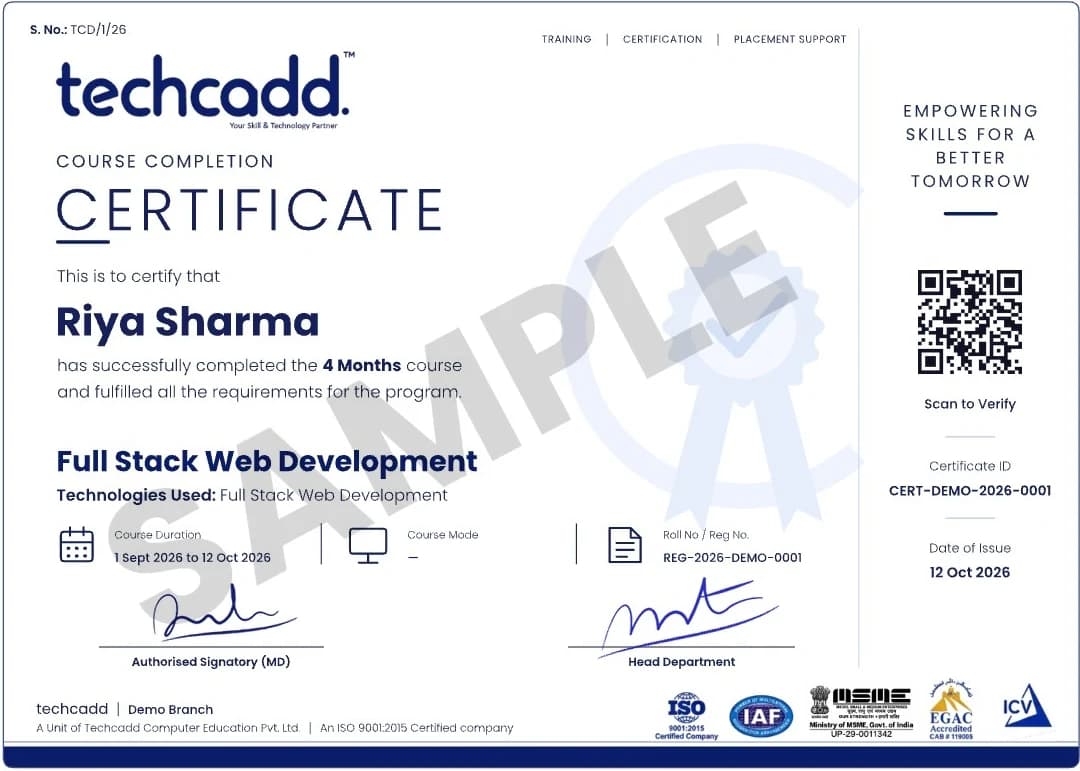
Issued on finishing the programme, with a QR code and certificate ID anyone can verify.
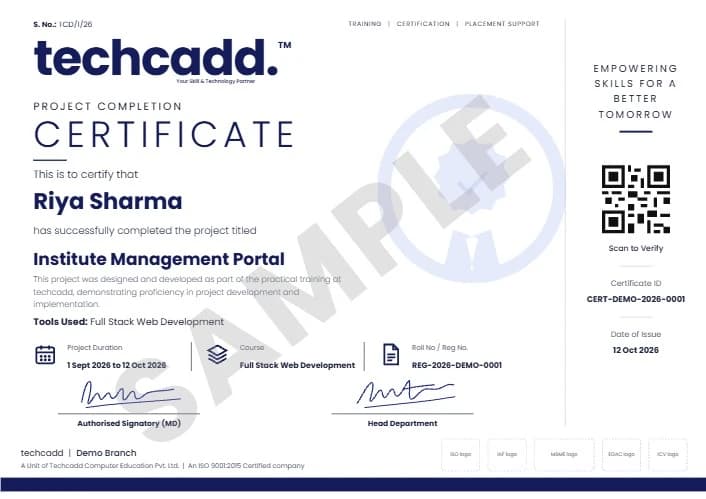
A separate certificate naming the live project you designed and built during training.
Project ideas
Each is sized for the final week and runs on a free-tier account with billing alerts: agree the scope with your mentor, build the smallest version that works, document it, clean up and present.
Host a static website on S3 with a short note on access settings and cost.
Launch an instance, harden SSH access and serve a page through Nginx.
A Bash script that installs and configures a web server from scratch, kept in Git.
Package a small application and database with Docker Compose so it starts with one command.
A GitHub Actions workflow that builds and checks a project on every push, with a failing run fixed.
Describe a small cloud resource in Terraform, then plan, apply and destroy it with notes.
A script that checks a site is reachable and records the result to a log file.
Schedule a script that copies files to cloud storage and keeps only the latest few versions.
Compare running the same small server on AWS, Azure and Google Cloud, with assumptions stated.
How to apply
Six steps, so you know what is agreed before you pay and how you are assessed at the end.
Share your degree, semester, holiday dates and whether your college requires academic training.
Discuss your goals, the format, timings, fee, cloud account arrangements and documents, and ask for the syllabus and session plan.
A short entry assessment of your computer, command-line and networking basics to set the pace.
Agree the session plan and the level of the mini project based on your assessment.
Set up your environment, repository and free-tier account with billing alerts, and go through attendance, conduct and evaluation rules.
Daily checkpoints, an attendance record, a final demonstration and written feedback on your work.
College requirements
Ask your training and placement cell or department coordinator what they need before paying, and ask techcadd to confirm which documents it can genuinely issue.
Requirements differ between universities and departments. Get written college approval first if the training must count towards an academic requirement, and do not assume an institute certificate alone satisfies it.
Dates & batches
The most common window — the break after even semesters usually fits a 45-day schedule.
A shorter break may need a slightly more intensive timetable or a split schedule. Ask what is possible.
Daily weekday sessions move faster; weekend-only batches take longer to cover the same 45-day plan.
Ask for the actual start date, session timings and holidays for your batch rather than relying on an “admissions open” banner.
Eligibility, fees & what is included
No fee is published here. Ask for the current fee in writing and exactly what it includes before you pay — and how cloud usage is paid for.
Basic computer skills are enough to start. Some command-line or networking knowledge helps. A personal cloud free-tier account may need a payment card for verification, so set budgets and billing alerts before using it.
Career scope
Roles you might work towards with further study and practice — not roles this training promises:
Forty-five days gives you a structured introduction and a mini project. It does not guarantee employment; a longer programme, documented projects and, later, recognised cloud certifications support future applications.
Rebuild your mini project from scratch, extend the pipeline and keep everything in Git.
The six-month cloud computing and DevOps programme adds Kubernetes, Jenkins, Ansible, monitoring and a full capstone.
Use the foundations here to prepare, later, for an entry-level cloud certification of your choice.
Why students consider techcadd
Ask about trainer experience, batch size, practical lab time, how cloud costs are controlled and how the mini project is reviewed — and ask to see sample student work shared with permission.

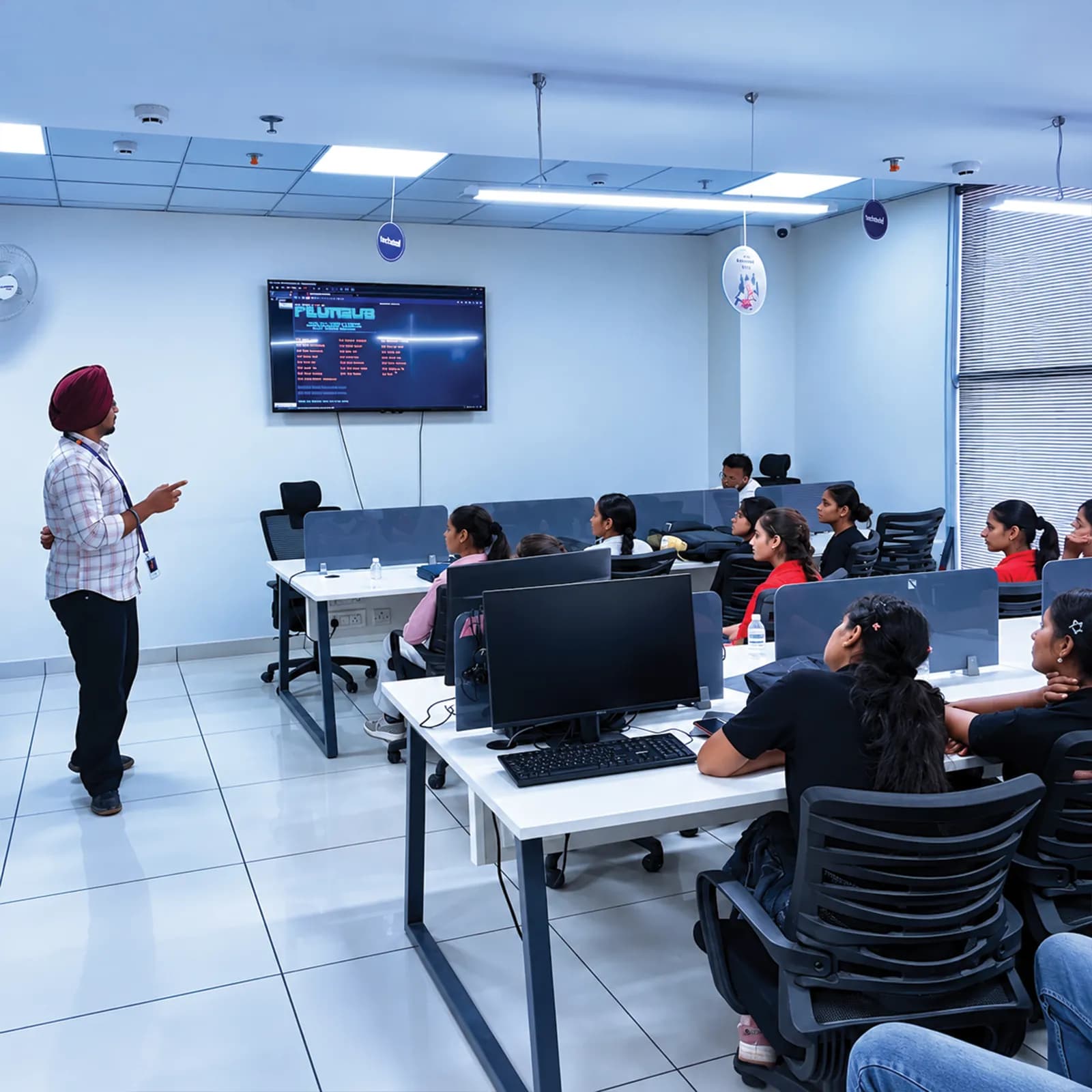
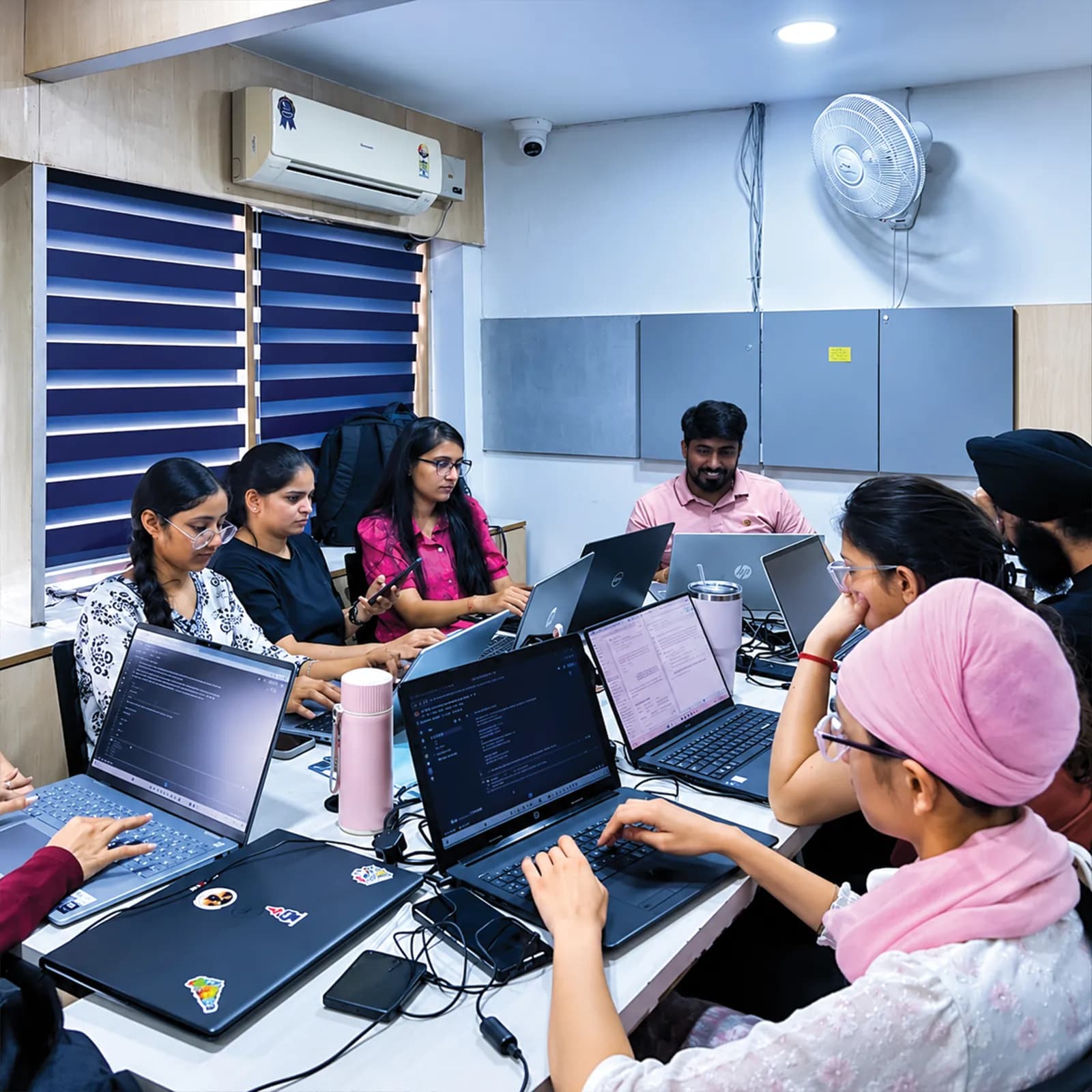
Every day ends with a mentor checkpoint, so problems are caught early.
The whole 45 days builds towards a small deployment you can demonstrate and explain.
Free-tier accounts, billing alerts and clean-up are part of every cloud exercise.
Visit the centre, meet the trainers and look at the labs before you confirm a batch.
The centre is at 2nd Floor, Crystal Plaza, SCS 78, Opposite PIMS Hospital, Jalandhar. Check your travel time against your holiday plans, and ask about counselling hours before you visit.
techcadd Jalandhar — 2nd Floor, Crystal Plaza, SCS 78, Opposite PIMS Hospital, Jalandhar, Punjab 144001Frequently asked questions
Answers can differ by degree, semester and batch — confirm any academic requirement with your college.
Cloud computing is renting computing resources on demand; DevOps is the practice of building, testing and deploying software reliably, often onto the cloud.
It is enough for a structured introduction and a small deployment. It is not enough to run production infrastructure; that takes a longer programme and continued practice.
Linux, Git, GitHub, AWS with a brief look at Azure and Google Cloud, Nginx, Docker, GitHub Actions and an introduction to Terraform. Ask for the session plan for your batch.
Practice uses free-tier services with budgets and billing alerts set first, and resources are deleted after each exercise. Ask how accounts are arranged for your batch.
Little is needed to start. You will write short Bash scripts and configuration files during the training.
Summer training is instruction with guided practice and a project. An internship is supervised work inside an organisation. This programme is training.
Only your college or university can confirm that. Get written approval before joining if you need academic credit.
Ask techcadd which documents it can issue, including a joining letter, and whether they can follow your college's format.
Ask about lab availability. Your own laptop helps for practice at home; check the recommended specification for running containers.
Yes, first-year students can enquire. The entry assessment sets the pace to match what you already know.
Motivated beginners can start with Linux and cloud basics, but should expect extra self-study during the 45 days.
The foundations overlap with entry-level cloud certifications, but this training is not a vendor certification. Check each exam's own syllabus.
Confirm the exact certificate wording and the attendance and assessment criteria for receiving it.
No. A 45-day training is an introduction, and no placement or job is guaranteed.
Keep practising, or move on to the six-month cloud computing and DevOps programme for Kubernetes, Jenkins, Ansible, monitoring and a full capstone.
Send an enquiry from this page or call +91 98881 22254, share your degree and holiday dates, and ask for the syllabus and session plan.
techcadd Jalandhar is at 2nd Floor, Crystal Plaza, SCS 78, Opposite PIMS Hospital, Jalandhar, Punjab 144001. Visit for counselling before you confirm a batch.
Apply
Looking for 45 days cloud computing training in Jalandhar, DevOps summer training or a short introduction to AWS? Tell us your degree, semester, holiday dates and goals, and request the syllabus, session plan, cloud account arrangements and document details before you enrol.