After 12th 3-Month Cloud Computing Program in Jalandhar
Three months that take you from your first terminal command to a real AWS deployment you can show in an interview — Linux, Bash, networking and Git from the ground up, then hands-on AWS services. No programming experience needed.
Cloud Computing Program Course in Jalandhar
Enrol in the 3-Month Cloud Computing program after 12th at techcadd Jalandhar (4.9★, 556+ reviews). Learn Linux, Bash, networking, Git and core AWS services — IAM, VPC, EC2, S3, RDS and Auto Scaling — with a hands-on capstone project. No programming background required.
Key Highlights :
- Duration: 3 Months
- Mode: Practical + Theory
- Eligibility: 12th Pass, Any Stream
- Includes: Certificate + Placement Support
Course Overview
This is the 3-month Cloud Computing program at techcadd in Jalandhar, for students who have just completed 12th from any stream. It starts from scratch — Linux, Bash scripting and networking are taught from the very basics, so no prior coding or technical background is needed. Once the fundamentals are clear, you move into a real AWS account and work hands-on with core services: IAM, VPC, EC2, S3, RDS and Auto Scaling.
Every topic ends with something you actually build — a script, a secure network, a hosted web application. These add up across the three months to a scalable cloud architecture capstone with an architecture diagram and documentation, work you can show in interviews for roles like Cloud Support Engineer or AWS Cloud Trainee.
What You'll Learn
Every module ends in something you have built and a trainer has reviewed, so the list below is work you will have done rather than topics you will have heard about.
- 01
Strong fundamentals first
Linux, Bash, networking and Git are covered in the first month — so when you start AWS, you already understand the system underneath.
- 02
Real AWS account with cost controls
You set up your own AWS account with billing alarms and budgets before provisioning anything, so there are no surprise charges.
- 03
Security is taught early
IAM, least-privilege access, MFA and CloudTrail are covered before EC2 or S3 — because that is the right order for real cloud work.
- 04
A capstone that ties everything together
The final project combines all three months into one complete, scalable deployment with a diagram, documentation, presentation and mock interview.
Course Curriculum
The course is divided into three months. Each month builds on the previous one, moving from basics to real AWS projects.
Month 1 — Foundations: Linux, Scripting, Networking & Git
- 1
Linux basics — installation, file system, commands for navigation, file management, searching and archiving; text editors (vi/vim, nano); redirection, pipes and filters.
- 2
Users, groups, permissions, sudo; package management (apt, yum); process and service management with systemd; SSH remote access and cron scheduling.
- 3
Bash scripting — variables, conditionals (if/case), loops (for/while), functions; writing backup, log-rotation and health-check scripts.
- 4
Computer networking — LAN, WAN, routers, switches, firewalls; OSI and TCP/IP models; IP addressing, subnetting, DNS, DHCP and NAT.
- 5
TCP vs UDP, HTTP/HTTPS basics; troubleshooting with ping, traceroute, dig, netstat and curl.
- 6
Git and GitHub — repositories, commits, branches, merging and pull requests; .gitignore; GitHub Actions basics for automation.
- 7
Tools covered: Linux (Ubuntu / Amazon Linux) · Bash · SSH · Git · GitHub · Wireshark
- 8
Projects: Linux administration lab + Bash automation toolkit (backup, log parser, health-check scripts) + networking troubleshooting report.
Tools you will actually work in
Everything here is installed on the lab machines and used on live client work, not shown once in a slide and forgotten.
- AWS
Who can do this course
Students straight after 12th
Join from any stream — Science, Commerce or Arts. No technical knowledge is assumed. Most students run this course alongside their college degree using the weekday or weekend batch.
Graduates and final-year students
If you are finishing a BCA, B.Sc, BBA or B.Tech, this is a fast route to a cloud support or trainee role. You enter placement season with a real AWS project instead of a blank CV.
Career changers
The weekend batch is designed for people who are already working. Three months is enough to become interview-ready for entry-level cloud roles without leaving your current job.
IT support and desktop staff
If you already work in support, this course converts your hardware and helpdesk experience into cloud skills — Linux and networking will feel familiar, and AWS is what changes your career.
Build tomorrow. Scale without limits.
- Cloud computing turns infrastructure into a service: instead of buying and maintaining every server, storage system and network device, organisations provision resources on demand, scale them when workloads change, secure them through policy and pay only for what they use.
- That shift is why the job exists. Someone has to plan the workload, provision the resources, deploy the application and monitor what happens next — and in Punjab that person is increasingly hired straight out of a practical programme rather than a degree.
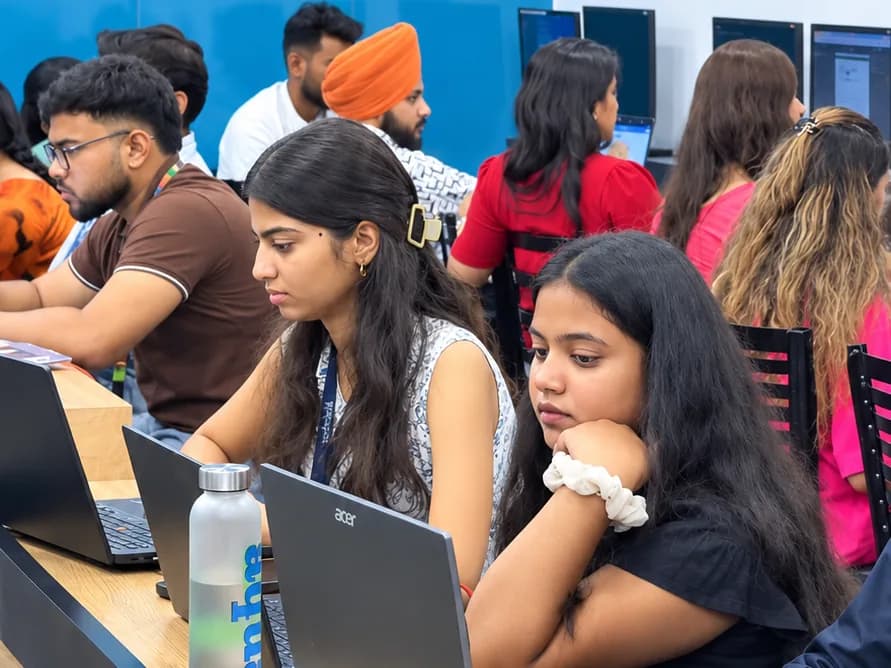
Get certified in Cloud Computing Program
Complete the course with a portfolio of live projects and receive an industry-recognised certificate, plus a documented internship letter accepted by Punjab universities.
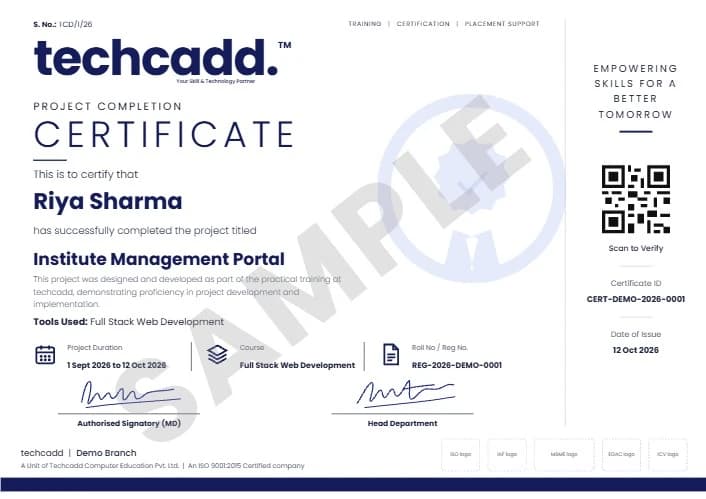
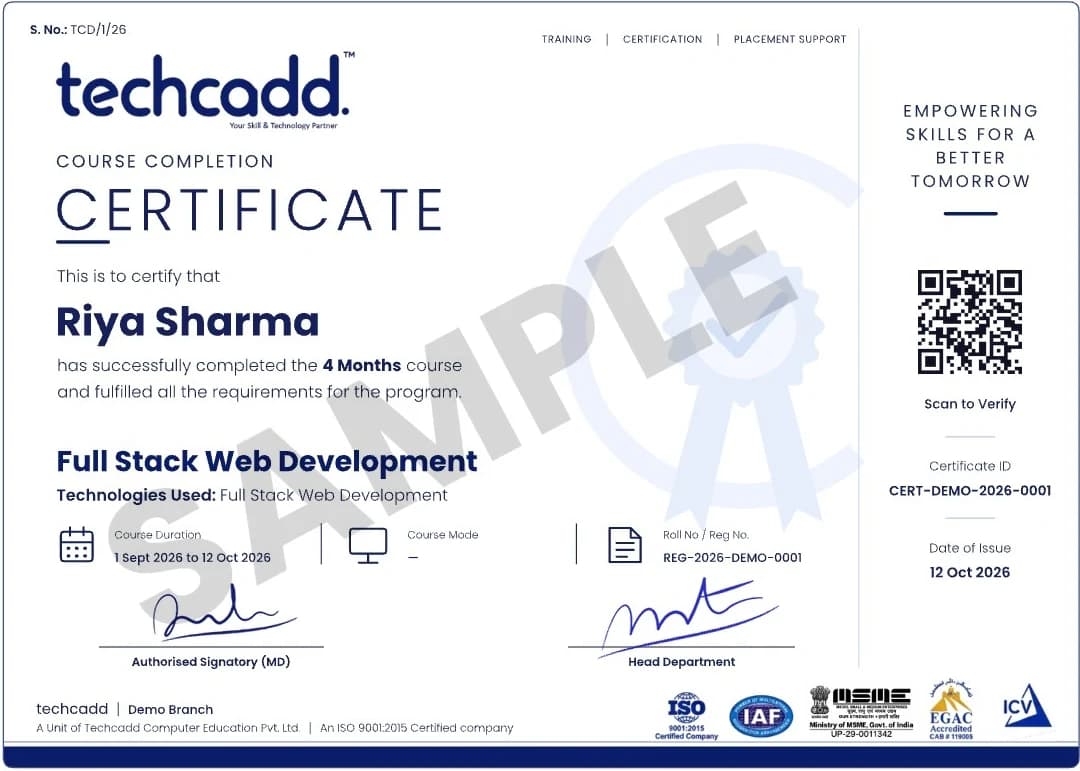
Two certificates on completion — the course certificate and a separate capstone project certificate.
Where this course takes you
The roles this opens, what they pay in Punjab and beyond, and who is hiring for them — the same figures our free Salary Estimator publishes, not a brochure number.
The most common starting role. You administer Linux, script routine tasks, work with networks and configure AWS IAM, VPC and EC2. Your projects from this course serve as proof of your skills.
A structured entry role at IT services companies. The capstone project matters more than the certificate — you walk through an architecture you built and explain why each service is in it.
You handle small pieces of real infrastructure under supervision — provisioning instances, adjusting security groups, restoring from snapshots and responding to CloudWatch alarms.
Monitoring, ticket response, cost checks, backup verification and first-line troubleshooting of common issues. All of these are covered hands-on during this course.
Hands-on projects you will ship
Linux & Bash Automation Toolkit
Backup, log-parsing and health-check scripts scheduled with cron and version-controlled in Git.
Secure AWS Network
Multi-AZ VPC with public and private subnets, NAT gateway, bastion access and flow logs.
AWS Web Application
EC2 + VPC + S3 + RDS deployment with Route 53 DNS and CloudWatch monitoring.
Scalable Cloud Architecture
Multi-tier architecture using ALB, Auto Scaling, private subnets and security controls.
Learn it. Build it. Make it yours.
Every project moves through the same loop: understand the brief, build with guidance, then explain the decisions behind your work.
Understand
Break a real requirement into a clear plan and the right tools.
Linux & Bash Automation ToolkitBuild
Work hands-on with trainer feedback while the decisions are still easy to change.
Secure AWS NetworkPresent
Turn the finished work into a portfolio story you can defend in an interview.
AWS Web ApplicationWhy students choose techcadd
Nine campuses across Punjab, 4.9★ from 556+ reviews, and a syllabus that is updated every year to match current industry needs.
Learn at your pace
You advance when your work passes review, not when the calendar says so. If you need extra time on a topic, you get it — nobody is rushed ahead.
Real AWS practice, supervised
Every AWS session runs in a real account with billing controls — under trainer supervision, so mistakes become learning moments rather than surprise bills.
Trainers with industry experience
The people teaching VPC design and IAM policies are the same people doing this work for real clients, which is why the course covers problems that actually happen.
Extend your course anytime
Finish with a certificate and a capstone, or continue into the 6-month and 9-month tracks later. You pick up from where you left off — nothing is repeated.
Frequently asked questions
Find answers to the questions students ask before enrolling.
Three months (12 weeks). Weekday, evening and weekend batches cover the same syllabus, and 1-on-1 training is available if you prefer your own pace. Every class runs for 2 hours, whichever format you choose.
No. The course starts from the very basics — Linux, commands and networking — and is designed for students joining straight after 12th from any stream. The only requirement is attending regularly and completing the hands-on work.
A real account. You create it yourself, set up billing alarms and budgets, and then every AWS topic — IAM, VPC, EC2, S3, RDS, Auto Scaling — is practised live within free-tier and budgeted limits.
Four portfolio projects: a Linux and Bash automation toolkit, a secure AWS network, an EC2-plus-RDS web application with monitoring, and a scalable cloud architecture. These come together in a final capstone with a diagram, documentation and a mock interview.
Cloud Support Engineer, AWS Cloud Trainee, Junior Cloud Engineer and Cloud Operations Associate. These are entry-level cloud roles, and interviews typically ask you to walk through infrastructure you have actually deployed — which is what the capstone prepares you for.
A fresher with a working AWS portfolio typically starts around ₹18,000 – ₹35,000 per month in the Jalandhar and Ludhiana market, rising substantially within two years. Cloud roles also offer more remote and freelance opportunities than most fields.
Yes, and nothing is repeated. The 3-month course is the foundation of the longer tracks. If you extend later, you continue from where you left off — topics you have already completed are never re-taught.
No training provider can honestly guarantee a job, and you should be cautious of anyone who claims otherwise. techcadd provides full placement support: CV reviews, mock interviews, portfolio preparation and placement drives with hiring partners across Jalandhar and Ludhiana.
Yes. The course ends with a final evaluation — architecture presentation, technical viva and certification — and every student receives an industry-recognised certificate along with a documented internship letter based on live project work.
Ask about Cloud Computing Program
Send your question and a counsellor will call you back about batch timings, fees, EMI options, placement record, or whether this course fits your degree.
- info@techcadd.com
- Phone
- +91 98881 22254
- Address
- 2nd Floor, Crystal Plaza, SCS 78, Opposite PIMS Hospital, Jalandhar, Punjab 144001
- Counselling hours
- Monday – Saturday, 9:00 AM – 7:00 PM
Not sure if Cloud Computing Program is the right fit?
One call with a counsellor is usually enough to find out. Book a free demo class and see the lab before you decide.