After 12th 6-Month Cloud Computing Program in Jalandhar
A complete six-month cloud computing course for students after 12th. You start with Linux, networking and how the internet actually works, move into AWS, and finish by deploying, securing, automating and monitoring real applications — no prior coding or IT background needed.
Cloud Computing Certificate Program Course in Jalandhar
Join the 6-Month Cloud Computing course after 12th at techcadd Jalandhar (4.9★, 556+ reviews). Learn Linux, networking, AWS, cloud security, Docker, Kubernetes, Jenkins, Terraform and monitoring from scratch — with live AWS practice, real projects, certificate and placement support.
Key Highlights :
- Duration: 6 Months
- Eligibility: 12th Pass, Any Stream
- Prior Experience: Not Required
- Includes: Certificate + Placement Support
Course Overview
techcadd's 6-Month Cloud Computing programme in Jalandhar is a complete course for students who have just finished 12th, with no prior coding or IT background required. It starts at the very beginning — what a server is, how Linux works, how computers talk to each other over a network — and works up to hosting, securing and automating applications on AWS, practised the same day in a live, licensed AWS account under trainer supervision. Classes run 2 hours a day across six months, ending in a certificate and placement support.
The six months are laid out month by month: Linux, basic scripting, networking and Git; cloud basics and core AWS services — IAM, VPC and EC2; storage, databases, load balancing, Auto Scaling and monitoring with S3, RDS, DynamoDB and CloudWatch; serverless AWS, AWS AI services and cloud security with Lambda, API Gateway, KMS and GuardDuty; Docker containers and Kubernetes, including EKS and Helm; and finally CI/CD automation with Jenkins, infrastructure as code with Terraform, and monitoring with Prometheus and Grafana.
Each month closes with a project: a Linux and Bash automation toolkit, a secure AWS network with a live web server, a scalable multi-tier cloud application, a serverless workflow with an AI chatbot, a containerised application on Kubernetes, and an automated deployment pipeline with Terraform-managed infrastructure — six pieces of work for a portfolio rather than one certificate. Graduates typically move into roles such as Cloud Engineer, AWS Cloud Engineer, entry-level DevOps Engineer or Cloud Support and Cloud Operations Associate, with a fresher who finishes with a working AWS and DevOps portfolio typically starting around ₹25,000–₹45,000 a month in the Jalandhar and Ludhiana market.
What You'll Learn
Every module ends in something you have built and a trainer has reviewed, so the list below is work you will have done rather than topics you will have heard about.
- 01
One idea at a time
Foundations, then AWS, then scaling, then security and automation, then containers, then delivery and monitoring. You are never learning two unrelated things at once.
- 02
Every term is explained
VPC, IAM, orchestration, CI/CD — nothing is used before it is explained in plain language. The syllabus stays technical; the teaching does not assume you already know it.
- 03
Security taught early, not last
Access control, encryption, secrets and backups arrive before containers and pipelines, so you build safe habits from the start rather than fixing them later.
- 04
It ends with something running
The last month leaves you with a live application, an automatic release pipeline and dashboards showing how it is behaving — which is what the job actually looks like.
Course Curriculum
The course runs month by month. Each month lists what you learn, the tools you use and the project you finish it with — moving from basics to a complete, running cloud system.
Month 1 — Linux, Basic Scripting, Networking & Git
- 1
Linux basics — installing it, understanding the file system, moving around with commands, creating and managing files, searching, and using text editors (nano, vi).
- 2
Users, groups and permissions; installing software with package managers; starting and stopping services; connecting to a remote machine with SSH; scheduling automatic tasks with cron.
- 3
Bash scripting for beginners — variables, if-conditions, loops and small functions; writing simple scripts that take backups, clean up logs and check whether a server is healthy.
- 4
How networks work — routers, switches and firewalls; IP addresses and subnetting; DNS (how a website name becomes an address); DHCP and NAT explained simply.
- 5
TCP and UDP, HTTP and HTTPS; finding network problems using ping, traceroute, dig, netstat and curl.
- 6
Git and GitHub — saving versions of your work, commits, branches, merging and pull requests, so all your later projects are stored properly.
- 7
Tools used: Linux (Ubuntu / Amazon Linux) · Bash · SSH · cron · Git · GitHub
- 8
Project: a Linux administration lab plus a small automation toolkit — backup, log-cleaning and health-check scripts stored on GitHub.
Tools you will actually work in
Everything here is installed on the lab machines and used on live client work, not shown once in a slide and forgotten.
- AWSAL
Who can do this course
Students straight after 12th
Join from any stream — Science, Commerce or Arts — with no assumed technical knowledge. Many students do this course alongside their first year of college using the evening or weekend batch.
Graduates and final-year students
If you are finishing a BCA, B.Sc, BBA or B.Tech, this puts real AWS deployments, a Kubernetes project and an automated pipeline in your portfolio before placement season, not after it.
Career changers
The weekend batch is built for people already working. Six months is enough to become interview-ready for cloud and DevOps roles without leaving your current job.
Anyone curious about IT
If you like the idea of working with technology but are not sure where to start, cloud is one of the most practical entry points — steady demand, clear job titles and skills that transfer everywhere.
Learn to build, secure and run real applications on the cloud.
- Cloud computing simply means renting computers, storage and services over the internet instead of buying and maintaining them. Companies use it because they can start small, grow instantly when they need to, and pay only for what they use — and they need trained people to set it up and look after it.
- Cloud and DevOps roles are among the best-paying entry points in IT, and unlike many jobs they do not require an engineering degree — they require proof that you can do the work. This course is built to give you that proof in six months.
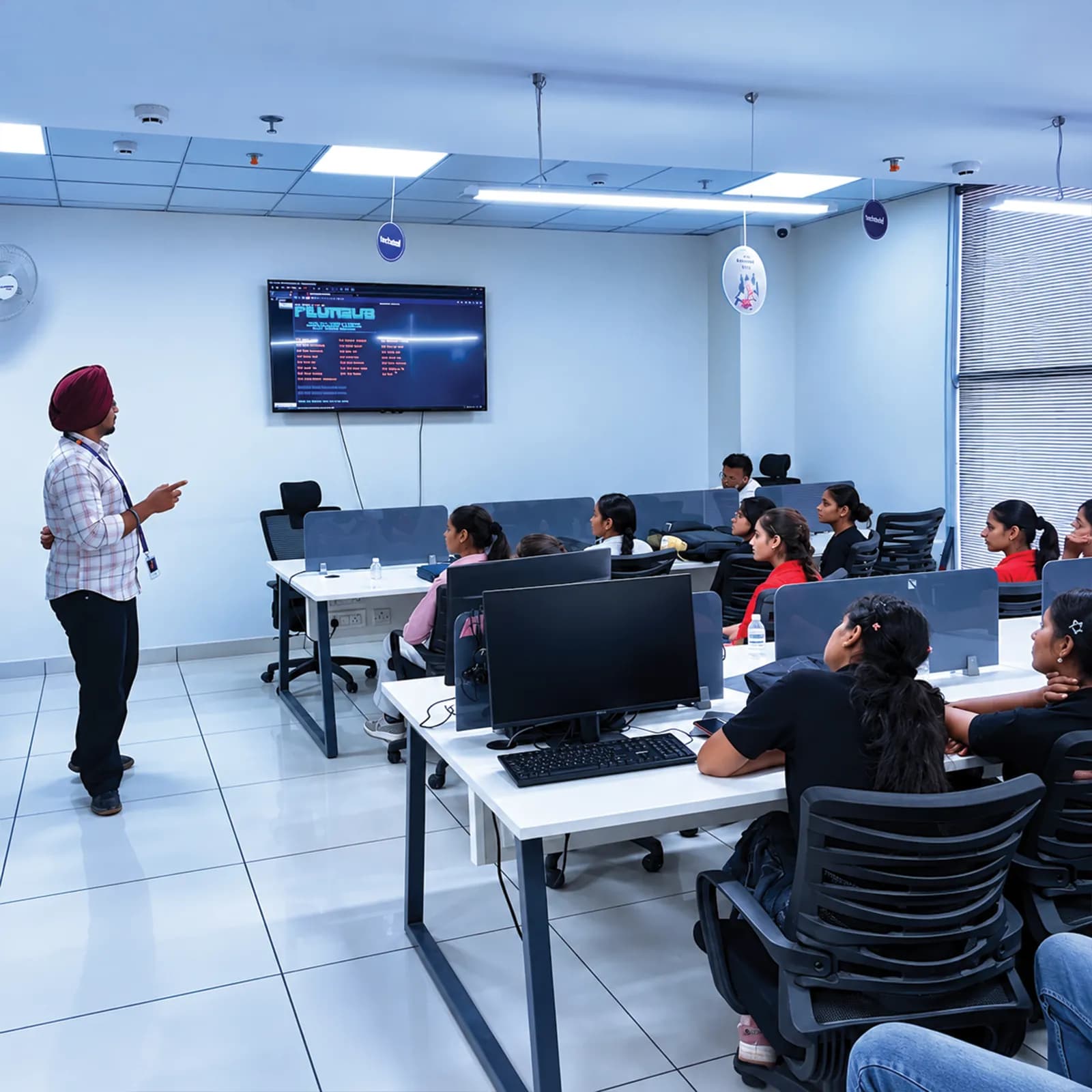
Get certified in Cloud Computing Certificate Program
Complete the course with a portfolio of live projects and receive an industry-recognised certificate, plus a documented internship letter accepted by Punjab universities.
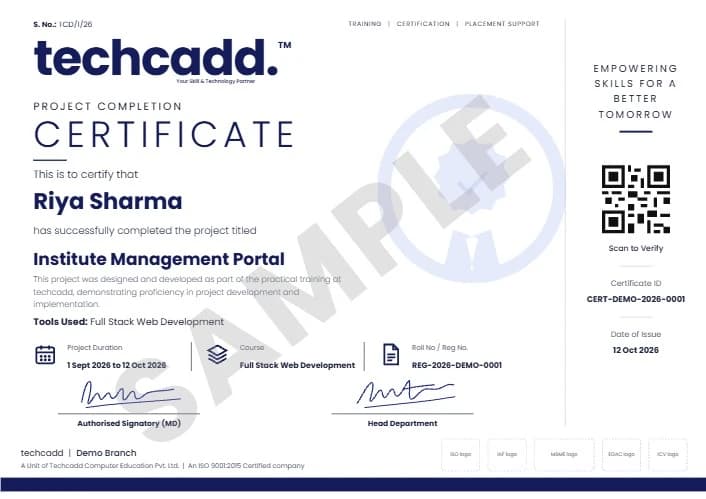
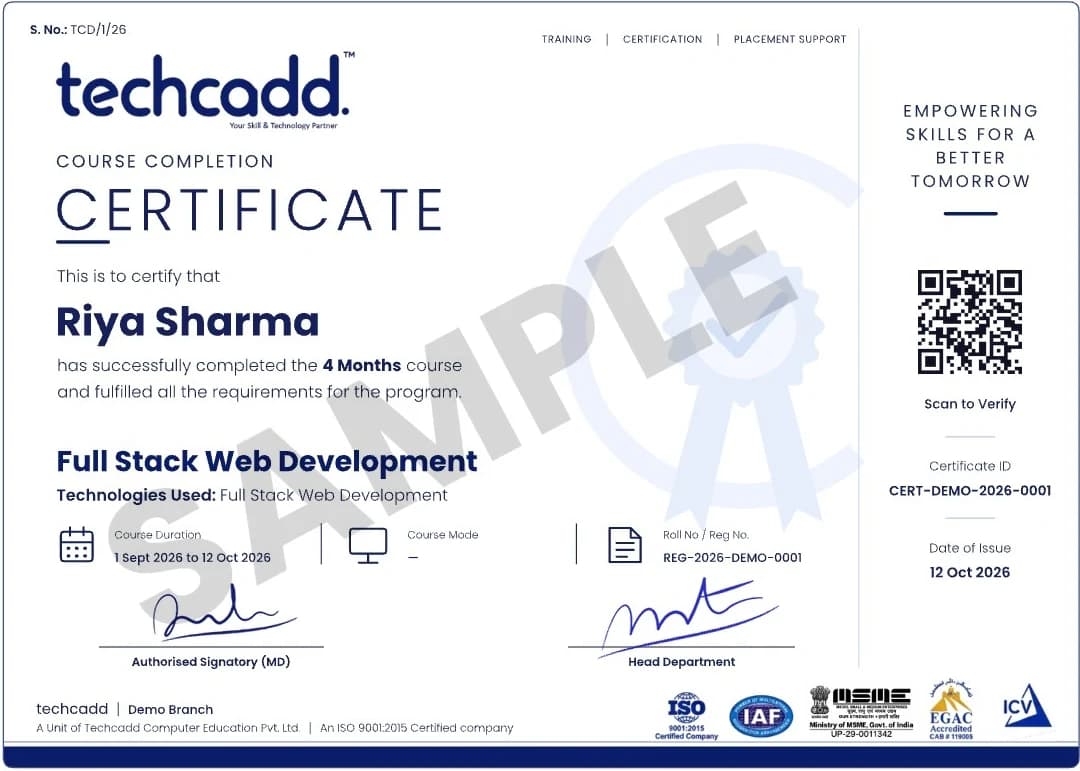
Two certificates on completion — the course certificate and a separate capstone project certificate.
Where this course takes you
The roles this opens, what they pay in Punjab and beyond, and who is hiring for them — the same figures our free Salary Estimator publishes, not a brochure number.
The most common first job after this course. You can set up AWS networks, servers, storage, databases, scaling and monitoring. Show your secure network build, your scalable application and your CloudWatch dashboards.
The same role named after the platform. Interviews focus on network design, access permissions, cost decisions and what you did when something broke — all of which you will have practised on real builds here.
For students who take strongly to the last three months. You can package applications in containers and automate releases with Jenkins, Docker, Kubernetes and Terraform. Show the pipeline, the Kubernetes deployment and the Terraform code.
A very common and steady entry point: keeping deployments healthy, responding to alerts, running backups and handling day-to-day cloud requests for a team.
Hands-on projects you will ship
Linux & Bash Automation Toolkit
A set of your own scripts for backups, log cleanup and server health checks, versioned on GitHub.
Secure AWS Network & Web Server
A private AWS network with public and private subnets, security groups, and a live website hosted on EC2.
Scalable Cloud Application
A multi-tier application using S3, RDS, a load balancer and Auto Scaling, with CloudWatch dashboards.
Serverless Workflow & AI Chatbot
A Lambda and EventBridge workflow plus a simple AI chatbot built on AWS with Python and Streamlit.
Containerised App on Kubernetes
An application packaged with Docker and Compose, deployed on Kubernetes and shipped as a Helm chart.
Automated Pipeline & Infrastructure as Code
A Jenkins pipeline from commit to deployment, with AWS infrastructure created and managed in Terraform.
Learn it. Build it. Make it yours.
Every project moves through the same loop: understand the brief, build with guidance, then explain the decisions behind your work.
Understand
Break a real requirement into a clear plan and the right tools.
Linux & Bash Automation ToolkitBuild
Work hands-on with trainer feedback while the decisions are still easy to change.
Secure AWS Network & Web ServerPresent
Turn the finished work into a portfolio story you can defend in an interview.
Scalable Cloud ApplicationWhy students choose techcadd
Nine campuses across Punjab, 4.9★ from 556+ reviews, and a syllabus that is rewritten each year rather than reprinted.
You move on when you are ready
You go forward when your project passes review, not because the timetable says so. Doubt-clearing and repeat sessions are part of the course, not an extra.
Live AWS, supervised and cost-controlled
Practice happens in a real, licensed AWS account with billing alarms in place and a trainer present, so mistakes teach you something instead of costing you something.
Trainers who still do the work
The people teaching Terraform and Jenkins here also write them for client projects, which is why the troubleshooting classes cover failures that genuinely happen.
Flexible batches
Weekday, evening and weekend batches all cover the same syllabus, and one-on-one training is available if you would rather learn at your own pace.
Frequently asked questions
Find answers to the questions students ask before enrolling.
Six months, taught month by month from basics to advanced. Classes run for 2 hours a day, and you can pick a weekday, evening or weekend batch — all of them cover the same syllabus. One-on-one training is also available if you prefer to set your own pace.
It is a serious course, but it is built for beginners. Each topic is explained in simple language first, practised the same day in the lab, and revised through a project at the end of the month. Students with no IT background complete it every batch — what it needs is regular attendance and practice, not a technical degree.
Linux and networking, Git and GitHub, core AWS services (IAM, VPC, EC2, S3, RDS), load balancing, Auto Scaling and monitoring, serverless computing with Lambda, cloud security and backups, AWS AI services, Docker and Kubernetes, CI/CD with Jenkins, infrastructure as code with Terraform, and monitoring with Prometheus and Grafana.
Six: a Linux and Bash automation toolkit, a secure AWS network with a live web server, a scalable multi-tier application, a serverless workflow with an AI chatbot, a containerised application on Kubernetes, and a fully automated deployment pipeline with Terraform-managed infrastructure. All of them go into your portfolio.
Yes. Practical work runs in a live, licensed AWS account with billing alarms and budgets configured, under trainer supervision. You also learn how to use the AWS free tier properly on your own machine at home.
Cloud Engineer, AWS Cloud Engineer, entry-level DevOps Engineer, Cloud Support Associate and Cloud Operations Associate. These are real entry-level engineering roles, and every one of those interviews will ask to see something you have built — which is exactly what your six projects are for.
A fresher with a working AWS and DevOps portfolio typically starts around ₹25,000 – ₹45,000 per month in the Jalandhar and Ludhiana market, and that rises substantially within the first two years. Cloud roles also carry more remote and freelance opportunity than most IT jobs.
Yes. You receive a techcadd certificate on completion, and placement support includes resume preparation, portfolio review, mock interviews and repeated hiring drives with partner companies across Jalandhar and Ludhiana. No institute can honestly guarantee a job — be careful of anyone who promises one — but the support is real and continues after the course ends.
Yes, and most students do. The evening and weekend batches exist for exactly that, and doubt-clearing sessions help if you miss a class for exams or work.
Ask about Cloud Computing Certificate Program
Send your question and a counsellor will call you back about batch timings, fees, EMI options, placement record, or whether this course fits your degree.
- info@techcadd.com
- Phone
- +91 98881 22254
- Address
- 2nd Floor, Crystal Plaza, SCS 78, Opposite PIMS Hospital, Jalandhar, Punjab 144001
- Counselling hours
- Monday – Saturday, 9:00 AM – 7:00 PM
Not sure if Cloud Computing Certificate Program is the right fit?
One call with a counsellor is usually enough to find out. Book a free demo class and see the lab before you decide.