On this page
- How AI Agents Work: Tools, Memory, RAG & Multi-Agent Systems Explained for Students in Jalandhar
- What Is an AI Agent, Really?
- Tools: How Agents Actually Get Things Done
- Memory: How Agents Remember What Happened
- RAG: Giving Agents the Right Information
- Multi-Agent Systems: When One Agent Isn’t Enough
- Why Multi-Agent Systems Work (and Where They Struggle)
- Putting It All Together
- Where Should You Start?
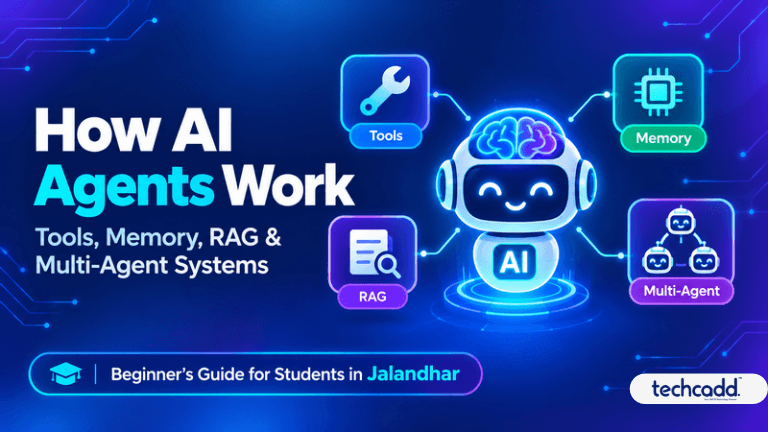
How AI Agents Work: Tools, Memory, RAG & Multi-Agent Systems Explained for Students in Jalandhar
You have probably used ChatGPT to answer a question. You type, it replies, and that’s the end of it. Lately, though, people keep saying “AI agents,” and you may be wondering whether that’s just a fancier chatbot. It isn’t, and once you see the difference, a lot of modern AI starts to make sense.
What Is an AI Agent, Really?
A chatbot talks. An agent acts.
Imagine two friends. One gives you great advice about travelling to Delhi. The other actually checks train timings, compares prices, books the ticket and adds it to your calendar. The second friend is the agent.
You give an agent a goal, not just a question. Something like: “Find the cheapest morning train to Delhi this Saturday and remind me to leave early.” The agent then works out the steps on its own, tries them, checks what happened and fixes mistakes along the way.
Most agents follow a simple loop:
Think: What am I trying to do, and what should I do next?
Act: Use a tool or take a step.
Observe: Did it work? What came back?
Repeat: Keep going until the goal is done.
That loop is the heart of every agent, whether it’s a small student project or something a large company runs.
Tools: How Agents Actually Get Things Done
On its own, an AI model only produces text. It can’t open a website, run code or send an email. Tools are what give it hands.
A tool can be almost anything: a web search, a calculator, a Python code runner, a spreadsheet reader, an email sender, or a connection to another app through an API.
Here’s a realistic example. Say you’re building a small project for your college assignment. An agent can search the documentation, write the code, run it and see an error. Then it reads the error message, fixes the code and runs it again. Nobody has to hold its hand at each step.
One mistake beginners make is giving an agent ten tools on day one. It gets confused, just like a person handed ten tasks at once. Start with two or three simple tools, see how the agent behaves, and add more only when you need them.
Memory: How Agents Remember What Happened
Ever explained your problem to a customer care executive, then been transferred and had to start all over again? Frustrating, right? An agent without memory feels exactly like that.
There are two kinds of memory worth knowing about:
Short-term memory: This is the current conversation. The agent keeps track of what you said five minutes ago, what steps it already tried and what results it got. It’s like the notes you scribble while solving a problem.
Long-term memory: This is information saved for later, such as your preferences, past projects or earlier decisions. Think of it as a notebook the agent can open next week and still find your details.
Memory is also why agents feel “smart” over time. A study-helper agent that remembers you struggle with arrays but enjoy loops can explain things differently the next time you ask.
RAG: Giving Agents the Right Information
Here’s a problem. AI models learn from data up to a certain date, and they know nothing about your college notes, your institute’s syllabus or your company’s documents. Sometimes they also make up answers that sound confident but are wrong.
RAG (Retrieval-Augmented Generation) fixes this. Instead of guessing, the agent first looks things up in a trusted source, then writes its answer using what it found.
Think of an open-book exam. You don’t memorize everything. You know where to find the answer, read it and then explain it in your own words.
The process is simple:
Your documents are stored in a searchable format.
When you ask a question, the agent finds the most relevant pieces.
It uses those pieces to write an accurate answer.
For example, you could build a study assistant that answers questions only from your own course notes. That is a very popular beginner project, and it teaches you a lot.
Multi-Agent Systems: When One Agent Isn’t Enough
Some jobs are too big for a single agent. In a multi-agent system, several agents work together, each with a specific role.
Picture a group project. One person researches, another writes, a third checks for mistakes and someone coordinates everything. Multi-agent systems work the same way: a researcher agent gathers facts, a writer agent drafts the content, a reviewer agent checks quality and a manager agent keeps the team on track.
Why Multi-Agent Systems Work (and Where They Struggle)
Splitting work between agents has real advantages. Each agent focuses on one job, so it makes fewer mistakes. If something breaks, you can find the weak link instead of debugging one giant tangled system. And you can improve one agent without touching the others.
There’s a catch, though. More agents mean more cost, more waiting time and more things that can go wrong. Agents can misunderstand each other, repeat work or get stuck passing a task back and forth. So don’t build five agents when one would do the job. Start small, and add another agent only when a single one clearly can’t cope.
Putting It All Together
Let’s see how these pieces fit in one example. Imagine a study-planner agent for a student preparing for exams:
It remembers your weak subjects and exam dates (memory).
It pulls answers from your own notes instead of guessing (RAG).
It checks your calendar and creates a revision schedule (tools).
A second agent tests you with practice questions and reports your progress (multi-agent).
Each part has a clear job, and together they feel like a patient personal tutor.
Where Should You Start?
If you’re a beginner, you might be wondering whether this is too advanced. It isn’t, as long as you take it one step at a time. You don’t need to be an expert, but you should be comfortable with basic Python and know how APIs work.
A sensible learning order looks like this:
Learn Python basics and how to call an API.
Build a simple agent with one or two tools.
Add memory so it remembers earlier conversations.
Try a small RAG project using your own notes.
Experiment with two agents working together.
The most common beginner mistake is jumping straight to complicated multi-agent frameworks without understanding the basics. It’s like trying to drive on a highway before learning to use the clutch. Take your time, build tiny projects and break things on purpose. That is how the concepts really stick.
For students in Jalandhar, AI skills are becoming valuable across software, data, automation and even design and engineering fields. If you’d like guided, hands-on practice instead of figuring it all out alone, techcadd offers practical training where you can build real projects with mentor support.
Start with one small agent this week. Even a simple one that answers questions from your own notes will teach you more than hours of watching videos.
Keep reading
- What Are AI Agents? A Beginner’s Guide for Students in JalandharCurious about AI agents but not sure where to start? This beginner-friendly guide explains what AI agents are, how they work, and why students in Jalandhar should start learning about them with techcadd.
- How a Cyber Attack Happens: Step by Step Guide for Students in JalandharEver wondered how hackers actually break into a system? This simple, step-by-step guide explains how a cyber attack unfolds, from the first scan to the final damage, and what students in Jalandhar can learn to start a career in cybersecurity.
- Advanced Data Visualization in Jalandhar: Learn Dashboards, DAX & Interactive Reports with techcaddConfused by dashboards and DAX formulas? Learn what advanced data visualization really involves, what to master first, and how techcadd in Jalandhar helps students build interactive reports that employers notice.
Comments
Loading…