On this page
- Best Coding Practices for Building Real-World Applications
- Start With Readable Code, Not Just Working Code
- Plan Before You Type
- Version Control Isn't Optional Anymore
- Handle Errors Like You Expect Them to Happen
- Don't Repeat Yourself — Literally
- Test as You Build, Not After
- Security Isn't Just for "Big" Projects
- Best Coding Practices for Building Real-World Applications: A Student's Guide from TechCadd, Jalandhar
- Keep Your Code Organized as Your Project Grows
- Document What You're Doing — Even Briefly
- Learn to Read Error Messages, Not Fear Them
- Write Code That Is Easy to Understand
- Build Good Coding Habits Early
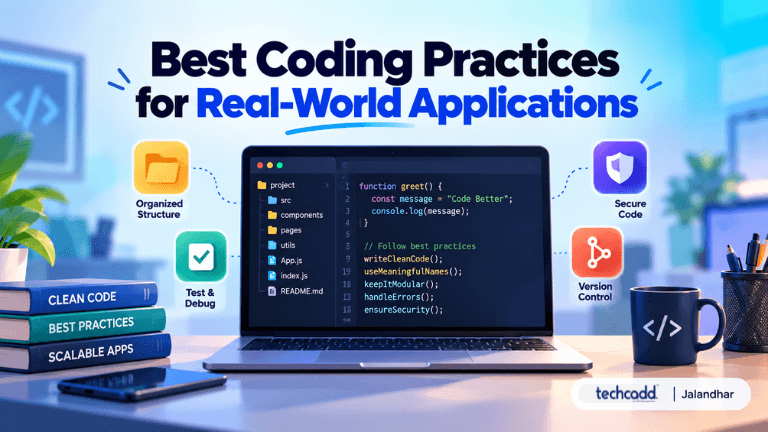
Best Coding Practices for Building Real-World Applications
If you've ever opened your code editor, built something that worked on your laptop, and then watched it completely fall apart the moment you tried to actually use it properly — you're not alone. Almost every student goes through this phase. You learn the syntax, you follow a tutorial, you get that satisfying green "it works" moment, and then reality hits: real-world applications are messier, bigger, and far less forgiving than classroom exercises.
So what separates code that just "runs" from code that's actually good? It usually comes down to habits, not talent.
Start With Readable Code, Not Just Working Code
Here's something a lot of beginners don't realize early on: code is read far more often than it's written. You'll revisit your own files weeks later. Teammates will open your project. A reviewer might scroll through your repo before an interview. If your variable names are things like x1, temp2, or data_final_FINAL, nobody — including future you — is going to enjoy that experience.
Good naming, consistent indentation, and small, focused functions aren't about looking fancy. They're about making your logic easy to follow six months from now.
Plan Before You Type
It's tempting to jump straight into coding the moment you understand a problem. But spending even ten minutes sketching out your approach — what functions you'll need, how data will move through your app, where things could break — saves hours of confused debugging later. Students who skip this step often end up rewriting half their project halfway through, not because they're bad coders, but because they started building before they knew what they were building.
Version Control Isn't Optional Anymore
If you're not using Git yet, start now. Real-world teams don't work off a single laptop and a folder named "project_final2." Learning to commit changes properly, write clear commit messages, and work with branches is one of those skills that quietly separates students who are "ready" from students who aren't.
Handle Errors Like You Expect Them to Happen
A lot of beginner code only works when everything goes right — the user enters the correct input, the internet connection never drops, the file is always where it's supposed to be. Real-world applications don't get that luxury. Users will type things you never imagined. APIs will time out. Files will go missing.
This is where error handling stops being a "nice to have" and becomes essential. Wrapping risky operations in proper try-catch blocks, validating user input before you trust it, and writing meaningful error messages (not just "Error 500" with no context) will save you — and your users — a lot of frustration. A common beginner mistake here is treating errors as an afterthought you'll "add later." Later rarely comes, and the app ships fragile.
Don't Repeat Yourself — Literally
If you find yourself copy-pasting the same ten lines of code into three different places, that's usually a sign you need a function. This principle, often shortened to DRY (Don't Repeat Yourself), isn't just about saving keystrokes. When logic is duplicated across your codebase and you need to fix a bug, you now have to remember every single place that logic appears. Miss one, and you've got an inconsistent, buggy application.
Test as You Build, Not After
Many students treat testing like a final checkbox — something you do right before submission. In real-world development, testing happens alongside building. Even simple manual checks after each feature, or basic unit tests for critical functions, catch problems while they're small and easy to fix, rather than tangled deep inside a finished product.
Security Isn't Just for "Big" Projects
Storing passwords in plain text or trusting form input without validation might not break your college project, but it's exactly the kind of habit that causes real damage in production apps. Building security-conscious habits early, even in small projects, means you won't have to unlearn risky patterns later.
Best Coding Practices for Building Real-World Applications: A Student's Guide from TechCadd, Jalandhar
Building a real-world application is not just about writing code that works. For students learning web development, app development, or software engineering, developing good coding practices from the beginning can make projects easier to build, understand, debug, and maintain. At Techcadd, Jalandhar, students can benefit greatly from learning these practical habits early in their coding journey.
Keep Your Code Organized as Your Project Grows
A project may start with just a few files, but as features are added, unorganized code can quickly become difficult to manage. One of the most important coding practices for real-world applications is to structure your project into logical folders and files.
For example, you can keep your routes, business logic, database handling, components, and UI-related code separated. This makes it easier to find and update specific parts of an application without affecting everything else.
Students often wonder, “Isn't this overkill for a small project?” For a very small project, it may not be necessary to create a complex structure. However, developing the habit of organizing your code early prepares you for larger academic projects, final-year capstone projects, internships, and freelance applications.
Document What You're Doing — Even Briefly
Good developers don't just write code; they make their code easier for others to understand. You don't need lengthy documentation for every function or line of code. Instead, use short and meaningful comments when the reason behind a particular approach isn't obvious.
A useful rule is: code explains what is happening, while comments can explain why it is happening that way.
This becomes especially valuable when working on team projects. Your teammates should be able to understand your approach without having to ask you about every decision. Learning this practice during coding training can help students develop professional software development habits.
Learn to Read Error Messages, Not Fear Them
Seeing a red error message can be frustrating, especially when you're still learning programming. However, error messages and stack traces are often valuable debugging tools. They frequently indicate what went wrong and where the problem occurred.
Instead of immediately copying the entire error into a search engine, take a moment to read it carefully. Identify the file, line number, error type, and message. Then try to understand what your code was doing at that point.
Developing this habit helps students become better problem-solvers. Over time, debugging becomes less about panic and more about following clues to find the actual problem.
Write Code That Is Easy to Understand
Real-world applications are usually maintained and updated over a long period. This means your code should not only work today but should also be understandable when you return to it weeks or months later.
Use meaningful variable and function names, avoid unnecessarily complicated logic, and keep individual functions focused on specific tasks. Clean and readable code makes it easier to add new features and fix existing problems.
For students, this is an important shift in mindset: don't write code only to complete an assignment; write it as if someone else will have to maintain it.
Build Good Coding Habits Early
None of these practices require advanced programming knowledge. They are simple habits that become increasingly valuable as your projects become more complex.
For students in Jalandhar learning web development, app development, or software development, following professional coding practices from the beginning can make real-world projects feel much more manageable. Whether you're working on a college project, building your portfolio, preparing for an internship, or developing your first freelance application, organized and maintainable code can make a significant difference.
At Techcadd, Jalandhar, students can focus not only on learning programming concepts but also on developing practical skills and professional coding habits that can help them approach real-world applications with greater confidence.
Filed under
Keep reading
- From Confused Beginner to Full Stack Developer: A Jalandhar Success StoryA real Jalandhar student's journey from knowing nothing about coding to becoming a full stack developer — the doubts, the struggles, and what actually made the difference.
- How to Start Coding from Scratch? A Beginner's Guide in JalandharNew to coding and don't know where to begin? This beginner's guide breaks down the basics, best first languages, and practical steps to start your coding journey in Jalandhar — no prior experience needed.
- Advanced C Programming Concepts: Pointers, Memory & File Handling Explained for Jalandhar StudentsStruggling with pointers, dynamic memory, or file handling in C? This guide breaks down advanced C programming concepts in a simple, practical way for students in Jalandhar starting their coding journey.
Comments
Loading…