On this page
- What Is Data Visualization? (Explained Simply)
- Why Do People Need It?
- Data Visualization Examples You Already See Every Day
- Is It Only for Data Scientists?
- Common Types of Charts and When to Use Them
- Popular Tools Beginners Can Start With
- What Makes a Visualization Actually Good?
- How to Start Learning Data Visualization (Step by Step)
- Mistakes Beginners Usually Make
- What Can You Do After Learning It?
- Learning It the Right Way in Jalandhar
What Is Data Visualization? (Explained Simply)
Imagine your teacher hands you a sheet with 500 rows of exam marks and asks, “Which subject did the class struggle with most?” You’d probably stare at those numbers for ten minutes and still not feel sure.
Now picture the same marks as a simple bar chart. One bar is clearly shorter than the rest. Answer found in two seconds.
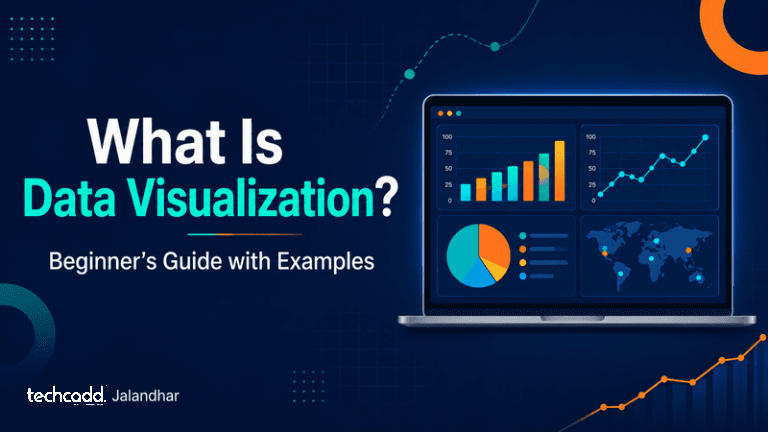
That is data visualization in a nutshell. It means turning numbers, tables and spreadsheets into visuals like charts, graphs, maps and dashboards, so anyone can spot patterns without digging through raw data.
Why Do People Need It?
Our brains understand pictures much faster than rows of digits. Say a shopkeeper in Jalandhar has a full year of sales records in Excel. Reading every line is exhausting. But a line chart that shows sales shooting up every October and dipping in summer? That tells him exactly when to stock up for the festive season.
Businesses, hospitals, sports teams and news channels all use visuals to make decisions and explain ideas quickly.
Data Visualization Examples You Already See Every Day
You’ve been reading data visualizations for years, probably without noticing:
Weather apps that show temperature changes as a curve
Cricket scorecards with run-rate graphs and wagon wheels
Google Maps coloring roads red when traffic is heavy
YouTube or Instagram analytics showing how your views grew week by week
Your phone’s screen-time report, with a bar for each day
Each one takes complicated information and makes it feel obvious.
Is It Only for Data Scientists?
Not at all. A very common worry among beginners is, “I’m not good at maths, so this isn’t for me.” The truth is, you don’t need advanced maths to begin. If you can look at a chart and ask, “What is this telling me?”, you already have the right mindset. Tools do the heavy lifting. Your job is to pick a clear way to tell the story.
Common Types of Charts and When to Use Them
Choosing the wrong chart is one of the most common beginner mistakes. A fancy chart that confuses people is worse than a plain one that makes sense. Here’s a simple way to think about it:
Bar chart: Best for comparing categories, like marks in different subjects or sales of different products.
Line chart: Perfect for showing change over time, such as monthly website visitors or your weekly study hours.
Pie chart: Useful only when you have a few parts that add up to 100%, like how a monthly budget is split. Too many slices and it becomes a mess.
Scatter plot: Shows whether two things are connected, for example study hours versus exam scores.
Map: Great when location matters, like showing which areas of a city get the most orders.
Dashboard: A single screen that combines several charts so you can see the full picture at once.
A good rule: before you pick a chart, ask yourself, “What is the one thing I want my viewer to understand?” Then choose the visual that shows that clearly.
Popular Tools Beginners Can Start With
You don’t have to learn everything at once. Most students begin with:
Microsoft Excel: Easy to start with and already installed on most computers.
Google Sheets: Free, simple and good for quick charts.
Power BI: Widely used in companies to build interactive dashboards.
Tableau: Known for polished, professional visuals.
Python (Matplotlib, Seaborn): A great next step once you’re comfortable with the basics.
If you’re wondering what to learn first, start with Excel. It teaches you how data is organized, which makes every other tool easier to pick up later.
What Makes a Visualization Actually Good?
Even with the best tool, a chart can fail. Good visuals share a few habits: a clear title, simple colors, labeled axes, and nothing extra that distracts from the message. Beginners often add too many colors, 3D effects or crowded labels, thinking it looks impressive. In reality, clean and simple wins almost every time.
How to Start Learning Data Visualization (Step by Step)
Feeling a bit overwhelmed? That’s normal. Most beginners feel the same way in the first week, and it passes quickly once you build something of your own.
Here’s a practical path you can follow:
Get comfortable with spreadsheets. Learn to sort, filter and clean data in Excel. Messy data is the number one reason charts go wrong.
Make simple charts first. Take your own data, like your monthly expenses or your marks across semesters, and turn it into a bar or line chart.
Learn one dashboard tool. Pick Power BI or Tableau and build a small dashboard from a free dataset.
Practice storytelling. After every chart, write one sentence explaining what it shows. If you can’t, the chart needs fixing.
Build a small portfolio. Three or four clean projects are enough to show a recruiter or client what you can do.
Mistakes Beginners Usually Make
Jumping into advanced tools before understanding basic data
Using too many colors or chart types on one page
Choosing a chart because it looks cool, not because it fits the data
Copying tutorials without trying their own examples
Avoid these and you’ll already be ahead of many learners.
What Can You Do After Learning It?
Data visualization is a useful skill for roles like data analyst, business analyst, MIS executive, marketing analyst and report designer. Even if you don’t plan a data career, it helps in almost any field, because everyone needs to explain numbers clearly.
Learning It the Right Way in Jalandhar
Self-study works, but having a mentor to review your charts and point out mistakes saves a lot of time. If you’re a student in Jalandhar looking for hands-on, practical training, techcadd can help you move from basic charts to real dashboards with guided projects.
Keep reading
- Advanced Data Visualization in Jalandhar: Learn Dashboards, DAX & Interactive Reports with techcaddConfused by dashboards and DAX formulas? Learn what advanced data visualization really involves, what to master first, and how techcadd in Jalandhar helps students build interactive reports that employers notice.
- How a Cyber Attack Happens: Step by Step Guide for Students in JalandharEver wondered how hackers actually break into a system? This simple, step-by-step guide explains how a cyber attack unfolds, from the first scan to the final damage, and what students in Jalandhar can learn to start a career in cybersecurity.
- How AI Agents Work: Tools, Memory, RAG & Multi-Agent Systems Explained for Students in JalandharCurious how AI agents think, remember and get real work done? This simple guide breaks down tools, memory, RAG and multi-agent systems for students in Jalandhar, with practical examples and tips on where to start learning at techcadd.
Comments
Loading…