WordPress Development Certificate Program in Jalandhar
Build it, rank it, sell from it: a 14-week production course in WordPress, WooCommerce, Elementor and search visibility, including AEO and GEO for AI answers.
- Live client projects
- Practitioner trainers
- Placement support
- Certificate + internship
- Duration
- 14 Weeks · 3 Months
- Mode
- Classroom, Weekend & 1-on-1
- Eligibility
- 12th Pass Onward
- Includes
- Live Client Build
- Students trained
- 25,000+Students trainedsince 2016
- Google rating
- 4.9★Google rating556+ reviews
- Practical training
- 100%Practical traininglive client work
Course overview
techcadd's WordPress Development Certificate Program in Jalandhar is a fourteen-week, three-month course that starts at an empty domain and ends with a client-grade website you have built, ranked, sold from and handed over. Module 01 opens with domains, DNS, hosting, cPanel and staging, so no coding or design background is assumed, before you install WordPress and learn to publish properly in Gutenberg, build a design system with block themes, and move into Elementor Pro's theme builder. Month two turns the site into a business: landing pages that capture enquiries, tracking that proves they arrived, a WooCommerce catalogue, and Indian payments, GST and shipping configured so an order actually completes. Month three makes the site findable and durable through keyword research, on-page work, the SEO plugin stack, Core Web Vitals, AI-search visibility, security, backups and migration. The final week is a live handover with documentation, a client quotation and a GST invoice.
One platform,build, sell and rank
WordPress is a content management system (CMS): software that runs a website and lets its owner add pages, blog posts and products from a dashboard instead of writing code. It powers a very large share of the world's websites, from a single clinic page to big news sites and online stores.
Think of WordPress like a ready-built shop on rent. The structure is already there; your job is to plan the layout, fit the shelves (themes and page builders), set up the billing counter (WooCommerce and payments), put up the signboard so people can find it (SEO) and keep it secure and maintained. This course covers that whole journey, from an empty domain to a site handed over to a client. The fields below show how much of each career it covers.
- Job-ready focus5 fields
- The course trains you for entry-level work in this field.
- Strong foundation1 field
- You learn the base skills here; one specialised course makes you job-ready.
- Introduced
- You will use it in the course, but it is not a specialisation.
- Not covered2 fields
- Not part of this course; available as a separate techcadd course.
What this course makes you job-ready for
Job-ready focusWordPress Website Development
Building business websites on WordPress: planning pages, designing them with blocks or a page builder, and setting up forms, menus and plugins so the owner can manage the site themselves.
A five-page site for a Jalandhar dental clinic with services, doctor profiles, an appointment enquiry form and a blog the receptionist can update.
- WordPress tools used
- WordPressGutenbergSite Editor / FSEElementor ProACFWPForms
- Job roles
- WordPress DeveloperWebsite DeveloperFreelance Web Designer
Modules 2–4 (Gutenberg, block themes and Full Site Editing, Elementor Pro theme builder). Projects: Five-Page Business Website, Dynamic Elementor Site & Tracked Landing Pages.
WooCommerce & E-commerce Stores
Turning a WordPress site into an online shop: products and variations, cart and checkout, payment gateways, GST and shipping.
A sports-goods manufacturer in Jalandhar selling cricket bats online with size variations, Razorpay payments, GST invoices and courier tracking.
- WordPress tools used
- WooCommerceRazorpayPayUShiprocketGST tax classes
- Job roles
- WooCommerce DeveloperE-commerce ExecutiveStore Manager
Modules 6–7 (WooCommerce store engineering; payments, GST, logistics and checkout conversion). Project: Live WooCommerce Store.
Search Engine Optimisation (SEO)
Making a website show up when people search on Google: choosing the right keywords, writing pages for them, and fixing the technical issues that stop a site from ranking.
Getting a Phagwara immigration consultant's site to appear when someone searches "Canada study visa consultant near me".
- WordPress tools used
- Rank MathGoogle Search ConsoleScreaming FrogGA4
- Job roles
- SEO ExecutiveWeb Content ExecutiveWordPress & SEO Executive
Modules 8–11 (keyword research and site architecture, on-page SEO, the Rank Math plugin stack, technical SEO and Core Web Vitals). Off-page SEO and link building are not covered here; they are taught in techcadd's SEO course.
Landing Pages, Lead Capture & Conversion Tracking
Building pages designed to turn visitors into enquiries, sending those enquiries to the right inbox or sheet, and proving with tracking where they came from.
A real-estate firm's landing page where every enquiry lands in a Google Sheet and GA4 shows which ad or post produced it.
- WordPress tools used
- Elementor ProGoogle Tag ManagerGA4Google SheetsMicrosoft Clarity
- Job roles
- WordPress DeveloperWebsite ManagerMarketing Website Executive
Module 5 (conversion landing pages, forms and lead capture, GTM and GA4 key events). Project: Dynamic Elementor Site & Tracked Landing Pages.
Website Maintenance, Security & Hosting
Keeping a live site running: domains and hosting, SSL, backups, updates, malware cleanup, speed and moving sites between hosts without losing rankings. Often billed as a monthly retainer.
Looking after ten small-business sites for a monthly fee: weekly backups, plugin updates and fixing anything that breaks.
- WordPress tools used
- cPanelCloudflareWordfenceUpdraftPlusDuplicatorWP Rocket
- Job roles
- Website ManagerWordPress Maintenance ExecutiveFreelance Web Consultant
Module 1 (domains, DNS, hosting, cPanel and SSL) and Module 13 (security, backups, migration and maintenance retainers).
What this course lays the foundation for
Strong foundationAEO & GEO (Visibility in AI Search)
Structuring a website so AI tools such as ChatGPT Search, Perplexity and Google AI Overviews can understand it and cite it in their answers.
A coaching institute's FAQ page written so that when a student asks an AI tool "best IELTS coaching in Jalandhar", the institute's page is quoted as a source.
- WordPress tools used
- Schema markupChatGPTPerplexityGA4
- Job roles
- SEO ExecutiveAEO / GEO Specialist (emerging role)
Module 12 covers how AI search retrieves sources, question-first page structure, entity consistency and measuring AI referral traffic. techcadd's AEO and GEO courses go deeper.
Not part of this course
Not coveredCustom Theme & Plugin Coding (PHP)
Writing your own WordPress themes and plugins from scratch in PHP, for features no existing plugin offers.
Coding a custom plugin that connects a school's website to its own fee-management software.
- WordPress tools used
- PHPMySQLWordPress hooks and APIsJavaScript
- Job roles
- WordPress Theme DeveloperWordPress Plugin DeveloperPHP Developer
Not part of this course. You work with child themes, theme.json and custom CSS, but PHP programming is taught in techcadd's PHP Full Stack course.
Paid Ads & Social Media Marketing
Running Google and Meta ad campaigns and social media pages that send paying traffic to a website.
A Google Ads campaign that sends people searching for "AC repair Jalandhar" straight to a service landing page.
- WordPress tools used
- Google AdsMeta Ads ManagerMeta Business Suite
- Job roles
- Performance MarketerGoogle Ads ExecutiveSocial Media Executive
Not part of this course. You learn to build the landing pages and conversion tracking that ads depend on; running the campaigns is taught in techcadd's Google Ads, Social Media Marketing and Digital Marketing courses.
Clearing up common confusions
Is a WordPress developer the same as a web developer?
Partly. A WordPress developer builds and customises sites on the WordPress platform using themes, page builders and plugins, which is what this course teaches. A web developer usually writes applications from scratch in code (JavaScript, PHP or Python). Writing your own themes and plugins in PHP sits between the two and is not part of this course.
Are AEO and GEO replacing SEO?
No. AEO (Answer Engine Optimisation) and GEO (Generative Engine Optimisation) build on SEO: a page still has to be crawlable, fast and well structured before an AI tool will cite it. This course teaches SEO first, then shows how to make the same pages easier for AI answers to use.
WordPress is also used for…
News and blog publishing, school and college websites, membership and course sites, booking and directory sites, and company intranets. These are not separate modules here, but the same WordPress, plugin and SEO skills apply to all of them.
At a glance: what this course covers
| Field | Coverage in this course | Where you learn it | Next step at techcadd |
|---|---|---|---|
| WordPress Website Development | Job-ready focus | Modules 2–4; Projects 1, 2 | Ready to apply |
| WooCommerce & E-commerce | Job-ready focus | Modules 6–7; Project 3 | Ready to apply |
| SEO (on-page and technical) | Job-ready focus | Modules 8–11; Capstone | SEO course for off-page and link building |
| Landing Pages & Conversion Tracking | Job-ready focus | Module 5; Project 2 | Ready to apply |
| Maintenance, Security & Hosting | Job-ready focus | Modules 1, 13 | Ready to apply |
| AEO & GEO | Strong foundation | Module 12 | AEO, GEO courses |
| Custom PHP Themes & Plugins | Not covered | — | PHP Full Stack |
| Paid Ads & Social Media | Not covered | — | Google Ads, Digital Marketing |
Which WordPress pathsuits you?
You do not need to pick a direction before you join. Everyone builds the same sites through the fourteen modules, and most students discover which part they enjoy along the way. If you already have a leaning, this guide helps:
| If you… | You will probably enjoy | Typical first job |
|---|---|---|
| Enjoy designing pages and seeing a site come together | WordPress Website Development | WordPress Developer |
| Like the idea of selling products online | WooCommerce & E-commerce | WooCommerce Developer, E-commerce Executive |
| Are curious about why some sites rank on Google and others do not | SEO, AEO & GEO | SEO Executive |
| Like keeping things organised, updated and secure | Website Maintenance & Management | Website Manager |
| Want to freelance for local businesses | Business sites plus monthly maintenance | Freelance WordPress Developer |
| Own a business and want to run your own site | Building, ranking and maintaining in-house | Manage your own website and store |
| Are not sure yet | Start with this course | Decide with your trainer once you have built a few sites |
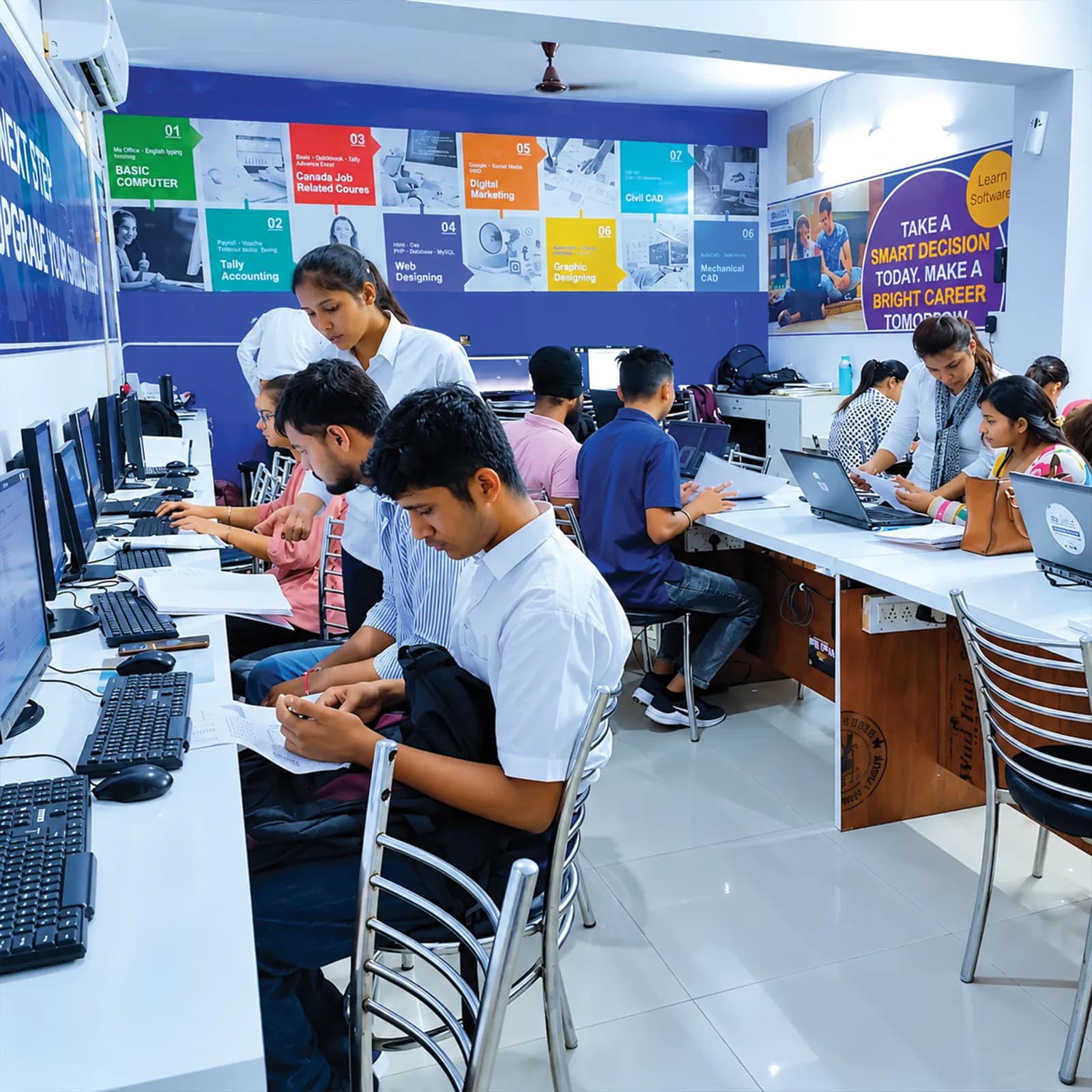
Industry-Ready Training in WordPress
- 100% practical, project-based learning
- AI tools integrated into every module
- Live client projects under trainer supervision
- Internship letter and placement support
- Small batches with daily doubt clearing
What you will
actually build
The programme moves in one line from an empty domain to a site someone pays for. You begin with the plumbing (DNS, hosting, cPanel and staging), then install WordPress and learn to publish properly in Gutenberg before touching any page builder. From there you build a design system with block themes, then learn Elementor Pro's theme builder so a fifty-page site costs the same effort as a five-page one. Month 2 turns the site into a business: landing pages that capture enquiries, tracking that proves they arrived, a WooCommerce catalogue, and Indian payments, GST and shipping configured to actually complete an order. Month 3 makes the site findable and durable: keyword research drives the architecture, on-page work and a properly configured SEO plugin stack fix what is published, technical SEO and Core Web Vitals fix what is underneath, AEO and GEO structure the pages so AI answers can cite them, and security, backups and migration keep the whole thing alive. The final week is a client-grade build handed over with documentation, a quotation and a GST invoice.
Web Foundations, Domains & Hosting Operations
- DNS, nameservers, A/CNAME/MX/TXT records and propagation
Pointing a domain's nameservers and setting A, CNAME, MX and TXT records correctly, then understanding propagation delay — the plumbing every one of the fourteen live-domain deliverables depends on from Week 1.
- cPanel operations: file manager, FTP, phpMyAdmin, staging and scheduled backups
Running the hosting control panel itself: uploading files over FTP, managing the database in phpMyAdmin, building a staging copy and scheduling backups before you ever touch WordPress.
- SSL, forced HTTPS and local development with LocalWP
Installing SSL certificates, forcing HTTPS site-wide, and building sites locally in LocalWP before pushing them to the real domain and hosting configured in this same module.
Useful for: Every field. Each live site starts with a domain, hosting and SSL.
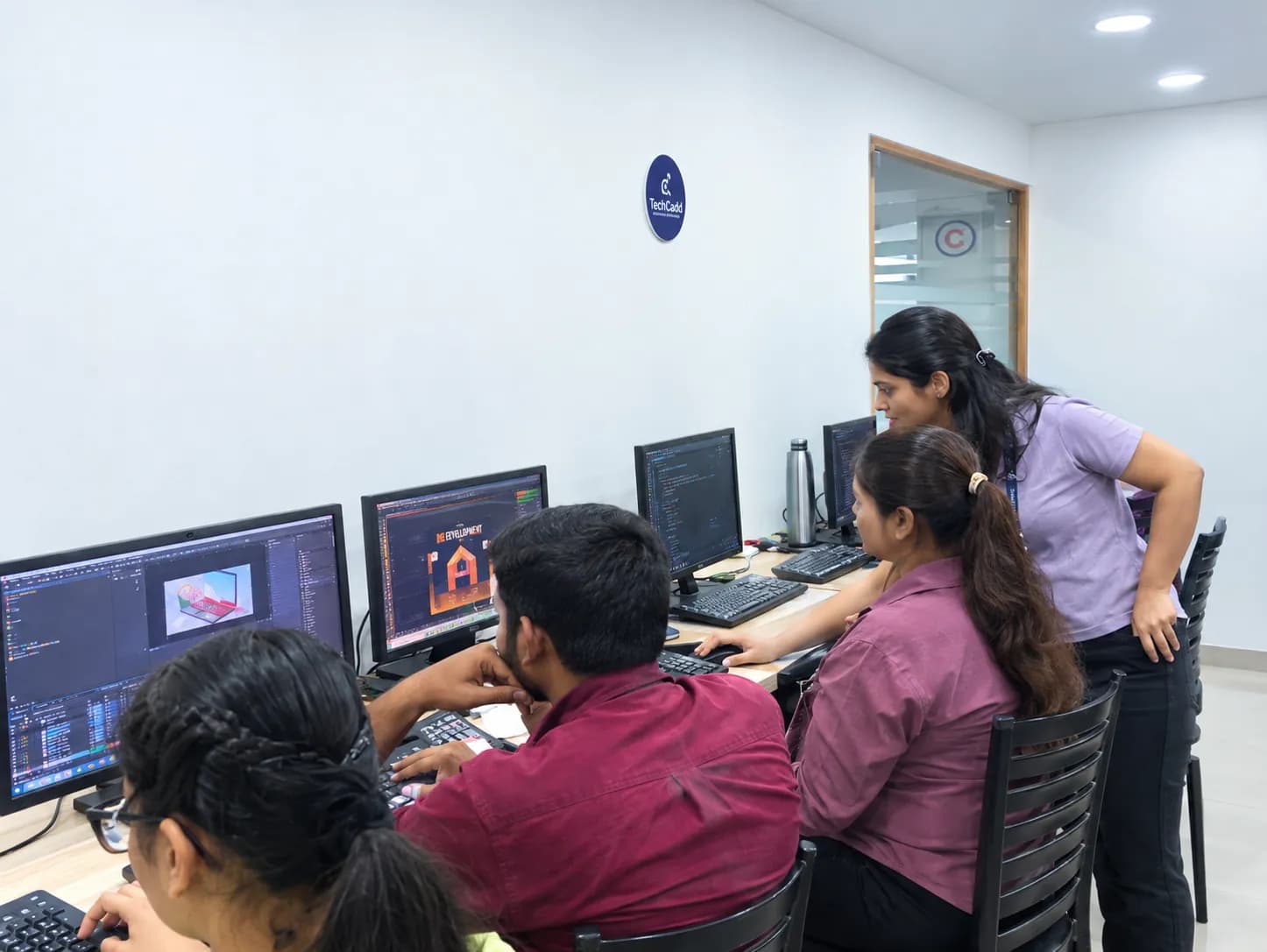
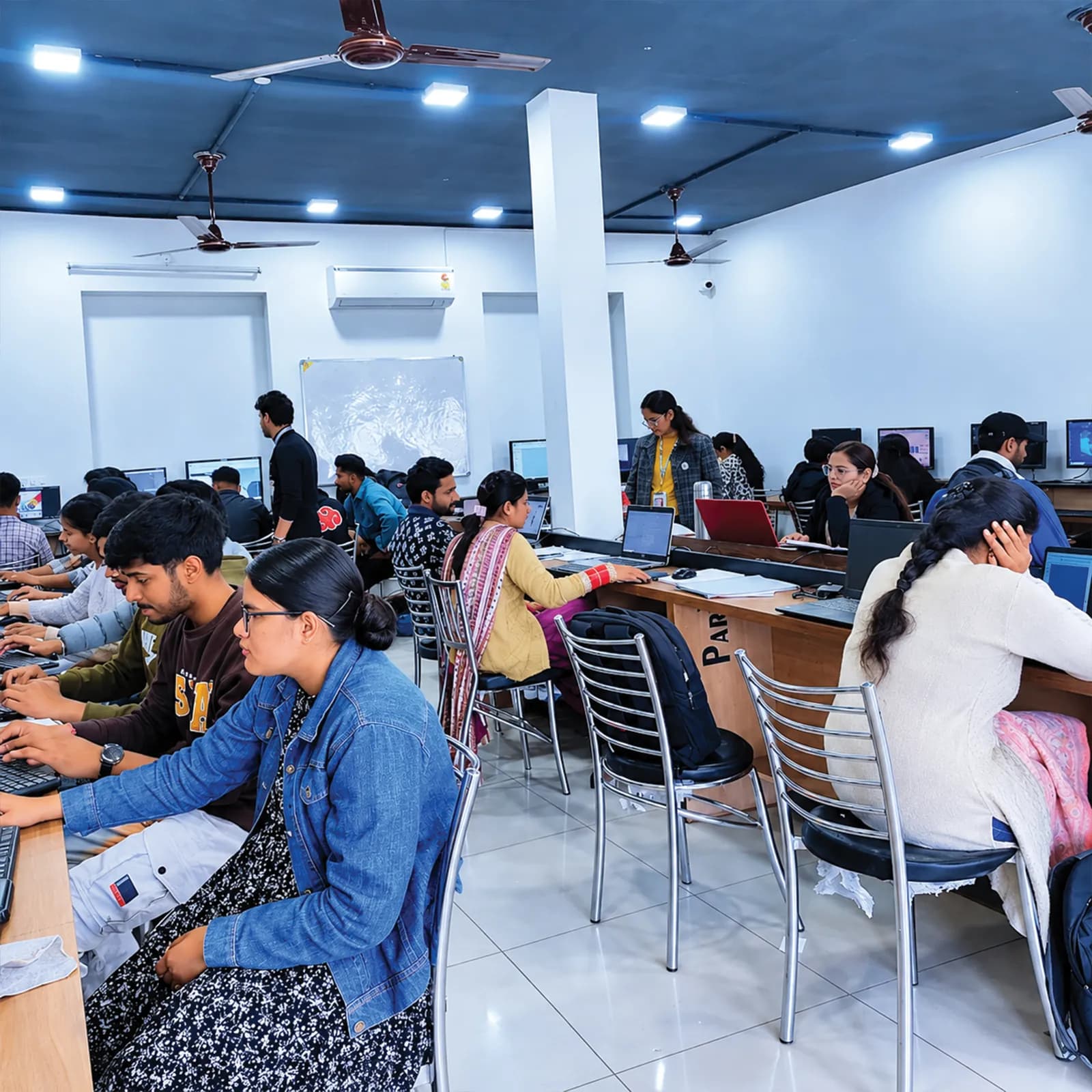
WordPress Is Powering the Next Generation of Industry Leaders
- Live client work from week one, supervised by a trainer, not slides, not simulations.
- WordPress Developer roles in Punjab start around ₹12,000 – ₹25,000 a month for a fresher with a working portfolio.
Reviewed by mentors. Built for interviews.Who can dothis course
This programme starts at Module 01 with domains, hosting and DNS, so no coding or design background is assumed. The batch mixes students, graduates, working professionals and business owners: what decides the outcome is consistency through the fourteen modules, not where you start.
Students after 12th
No coding or design background is needed: Module 01 starts at domains, DNS and hosting and assumes nothing before it. Most students build their first paid site for a local shop or clinic during the programme.
Graduates and final-year students
Web and WordPress roles in Jalandhar hire on portfolio, not marks. By the final week you have a live URL, a working enquiry form, a WooCommerce store that has taken a test order and a ranking record with dates.
Working professionals
Weekend and evening batches let you build sites for clients on the side while keeping your job. Professionals in education, real estate and healthcare often start by rebuilding their own company's website.
Business owners and freelancers
Shop owners, coaching-centre operators and clinic owners across Jalandhar are paying agencies monthly for a site they cannot edit themselves. This programme teaches you to build, rank and maintain it in-house, including WooCommerce with Indian payments, GST tax classes and courier integration.
Career restarters
A gap on the CV counts for less than work you can point at. The programme starts at zero and finishes with a portfolio and a documented internship letter, which is what an interviewer asks about after a break.
Self-taught learners
If free videos left you with notes but nothing built, what changes here is a trainer who reviews what you produced this week and a deadline attached to every module.
One course.A mesh of real tools.
Everything below is installed on the lab machines and used on live client work, not shown once in a slide and forgotten.
- cPanel
- The hosting control panel for files, databases, email and backups
- LocalWP
- Runs WordPress on your laptop so you can build before going live
- FileZilla
- Moves files between your computer and the web server over FTP
- phpMyAdmin
- Lets you view and manage the database behind a WordPress site
- Cloudflare
- Speeds up and protects a site through DNS, caching and security
- WordPress
- The content management system the whole course is built on
- Gutenberg
- WordPress's built-in block editor for pages and posts
- Site Editor / FSE
- Designs headers, footers and templates across the whole site
- Elementor Pro
- A drag-and-drop page and theme builder used widely by agencies
- ACF
- Adds custom fields so one template can show different content per page
- WPForms
- Builds contact, enquiry and booking forms
- WooCommerce
- Turns a WordPress site into an online store
- Razorpay
- An Indian payment gateway for UPI, cards and net banking
- Shiprocket
- Connects the store to couriers for shipping and tracking
- Rank Math
- The SEO plugin for titles, schema, sitemaps and redirects
- Screaming Frog
- Crawls a site to find broken links and technical SEO problems
- Google Search Console
- Shows how Google sees and ranks your site
- Google Tag Manager
- Adds tracking codes and events without editing the site's code
- GA4
- Google Analytics: measures visitors, enquiries and sales
- Microsoft Clarity
- Records heatmaps and sessions to show how visitors use a page
- WP Rocket
- A caching plugin that makes WordPress sites load faster
- Wordfence
- A security plugin that blocks attacks and scans for malware
- UpdraftPlus
- Schedules backups and restores a site when something breaks
- Duplicator
- Copies or moves a whole site to a new host or domain
- ChatGPT
- Used to test how AI search reads and cites your pages, and to draft content
- Perplexity
- An AI search engine used to check whether your site gets cited
- Looker Studio
- Builds a simple client dashboard from Analytics and Search Console data
- Zoho Books / Refrens
- Creates quotations and GST invoices for client work
Get Certified in
WordPress
Complete the course with a portfolio of live projects and receive an industry-recognised certificate, plus a documented internship letter accepted by Punjab universities.
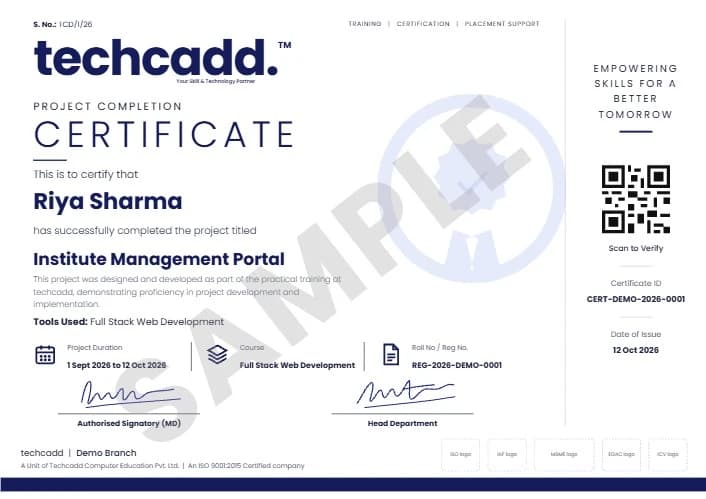
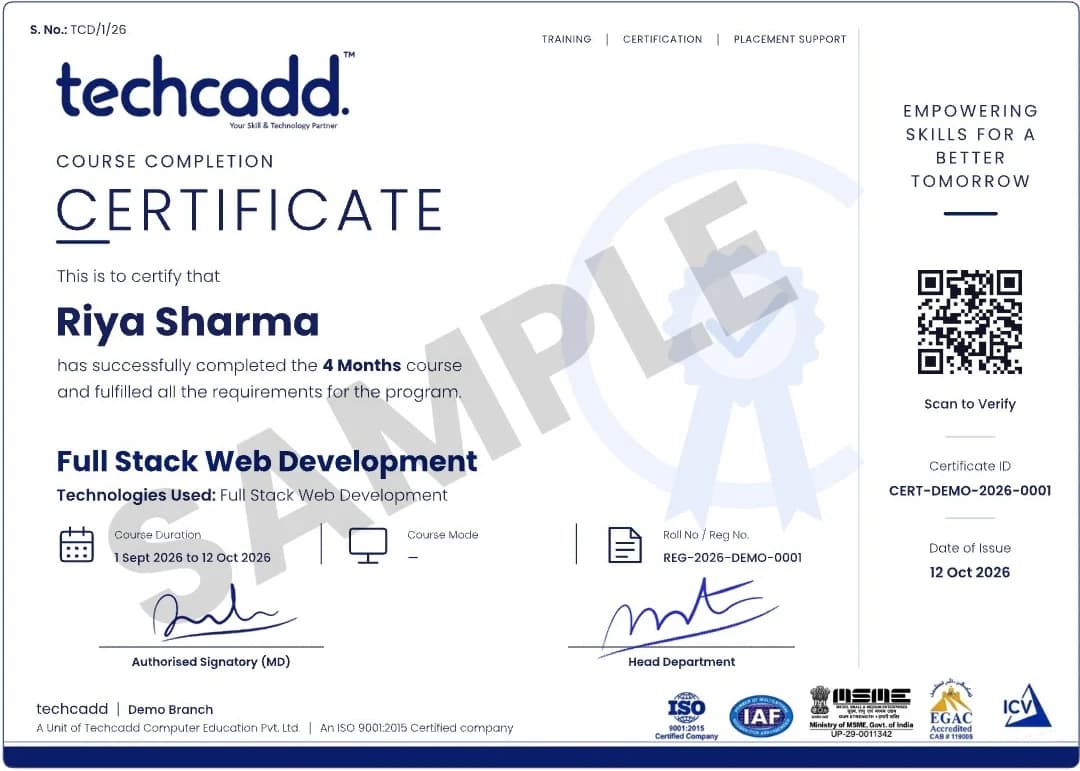
Two certificates on completion — the course certificate and a separate capstone project certificate.
Where this coursetakes you
The roles this opens, what they pay in Punjab and beyond, and who is hiring for them — the same figures our free Salary Estimator publishes, not a brochure number.
What job roles open up after WordPress?
Agencies, coaching institutes, clinics, real-estate firms and manufacturers across Jalandhar and Ludhiana all run WordPress sites that need building, ranking and maintaining. The roles fall into two groups:
- WordPress Developer
- WooCommerce Developer
- Website Manager
- Web Content Executive
- SEO Executive (junior)
- Freelance WordPress Developer
- SEO Specialist (with SEO course)
- Digital Marketing Executive (with Digital Marketing course)
- Shopify Store Developer (with Shopify course)
- WordPress Theme / Plugin Developer (with PHP Full Stack course)
What job roles open up after WordPress?
Graduates move into WordPress Developer, WooCommerce Developer, Website Manager, Web Content Executive and SEO Executive roles, plus freelance web consulting. Agencies in Jalandhar and Ludhiana hire for the first three directly, and the SEO route opens because the programme covers keyword research, on-page, technical SEO and AI-search visibility rather than design alone.
What can I earn, and how fast does it grow?
Entry-level WordPress roles in the Jalandhar market start modestly and move up quickly once you can show WooCommerce and technical SEO work alongside a build. Freelance work is priced per project rather than monthly, and remote roles for metro or overseas clients pay noticeably more once your portfolio can prove it.
Can I freelance or work remotely with this skill?
Yes. WordPress is one of the few skills where the deliverable is a URL, so location stops mattering once you can show completed work. The programme covers scoping and pricing a maintenance retainer and writing quotations, which is what lets you charge properly for freelance builds.
Which industries hire for this in Punjab?
Coaching institutes, clinics and diagnostic labs, real estate and property firms, gyms and salons, and sports goods and leather manufacturers around Jalandhar all hire in-house or freelance WordPress talent, along with the digital agencies serving them.
Can I specialise further after this programme?
Yes. The natural next steps are SEO, performance marketing or Shopify development, and this programme already carries the search foundation. Students who want to go deeper into rankings and link building usually continue into the dedicated SEO programme.
Your WordPress careerroadmap
This course is a complete Step 1 for most WordPress jobs: it already includes WooCommerce and SEO. For some goals you add one focused course. Here is how each path looks:
| Goal | Step 1 | Step 2 | Where you arrive |
|---|---|---|---|
| WordPress Developer | WordPress Development Certificate Program | Ready to apply | WordPress Developer |
| WooCommerce / E-commerce | WordPress Development Certificate Program | Ready to apply (add Shopify to cover both platforms) | WooCommerce Developer, E-commerce Executive |
| SEO Specialist | WordPress Development Certificate Program | SEO (off-page and link building) | SEO Executive / Specialist |
| AI search visibility | WordPress Development Certificate Program | AEO → GEO | AEO / GEO Specialist |
| Digital Marketer | WordPress Development Certificate Program | Digital Marketing Executive | |
| Theme & Plugin Developer | WordPress Development Certificate Program | PHP Full Stack | WordPress / PHP Developer |
Hands-on projectsyou will ship
Five-Page Business Website
Built in Gutenberg on a real domain with working enquiry capture, mobile tested, on a documented plugin stack: the single deliverable small businesses in Jalandhar buy most often.
Field: WordPress Website Development
Dynamic Elementor Site & Tracked Landing Pages
A custom header, footer, blog archive and single templates driven by custom fields, plus three live landing pages with tracked form submissions and a split test running.
Field: WordPress Development, Lead Capture & Conversion Tracking
Live WooCommerce Store
A structured catalogue of thirty products with variations and filtering, a completed test order, a generated GST invoice and a working abandoned-cart recovery flow.
Field: WooCommerce & E-commerce
Capstone: Client-Grade Build & Handover
One site taken from a client brief to launch with a technical and SEO audit, an AI-visibility scorecard and a client dashboard, handed over with documentation, a quotation and a GST invoice.
Field: Full WordPress delivery, SEO & AI visibility, Freelancing
Learn it. Build it. Make it yours.
Every project moves through the same loop: understand the brief, build with guidance, then explain the decisions behind your work.
Understand
Break a real requirement into a clear plan and the right tools.
Five-Page Business WebsiteBuild
Work hands-on with trainer feedback while the decisions are still easy to change.
Dynamic Elementor Site & Tracked Landing PagesPresent
Turn the finished work into a portfolio story you can defend in an interview.
Live WooCommerce StoreWhy students choosetechcadd
There are several places to learn WordPress in Jalandhar and the brochure syllabus looks similar at most of them. What differs is whether you ever touch a live domain, whether the trainer still does client work, and whether the placement cell keeps calling after your batch ends.
Trainers who do live client work
Your trainer builds and maintains sites for paying clients, so the programme covers unglamorous things like failed checkouts, plugin conflicts and migrations that lose rankings, not a five-year-old case study.
Fourteen graded deliverables, not fourteen lectures
Every module ends in an artefact a trainer reviews before you move on: a live URL, a tracked form, a test order, a crawl report, a Core Web Vitals score. You do not advance on attendance.
You work on a live domain you own
Real hosting, real SSL, a real payment gateway and real search data from Week 1. Nothing in this programme happens on a localhost demo that disappears at the end of the batch.
Small batches
Deliverable-based review only works if the trainer can actually review it, so batch sizes stay small enough for individual feedback on each submission.
Internship letter and certificate
Students completing the capstone receive a programme certificate and an internship letter covering the live client-grade build.
Since 2016, trained across Punjab
techcadd has run skill-training programmes across Jalandhar, Ludhiana, Mukerian, Hoshiarpur, Phagwara, Bathinda, Amritsar and Patiala since 2016.
How techcaddcompares
Anyone can show you the WordPress dashboard. These are the eight things worth asking before you pay for a programme, including this one.
| Feature | techcadd | Other institutes |
|---|---|---|
| Curriculum | Industry-aligned, updated regularly | Often outdated or generic |
| Learning style | 100% hands-on, project-based | Mostly theory-heavy |
| Trainers | Industry-experienced mentors who still deliver client work | Mixed experience levels |
| Real projects | Multiple real-world projects plus a capstone | Limited or simulated projects |
| Live sites | You build and launch real sites on your own domain and hosting, with backups and security configured | Local installs that never go live |
| Placement support | Dedicated career and interview preparation | Often limited or absent |
| Batch flexibility | Weekday, evening, weekend and 1-on-1 options | Fixed schedules |
| Doubt support | Ongoing mentor and community support | Limited post-class support |
| Certification | Industry-recognised certificate plus a documented internship letter | Varies |
The right-hand column describes what is commonly offered in the market, not any particular institute. Ask any institute you are considering — this one included — to show you the work its students actually produced.
What our studentsin Jalandhar say
- Google
I built and launched a real WooCommerce store during the programme, not a demo theme. That store is still live and it's the first thing I show in interviews.
Rajat MahajanWordPress Developer · Jalandhar GoogleThe migration and maintenance module is the reason I can now charge a monthly retainer instead of billing once and disappearing.
Kirandeep KaurFreelance Web Developer · Phagwara GoogleElementor Pro was the part I actually needed for my job. I now build client pages in an afternoon instead of a week.
Aman ThakurWebsite Manager · Hoshiarpur GoogleWe built a thirty-product store with real Razorpay payments and a GST invoice flow. My interviewer asked how I'd handle a failed checkout and I already had an answer.
Simran OberoiWooCommerce Developer · Kapurthala GoogleI built and launched a real WooCommerce store during the programme, not a demo theme. That store is still live and it's the first thing I show in interviews.
Rajat MahajanWordPress Developer · Jalandhar GoogleThe migration and maintenance module is the reason I can now charge a monthly retainer instead of billing once and disappearing.
Kirandeep KaurFreelance Web Developer · Phagwara GoogleElementor Pro was the part I actually needed for my job. I now build client pages in an afternoon instead of a week.
Aman ThakurWebsite Manager · Hoshiarpur GoogleWe built a thirty-product store with real Razorpay payments and a GST invoice flow. My interviewer asked how I'd handle a failed checkout and I already had an answer.
Simran OberoiWooCommerce Developer · Kapurthala
- Google
Learning WordPress and SEO together made both make more sense. I understand why a site is built a certain way now, not just how.
Deepak BansalSEO & WordPress Executive · Ludhiana GoogleI run three client sites now on the side while working full-time. The weekend batch made that possible without quitting my job.
Navjot KaurFreelance Web Consultant · Jalandhar Cantt GoogleThe block-themes module was new to me and it turned out to be the direction WordPress itself is moving. Good to have learned it properly instead of picking it up later.
Harmanpreet SinghWeb Designer · Nakodar GoogleI handle our clinic's website content and forms now without waiting on an agency. The programme paid for itself within two months.
Ritika SharmaWebsite Manager · Kartarpur GoogleLearning WordPress and SEO together made both make more sense. I understand why a site is built a certain way now, not just how.
Deepak BansalSEO & WordPress Executive · Ludhiana GoogleI run three client sites now on the side while working full-time. The weekend batch made that possible without quitting my job.
Navjot KaurFreelance Web Consultant · Jalandhar Cantt GoogleThe block-themes module was new to me and it turned out to be the direction WordPress itself is moving. Good to have learned it properly instead of picking it up later.
Harmanpreet SinghWeb Designer · Nakodar GoogleI handle our clinic's website content and forms now without waiting on an agency. The programme paid for itself within two months.
Ritika SharmaWebsite Manager · Kartarpur
Frequently Asked Questions
The programme runs 14 weeks, roughly three and a half months, at one module per week. It covers domains and hosting through Gutenberg, Elementor Pro, WooCommerce, SEO and site handover, with progression based on deliverables rather than the calendar.
techcadd's WordPress Certificate Program fee covers all fourteen modules, live project work and the internship letter. Counsellors share the current fee sheet and instalment options on request, and a demo class is free.
No. The programme starts at domains, hosting and DNS and assumes no prior technical background, so school leavers, non-technical graduates and business owners can all join.
WordPress Developer, WooCommerce Developer, Website Manager, Web Content Executive and SEO Executive are the common roles, plus freelance site building. Agencies, coaching institutes, clinics and manufacturers across Jalandhar and Ludhiana hire for these.
No training provider can honestly guarantee a job, and techcadd does not. What is provided is placement support: interview preparation, portfolio and resume review, and referrals through the placement cell.
WordPress, Gutenberg, Elementor Pro, WooCommerce, Rank Math, Screaming Frog, Google Search Console, GA4, Google Tag Manager, WP Rocket, Wordfence and Razorpay, among others. Hosting is operated through cPanel.
Yes. Students who complete the capstone receive a programme completion certificate and an internship letter covering the live client-grade build.
Yes, weekday, evening and weekend batches are offered so working professionals and college students can attend without leaving their job or classes. 1-on-1 training is also available for anyone who wants a fully personal schedule. Every class (batch or 1-on-1) runs for 2 hours.
Learn WordPress first if you want to build and sell websites, and digital marketing first if you want to run advertising campaigns. This programme includes the search side (keyword research, on-page, technical SEO and AI-search visibility) so it also serves as an entry point into SEO work.
Yes. You build a live WooCommerce store with a structured catalogue, working payments through Razorpay or PayU, GST settings and a completed test order, as part of Month 2.
Mostly not, as taught here. You build with Gutenberg, block themes, Elementor Pro and plugins, and you learn some CSS and theme.json. Writing custom themes and plugins in PHP is a coding specialisation that is not part of this course; it is covered in techcadd's PHP Full Stack course.
Both, in that order. The first half builds the website and the WooCommerce store; the second half (Modules 8–12) makes it rank through keyword research, on-page and technical SEO, and AI-search visibility. Off-page SEO and link building are taught in the dedicated SEO course.
WordPress with WooCommerce suits businesses that want a full website with a shop inside it and full control over hosting. Shopify suits businesses that only want an online store and are happy to pay a monthly platform fee. This course covers WooCommerce; Shopify has its own techcadd course.
No. You build the landing pages, forms and GA4 and Google Tag Manager tracking that ad campaigns depend on, but running the campaigns themselves is taught in techcadd's Google Ads, Social Media Marketing and Digital Marketing courses.
No. This course uses self-hosted WordPress (from WordPress.org) on your own domain and hosting, managed through cPanel. That is what businesses and agencies use when they want full control over plugins, design, SEO and WooCommerce.
Yes, for WordPress-based sites, which is what many small businesses buy. If you also want to hand-code layouts in HTML, CSS and JavaScript, or work on non-WordPress projects, add techcadd's Web Designing course.
Every module,stage by stage
The WordPress syllabus runs as 3 stages inside one enrolment. A tick shows the stage each module first appears in — the ladder is cumulative, so a later stage builds on the earlier ones instead of replacing them.
Foundations
5 modules
Opens with Web Foundations, Domains & Hosting Operations through Conversion Landing Pages, Forms & Lead Capture. 5 modules, taught, practised in the lab and assessed on work you keep.
Core skills
+5 modules
Adds WooCommerce Store Engineering through The SEO Plugin Stack: Rank Math, Schema & Redirections, on top of everything stage 1 already covers.
Advanced & capstone
+4 modules
Adds Technical SEO, Schema & Core Web Vitals through Capstone: Live Client Build, Launch & Handover, on top of everything stage 2 already covers.
| Module | Stage 1 | Stage 2 | Stage 3 |
|---|---|---|---|
| 01Web Foundations, Domains & Hosting OperationsDNS, nameservers, A/CNAME/MX/TXT records and propagation; cPanel operations: file manager, FTP, phpMyAdmin, staging and scheduled backups. | Included | Included | Included |
| 02WordPress Core, Gutenberg & Content ArchitectureInstallation, permalinks, user roles and the Gutenberg block editor; Patterns, synced patterns and reusable sections. | Included | Included | Included |
| 03Block Themes, Full Site Editing & Design SystemsThe Site Editor: templates, template parts, headers and footers; Global styles, theme.json, colour palettes and type scales. | Included | Included | Included |
| 04Elementor Pro: Theme Builder & Dynamic SitesContainers, flexbox layout and the theme builder's display conditions; Dynamic content and custom fields with ACF. | Included | Included | Included |
| 05Conversion Landing Pages, Forms & Lead CaptureLanding page anatomy: proof stacking, objection blocks, thank-you flows; Elementor forms with webhooks, Google Sheets and CRM integrations. | Included | Included | Included |
| 06WooCommerce Store EngineeringProduct types, attributes, variations and inventory discipline; Catalogue and category architecture, filtering and bulk CSV import. | Not included | Included | Included |
| 07Payments, GST, Logistics & Checkout ConversionRazorpay, PayU and cash on delivery; GST tax classes, HSN handling, shipping zones and courier integration. | Not included | Included | Included |
| 08Keyword Research, Intent & Site ArchitectureClassifying informational, commercial, transactional and navigational intent; Competitor keyword gap analysis and clustering into topics. | Not included | Included | Included |
| 09On-Page SEO & Content Optimisation in WordPressTitle tag formulas, meta descriptions, heading structure and alt text; E-E-A-T signals, internal linking and contextual siloing. | Not included | Included | Included |
| 10The SEO Plugin Stack: Rank Math, Schema & RedirectionsComparing Rank Math, Yoast and All in One SEO, migrating without losing metadata. | Not included | Included | Included |
| 11Technical SEO, Schema & Core Web VitalsRobots.txt, XML sitemaps, crawl budget and canonical rules; Crawling a site in Screaming Frog and triaging the export into a fix sheet. | Not included | Not included | Included |
| 12AEO & GEO: Visibility Inside AI SearchHow ChatGPT Search, Perplexity, Google AI Overviews and Gemini retrieve and cite sources. | Not included | Not included | Included |
| 13Security, Backups, Migration & Maintenance OperationsHardening, malware scanning, incident response and tested restores; Migration with All-in-One WP Migration, Duplicator and Migrate Guru. | Not included | Not included | Included |
| 14Capstone: Live Client Build, Launch & HandoverScoping a build from a client conversation and pre-launch quality assurance; Analytics and Search Console handover with a client training video. | Not included | Not included | Included |
Every stage sits inside the one programme: nothing is dropped as you move up, and nothing is charged for twice. If you are not sure which stage matters most for the role you are aiming at, a counsellor will map it against the jobs actually hiring in Punjab right now.
Not sure which WordPress path is right for you?
One call with a counsellor is usually enough to find out. Tell us whether you enjoy building sites, selling online or getting found on Google, and we will show you where this course takes you and what to add next. Book a free demo class and see the lab before you decide.
Ask aboutWordPress
Send your question and a counsellor will call you back about batch timings, fees, EMI options, placement record, or whether this course fits your degree.
- Free counselling and demo class
- Weekday, evening, weekend or 1-on-1, all 2-hour classes
- Internship letter and placement support