Best UI/UX Design Course & Training in Jalandhar
Learn designing usable, research-backed digital products — wireframes to a clickable prototype in Figma, taught on live client work at techcadd Jalandhar rather than from slides.
- Live client projects
- Practitioner trainers
- Placement support
- Certificate + internship
- Duration
- 3 Months
- Mode
- Classroom, Weekend & 1-on-1
- Eligibility
- 12th Pass Onward
- Students trained
- 25,000+Students trainedsince 2016
- Google rating
- 4.9★Google rating556+ reviews
- Practical training
- 100%Practical traininglive client work
Course overview
techcadd's Best UI/UX Design Course & Training in Jalandhar takes you from UX research, user interviews and personas to Case-study portfolio for design job applications, taught on Figma, Adobe XD, FigJam. You work on live client briefs under trainer supervision, not slideware. Every module ends in a portfolio deliverable you can show in an interview.
Every app and websitestarts with a designer
UX (user experience) design is about how a product works for the person using it: can they find what they need, understand the next step and finish the task without getting stuck? UI (user interface) design is about how each screen looks: the layout, buttons, colours and type. Together they decide whether an app or website feels easy or frustrating, and it is all planned before a developer writes any code.
Think of building a house. The UX designer is like the architect who plans the rooms around how a family actually lives, and the UI designer is like the interior designer who makes each room look and feel right. The developer is the builder. This course trains you as the architect and the interior designer, working in Figma, and gives the builder clear plans to work from. Each field below shows how much of it the course covers.
- Job-ready focus3 fields
- The course trains you for entry-level work in this field.
- Strong foundation2 fields
- You learn the base skills here; one specialised course makes you job-ready.
- Introduced1 field
- You will use it in the course, but it is not a specialisation.
- Not covered1 field
- Not part of this course; available as a separate techcadd course.
What this course makes you job-ready for
Job-ready focusUX Design (Flows & Wireframes)
Planning how a user moves through an app or website: which screens exist, what is on each one and in what order, sketched first as simple wireframes.
Mapping the steps for booking a doctor's appointment in a Jalandhar hospital's app so a patient can do it in under a minute.
- UI/UX Design tools used
- FigmaFigJamAdobe XD
- Job roles
- UX DesignerUI/UX DesignerProduct Designer (junior)
Foundations module (information architecture, user flows, wireframing from low- to high-fidelity).
UI / Visual Interface Design
Designing the final look of each screen: layout, typography, colour, icons, buttons and their states, so the product looks polished and consistent.
Turning a grey wireframe of a food-delivery home screen into the finished design with menus, photos, offers and a clear Order button.
- UI/UX Design tools used
- FigmaAdobe XD
- Job roles
- UI DesignerVisual DesignerUI/UX Designer
Core Skills module (visual design systems and component libraries) with high-fidelity screens built from the Foundations wireframes.
Prototyping & Interaction Design
Linking screens into a clickable prototype that behaves like the real app, including transitions, menus and what happens when a user taps something.
A clickable Figma prototype of a college admission app that a client can try on their phone before any code is written.
- UI/UX Design tools used
- Figma prototypingAdobe XD
- Job roles
- UI/UX DesignerInteraction DesignerProduct Designer (junior)
Core Skills module (prototyping and interaction design in Figma). Projects: Real-World Data Challenge, Live Client Brief.
What this course lays the foundation for
Strong foundationUX Research & Usability Testing
Finding out what users really need through interviews and personas, then watching real people use a design to see where they get confused.
Asking five shopkeepers how they track udhaar (credit), then testing a prototype ledger app with them and fixing the screens they struggled with.
- UI/UX Design tools used
- MazeFigJamNotioninterview scripts
- Job roles
- UX Researcher (junior)UI/UX Designer
Foundations module (UX research, user interviews and personas) and Core Skills module (usability testing and iterating on feedback). Dedicated UX Researcher roles usually also ask for more experience than a first course gives.
Design Systems
A shared library of reusable components, colours and type rules so a whole team designs consistently and developers can build faster.
One button, card and form style used across every screen of a bank's app, updated in one place.
- UI/UX Design tools used
- Figma componentsvariables and styles
- Job roles
- UI DesignerProduct DesignerDesign System Designer (with experience)
Core Skills module (visual design systems and component libraries). You build and use a component library; maintaining large company-wide systems comes with experience.
What this course introduces
IntroducedAccessible Design
Designing so that people with poor eyesight, colour blindness or other needs can still use the product comfortably.
Checking that text on a government-service app has enough contrast to read in bright sunlight and for older users.
- UI/UX Design tools used
- Figma contrast checkersWCAG guidelines
- Job roles
- UI/UX DesignerAccessibility Specialist (with further study)
Applied Work module (accessibility basics for interface design).
Not part of this course
Not coveredFront-end Development
Writing the code (HTML, CSS, JavaScript) that turns a design into a working website or app.
A developer taking your Figma screens and building the real, working website from them.
- UI/UX Design tools used
- HTMLCSSJavaScriptReact
- Job roles
- Front-End DeveloperUI DeveloperWeb Designer
Not part of this course. Your Figma prototypes and component library are what a developer builds from. To build them yourself, add techcadd's Web Designing course.
Clearing up common confusions
UI or UX: which one is it?
Both, and most entry-level jobs expect both. UX decides what the screen should do; UI decides how it looks. In large companies they can be separate roles, but in Punjab's agencies and startups one designer usually handles both, which is why this course teaches them together.
Is UI/UX design the same as web designing?
Not quite. In UI/UX you design and test how an app or website should work and look, in Figma. Web designing at techcadd is about building the website with HTML and CSS. Many people do both, and designers who can also code are in strong demand.
UI/UX Design is also used in…
Mobile apps, e-commerce stores, SaaS dashboards, banking and government services, edtech platforms, and even kiosks and smart-TV screens. Wherever there is a screen, someone has to design how it works. The process you learn in this course applies to all of them.
At a glance: what this course covers
| Field | Coverage in this course | Where you learn it | Next step at techcadd |
|---|---|---|---|
| UX Design (Flows & Wireframes) | Job-ready focus | Foundations module | Ready to apply |
| UI / Visual Interface Design | Job-ready focus | Core Skills module | Ready to apply |
| Prototyping & Interaction | Job-ready focus | Core Skills module, Live Client Brief | Ready to apply |
| UX Research & Usability Testing | Strong foundation | Foundations, Core Skills modules | Grow on the job |
| Design Systems | Strong foundation | Core Skills module | Grow on the job |
| Accessible Design | Introduced | Applied Work module | — |
| Front-end coding (HTML, CSS, JS) | Not covered | — | Web Designing course |
| Logos, branding and print | Not covered | — | Graphic Designing course |
Which UI/UX Design pathsuits you?
You do not need to choose between UI, UX or research before you join. Everyone learns the full process, from user research to a tested prototype, and most students find their strength while building their case studies. If you already have an idea, this guide helps:
| If you… | You will probably enjoy | Typical first job |
|---|---|---|
| Love clean, good-looking screens and notice bad app design | UI / Visual Interface Design | UI Designer |
| Like solving puzzles and planning how things should work | UX Design (Flows & Wireframes) | UX Designer, UI/UX Designer |
| Are curious about people and enjoy asking questions | UX Research & Usability Testing | UI/UX Designer, growing into UX Researcher |
| Enjoy animations and how things respond when you tap them | Prototyping & Interaction Design | Interaction Designer, UI/UX Designer |
| Want to design and also build websites | UI/UX plus front-end coding | UI Developer (with Web Designing) |
| Are not sure yet | Start with this course | Decide with your trainer once you have finished your first case study |
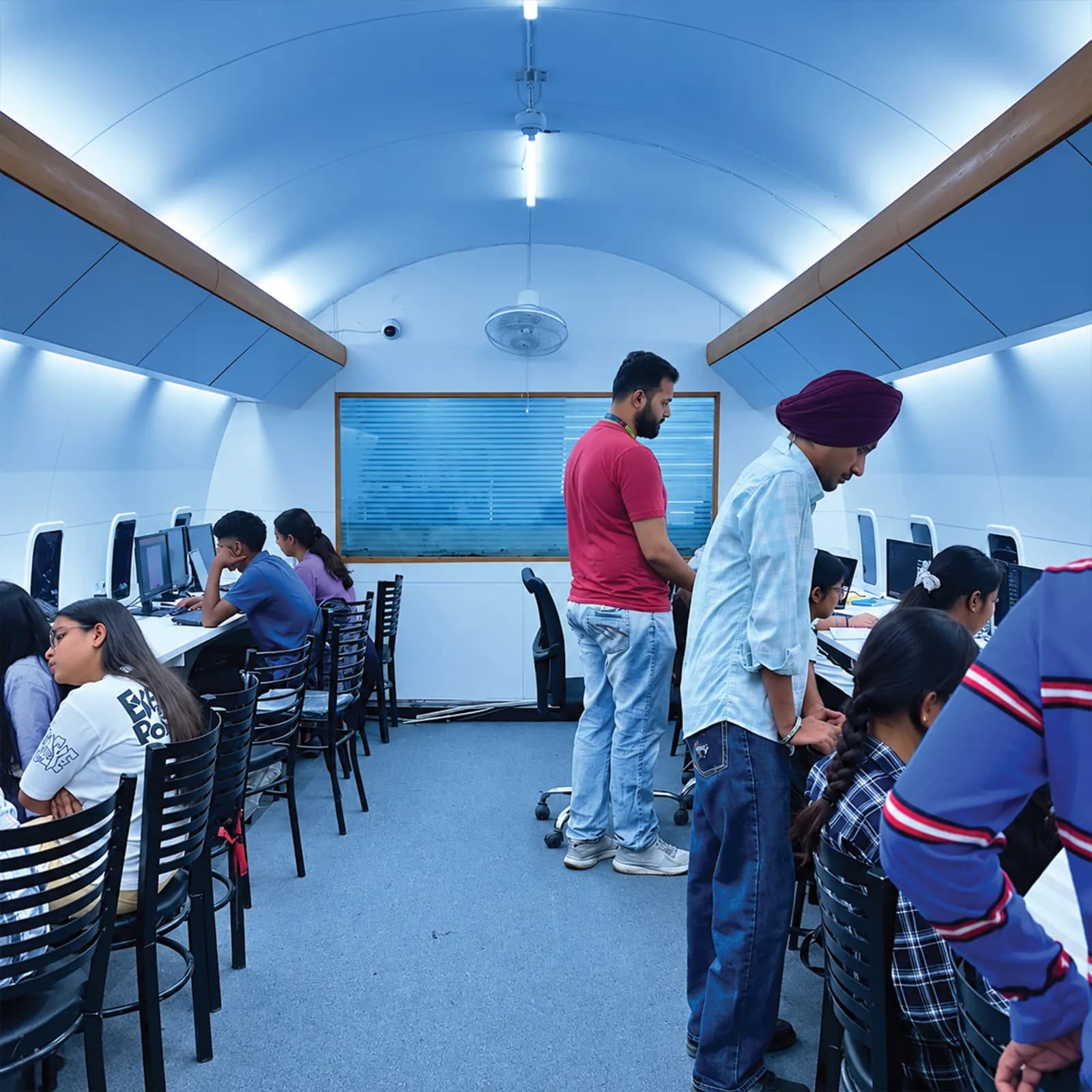
Industry-Ready Training in UI/UX Design
- 100% practical, project-based learning
- AI tools integrated into every module
- Live client projects under trainer supervision
- Internship letter and placement support
- Small batches with daily doubt clearing
What you will
actually build
The syllabus is arranged so every module produces an asset rather than a set of notes. You will cover ux research, user interviews and personas, information architecture and user flows, wireframing from low- to high-fidelity, prototyping and interaction design in figma, visual design systems and component libraries, and finish with a live project built on Figma, Adobe XD, FigJam. Modules run in the order a real project runs: foundations first, then the core skills, then applied work under supervision, then the portfolio and interview preparation that turn all of it into an offer letter.
Foundations
- UX research, user interviews and personas
- Information architecture and user flows
- Wireframing from low- to high-fidelity
Useful for: UX Design and UX Research. Every screen you design later is built on this thinking.
UI/UX Design Is Powering the Next Generation of Industry Leaders
- Live client work from week one, supervised by a trainer, not slides, not simulations.
- UI/UX Designer roles in Punjab start around ₹18,000 – ₹32,000 a month for a fresher with a working portfolio.
Reviewed by mentors. Built for interviews.Who can dothis course
The UI/UX Design course is built for people at six different starting points, and the batch is deliberately mixed. What matters far more than your background is turning up consistently and finishing what each module asks you to build.
Students after 12th
Join from any stream. You start from fundamentals with no assumed knowledge, and most students run the course alongside a degree at a Jalandhar college using the weekday or weekend batch.
Graduates and final-year students
If you are finishing a BA, BBA, B.Com, BCA or B.Tech, this is the shortest route from degree to salary. Enter placement season with project work in hand instead of a blank CV.
Working professionals
The weekend batch exists for people already earning. Career switchers typically become interview-ready for UI/UX Designer roles within five to six months without leaving their current job.
Business owners and freelancers
Owners take this course to stop outsourcing work they cannot judge. Freelancers take it to bill clients beyond Punjab, since location does not limit remote work in this field.
Career restarters
A gap on the CV counts for less than work you can point at. The course starts at zero and finishes with a portfolio and a documented internship letter, which is what an interviewer asks about after a break.
Self-taught learners
If free videos left you with notes but nothing built, what changes here is a trainer who reviews what you produced this week and a deadline attached to every module.
One course.A mesh of real tools.
Everything below is installed on the lab machines and used on live client work, not shown once in a slide and forgotten.
- Figma
- The main tool for wireframes, UI design, prototypes and developer handoff
- Adobe XD
- Another interface design and prototyping tool some companies still use
- FigJam
- An online whiteboard for user flows, research notes and brainstorming
- Maze
- Runs usability tests on your prototypes with real users
- Notion
- Organises research findings, project notes and case-study write-ups
Get Certified in
UI/UX Design
Complete the course with a portfolio of live projects and receive an industry-recognised certificate, plus a documented internship letter accepted by Punjab universities.
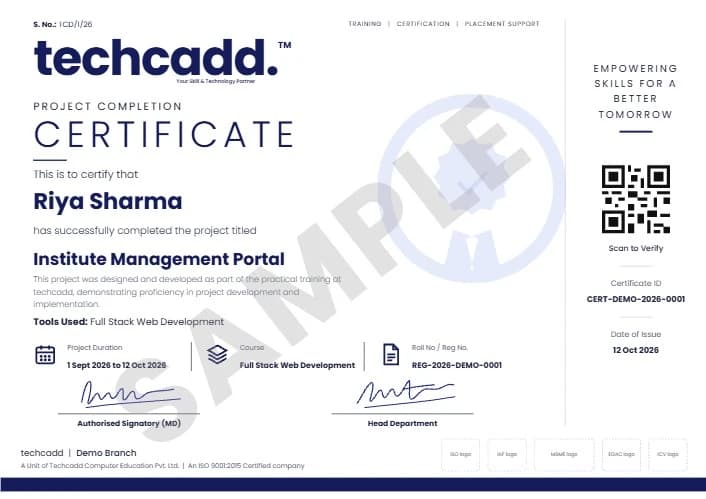
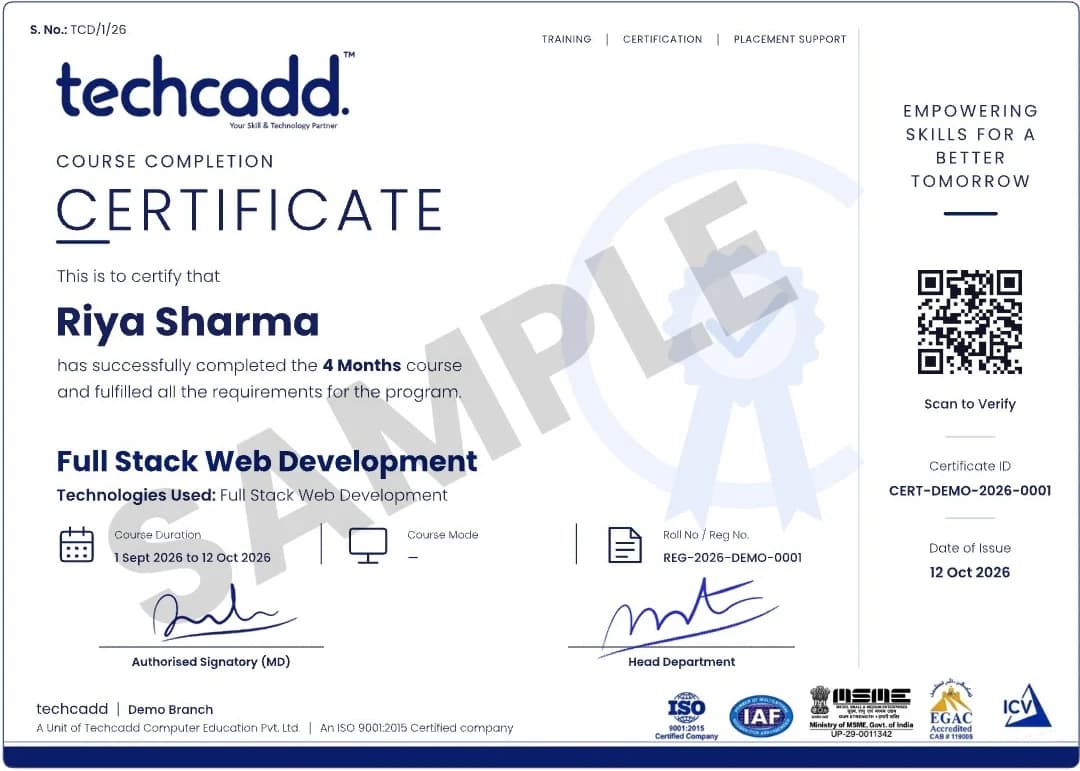
Two certificates on completion — the course certificate and a separate capstone project certificate.
Where this coursetakes you
The roles this opens, what they pay in Punjab and beyond, and who is hiring for them — the same figures our free Salary Estimator publishes, not a brochure number.
What job roles open up after UI/UX Design?
Startups, IT companies and digital agencies all need people who can plan and design screens before developers build them. The roles fall into two groups:
- UI/UX Designer
- UI Designer
- UX Designer (junior)
- Interaction Designer (junior)
- Freelance App & Website Designer
- UI Developer / Web Designer (with Web Designing course)
- Front-End Developer (with Web Designing and Full Stack Development)
- Brand / Visual Designer (with Graphic Designing course)
- App Designer-Developer (with Flutter course)
What job roles open up after UI/UX Design?
Graduates move into UI/UX Designer, Product Designer, UX Researcher, Interaction Designer and similar roles. Every startup and product team now hires a designer before a second developer, and Punjab's product and agency scene is no exception.
What can I earn, and how fast does it grow?
A fresher with a working portfolio starts around ₹18,000 – ₹32,000 a month in the Jalandhar market. With two years of delivery experience that typically doubles, and specialists who keep learning move well beyond it.
Can I freelance or work remotely with this skill?
Yes. A Jalandhar address costs you nothing on a remote brief. Students bill clients in Delhi, Dubai and Canada. The course covers client handling, proposals and reporting so you can price and defend your work, not just do it.
Which industries hire for this in Punjab?
Beyond IT companies, the export houses, sports goods and hand tool manufacturers, immigration consultancies, hospitals, schools and real estate firms across Jalandhar all now hire for these skills directly.
Can I continue to higher studies or a specialisation later?
The certificate and portfolio stand on their own, and they stack. Most students move on to an adjacent techcadd track. The tools overlap, so the second course is faster than the first.
Your UI/UX Design careerroadmap
This course is Step 1 for most product design careers. For some roles it is enough on its own; for others you add one focused course. Here is how each path looks:
| Goal | Step 1 | Step 2 | Where you arrive |
|---|---|---|---|
| UI/UX Designer | UI/UX Design | Ready to apply | UI/UX Designer |
| Product Designer | UI/UX Design | Ready to apply (grow into product roles with experience) | Product Designer |
| UI Developer / Web Designer | UI/UX Design | UI Developer, Web Designer | |
| Full-stack designer-developer | UI/UX Design | Web Designing → Full Stack Development | Front-End / Full-Stack Developer |
| Visual and brand designer | UI/UX Design | Graphic Designing | Visual Designer, Brand Designer |
| Mobile app designer-developer | UI/UX Design | Flutter | App Designer / Flutter Developer |
Hands-on projectsyou will ship
UI/UX Design Fundamentals Build
Your first working piece, applying ux research, user interviews and personas and information architecture and user flows end to end rather than as isolated exercises.
Field: UX Research, User Flows
Real-World Data Challenge
Work with messy, real inputs (prototyping and interaction design in figma and visual design systems and component libraries) and defend the choices you made to a trainer.
Field: Prototyping, Design Systems
Live Client Brief
A genuine requirement from techcadd's delivery pipeline, scoped, built and shipped under supervision. This is the one interviewers ask about.
Field: End-to-end UI/UX Design
Portfolio Capstone
A ui/ux design project you specify yourself, covering accessibility basics for interface design and deployment, and present as your final piece.
Field: Accessible Design, Case-Study Portfolio
Learn it. Build it. Make it yours.
Every project moves through the same loop: understand the brief, build with guidance, then explain the decisions behind your work.
Understand
Break a real requirement into a clear plan and the right tools.
UI/UX Design Fundamentals BuildBuild
Work hands-on with trainer feedback while the decisions are still easy to change.
Real-World Data ChallengePresent
Turn the finished work into a portfolio story you can defend in an interview.
Live Client BriefWhy students choosetechcadd
There are many places to learn this in Jalandhar and the brochure syllabus looks similar at all of them. What differs is who teaches, whether you ever touch real work, and whether anyone picks up the phone after you have paid. techcadd has trained students across Punjab since 2016 on the same model: small batches, working practitioners as trainers, client projects as coursework.
Trainers who still do the work
Your trainer is not a full-time lecturer. They deliver client projects for techcadd's services arm, so examples in class are current rather than a case study from five years ago.
Live projects, real consequences
You work on genuine client requirements under supervision. This is where a portfolio comes from, and it is the first thing an interviewer asks to see.
Small batches and open lab hours
Batches stay small enough that a trainer sees your screen daily. Lab time runs outside class hours and doubt sessions continue until the concept lands.
Internship letter and certificate
Every student finishes with an industry-recognised certificate and a documented internship on real work, accepted for university industrial training requirements.
A placement cell that persists
Mock interviews, CV reviews and drives with hiring partners across Jalandhar and Ludhiana, repeated after a rejection, not abandoned.
Since 2016, 25,000+ students
A decade of hiring relationships in Punjab is why a call from our placement cell gets answered and why local employers know what our certificate means.
How techcaddcompares
See how techcadd's UI/UX Design programme stacks up against what you will find at most other institutes in Jalandhar.
| Feature | techcadd | Other institutes |
|---|---|---|
| Training style | 100% practical, hands-on from day one | Mostly theory with occasional demos |
| Projects | Live client work under trainer supervision | Pre-built demo projects or none |
| Batch size | Small batches, trainer sees your screen daily | 30-50 students per batch |
| Trainers | Working professionals who still deliver projects | Full-time lecturers with textbook examples |
| Internship | Documented internship on real client work | Certificate only, no real work exposure |
| Placement support | Dedicated cell, mock interviews, drives until placed | Job portal links or a single drive |
| Doubt clearing | Open lab hours and unlimited doubt sessions | Fixed class hours only |
| Certificate | Industry-recognised certificate + internship letter | Institute certificate only |
What our studentsin Jalandhar say
- Google
I was switching careers and worried I would be behind. Half the UI/UX Design batch were doing the same thing, and nobody made me feel slow.
Vikas ChopraWeekend Batch · Ludhiana GoogleI joined the UI/UX Design batch with almost no background and finished with a project I could actually show. The trainers correct your work daily rather than just moving to the next slide.
Neha BansalPlaced Fresher · Jalandhar GoogleWhat made UI/UX Design click for me was the lab time. You can sit after class and someone will still explain it until you get it.
Arshdeep SinghTrainee Engineer · Adampur GoogleI was switching careers and worried I would be behind. Half the UI/UX Design batch were doing the same thing, and nobody made me feel slow.
Vikas ChopraWeekend Batch · Ludhiana GoogleI joined the UI/UX Design batch with almost no background and finished with a project I could actually show. The trainers correct your work daily rather than just moving to the next slide.
Neha BansalPlaced Fresher · Jalandhar GoogleWhat made UI/UX Design click for me was the lab time. You can sit after class and someone will still explain it until you get it.
Arshdeep SinghTrainee Engineer · Adampur
- Google
The UI/UX Design course got me interview-ready faster than I expected. My interviewer asked to see my project and that was the whole conversation.
Pooja RaniGraduate · Kartarpur GoogleI travelled in for the weekend UI/UX Design batch and it was worth every trip. Small batch, real work, no time wasted on theory nobody uses.
Karan MehtaB.Tech Student · Jalandhar Googletechcadd's placement cell kept calling me for drives until I was placed. That persistence mattered more than the certificate for UI/UX Design.
Sandeep KaurPlaced Fresher · Phillaur GoogleThe UI/UX Design course got me interview-ready faster than I expected. My interviewer asked to see my project and that was the whole conversation.
Pooja RaniGraduate · Kartarpur GoogleI travelled in for the weekend UI/UX Design batch and it was worth every trip. Small batch, real work, no time wasted on theory nobody uses.
Karan MehtaB.Tech Student · Jalandhar Googletechcadd's placement cell kept calling me for drives until I was placed. That persistence mattered more than the certificate for UI/UX Design.
Sandeep KaurPlaced Fresher · Phillaur
Choose howyou want to learn
Every mode covers the same syllabus, projects and placement support. Pick the schedule that fits your life.
Classroom Training
Learn in techcadd's air-conditioned labs with licensed software, a projector and a trainer who sees your screen daily. Weekday batches run Monday to Friday, 2 hours per session.
Learn moreOnline Live Classes
Join live instructor-led sessions from anywhere. Screen sharing, real-time doubt clearing and the same assignments as the classroom batch, with recordings available for 7 days.
Learn moreWeekend Batches
Saturday and Sunday batches for working professionals and college students. Same syllabus, same projects, same placement support — just a different calendar.
Learn more1-on-1 Personal Training
Set your own schedule with a dedicated trainer. Ideal for professionals with shifting rosters or anyone who wants to move faster than a batch allows.
Learn moreFrequently Asked Questions
techcadd runs UI/UX Design over 3 to 6 months depending on the track you choose. Weekday, evening and weekend batches cover the same syllabus, and 1-on-1 training is available if you would rather set your own pace. Every class runs for 2 hours, whichever format you choose.
Fees depend on the course length and subject. techcadd counsellors share the exact fee for the length you choose and EMI options on request, and a demo class is free.
Students after 12th, graduates and final-year students, working professionals switching careers, and business owners all join this course. You start from fundamentals, so a technical background helps but is not required.
Graduates typically move into roles such as UI/UX Designer, Product Designer, UX Researcher or Interaction Designer. Every startup and product team now hires a designer before a second developer, and Punjab's product and agency scene is no exception.
A fresher with a working portfolio typically starts around ₹18,000 – ₹32,000 per month in the Jalandhar market, rising substantially within two years of experience. Freelancers handling multiple clients often earn more, since remote work is not limited by location.
No training provider can honestly guarantee a job, and you should be cautious of anyone in Jalandhar who claims one. techcadd guarantees placement support: CV reviews, mock interviews, portfolio preparation and repeated drives with hiring partners across Jalandhar and Ludhiana.
You will work hands-on with Figma, Adobe XD, FigJam, Maze, Notion and the supporting toolchain used on live projects. All practice happens in the lab on licensed software, not on demo screenshots.
Yes. Every student receives an industry-recognised certificate on completion plus a documented internship letter based on live client work. The internship satisfies the industrial training requirement at most Punjab universities.
Every module ends with something you built. Best UI/UX Design Course & Training in Jalandhar finishes with a live project drawn from techcadd's own client delivery work, supervised by a trainer, which becomes the portfolio you take to interviews.
Yes. techcadd Jalandhar runs weekday, evening and weekend batches in parallel so working professionals and college students can both attend, and 1-on-1 training is available for a fully personal schedule. Every class (batch or 1-on-1) runs for 2 hours; book a free demo class to see the lab and meet the trainer before enrolling.
UX is how a product works: the steps, flows and whether users can finish their task easily. UI is how each screen looks: layout, colour, type and buttons. This course teaches both together, because most entry-level design jobs expect one person to handle both.
No. You design in Figma, and coding is not part of this course. Your prototypes and component library are what developers build from. If you later want to build your designs yourself, add techcadd's Web Designing course.
No. Graphic design is about visuals such as logos, posts and print. UI/UX is about designing apps and websites that are easy to use, based on user research and testing. A graphic design background helps with the visual side, but it is not required for this course.
Yes. The same UX process and Figma skills apply to both app and website screens. Building the actual app in code is a separate skill taught in courses like Flutter.
You learn the core research methods: user interviews, personas and usability testing. That is enough to use research in your design work from day one. Most companies hire dedicated UX Researchers with some experience, so freshers usually start as UI/UX Designers and specialise later.
Because design interviews are about your process. A case study shows the problem, your research, your wireframes, the feedback you got and your final design. The course ends with a case-study portfolio built for exactly these interviews.
Not sure which design path is right for you?
One call with a counsellor is usually enough to find out. Tell us what you enjoy, and we will show you whether UI, UX, research or a design-plus-coding route suits you, and how this course fits in. Book a free demo class and see the lab before you decide.
Ask aboutUI/UX Design
Send your question and a counsellor will call you back about batch timings, fees, EMI options, placement record, or whether this course fits your degree.
- Free counselling and demo class
- Weekday, evening, weekend or 1-on-1, all 2-hour classes
- Internship letter and placement support